
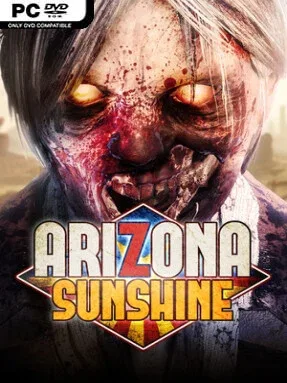
Game Overview
Sun-blasted canyons, abandoned mines, and roadside ruins turn Arizona Sunshine into a tense virtual-reality zombie shooter with a welcome streak of dark humor. You play a wisecracking survivor following a faint radio signal through post-apocalyptic Arizona, hoping it leads to other living people rather than another meal for the undead. The campaign balances lonely wilderness travel with sudden close-quarters panic, making every cave tunnel and derelict building feel dangerous. Its tone is more pulpy B-movie than relentlessly grim, but VR keeps the violence and pressure convincingly immediate.
Combat revolves around physically handling firearms with VR motion controls: grab pistols, shotguns, rifles, and more exotic hardware, line up shots manually, reload under stress, and manage the ammunition you find. Zombies are slow enough to invite careful aiming, yet dense groups quickly punish poor positioning or wasted bullets, especially once they crowd into cramped interiors. Levels mix guided story routes with open-looking stretches of desert and canyon terrain, where searching vehicles and side areas supplies ammo, health, and a better chance of surviving the next ambush. The narrative is divided into manageable chapters, so it works well for shorter headset sessions as well as full campaign runs; however, its former online cooperative modes are no longer supported.
What makes Arizona Sunshine endure is how clearly it understands the simple thrill of firing a convincing virtual gun at shambling targets and seeing the results in the environment. Enemies react to precise hits with graphic dismemberment, while breakable objects and the dusty Southwestern scenery give encounters more texture than a plain shooting gallery. It is less systems-heavy than The Walking Dead: Saints & Sinners and less arcade-focused than an on-rails shooter, landing somewhere between a campaign FPS and a VR survival attraction. New VR players should use the available comfort and movement settings before tackling longer sessions, while genre veterans get a substantial, direct zombie-blasting adventure with memorable locations and satisfying weapon handling.
Screenshots


Installation
- Select the <strong>Download</strong> button at the top of this page to open UploadHaven.
- On UploadHaven, wait for any countdown, then select <strong>Free Download</strong>. Optional: UploadHaven Pro for faster downloads.
- When complete, extract the archive to a <strong>Arizona Sunshine</strong> folder using 7-Zip.
- Open the extracted folder and start the game normally.
- For errors, check <strong>Setup Guide & Troubleshooting</strong> below. Keep your security software enabled.
System Requirements
- OS *: Windows 7 – 64 bit
- Processor: Intel i5-4590 equivalent or greater
- Memory: 8 GB RAM
- Graphics: NVIDIA GTX 970 / AMD equivalent or greater
- DirectX: Version 11
- Storage: 12 GB available space
- VR Support: SteamVR or Oculus PC. Standing or Room Scale
- Additional Notes: VR Headset required, 2x USB 3.0 ports
Setup Guide & Troubleshooting
How do I fix missing DLL errors for Arizona Sunshine?
After extracting Arizona Sunshine, navigate to the _Redist or _CommonRedist folder inside the game directory and install DirectX, Vcredist, and any other dependencies included.
What should I do if the downloaded file is corrupted?
The full archive is 12.34 GB — make sure your download completed fully before extracting. Use 7-Zip to extract the files. If you still see a "file corrupted" error, re-download and try again.
Why should I run the game as administrator?
Right-click the game executable and select "Run as Administrator" to avoid save file issues and permission errors. This is especially important on the first launch.
How do I update my GPU drivers for this game?
Arizona Sunshine requires a NVIDIA GTX 970 / AMD equivalent or greater or equivalent. Update your NVIDIA or AMD drivers to the latest version for the best performance.
The game won't launch — what should I try?
This game requires Version 11. Try running in compatibility mode, install the latest DirectX runtime, or install the All-in-One VC Redist Package.
My antivirus is blocking the game — is it safe?
Antivirus false positives are common with pre-installed games. Temporarily pause your antivirus during extraction to prevent it from quarantining game files. You can re-enable it after the extraction completes.