
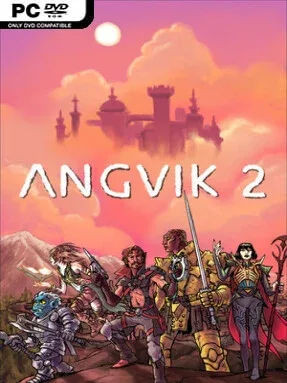
Game Overview
Fast, unpredictable platforming sits at the center of a colorful roguelike adventure where every descent asks for quick reactions and smarter improvisation. Angvik 2 sends players through shifting stages packed with hostile creatures, hazards, loot, and unexpected equipment, giving each attempt its own rhythm. Its tone balances scrappy arcade action with an almost cozy sense of downtime, rather than leaning entirely into grim punishment. Death ends a run, but the game makes failure feel like part of an ongoing life aboard your ship instead of a complete reset.
Runs begin with meaningful character choices, combining different species and classes to shape movement, survivability, and combat options. You jump, dodge, fight, and scavenge through procedurally arranged areas while adapting to whatever weapons appear, whether that means close-range blades, firearms, strange rings, or spellcasting scrolls. Success depends less on memorizing one perfect route than on making a workable build from the tools at hand and responding to unfamiliar enemy groups. Gold gathered during expeditions remains useful after defeat, giving players a persistent resource even when a promising run collapses early.
The standout idea is the breather between battles: the home ship supports low-pressure activities such as fishing, mining, gardening, and eating, turning the usual roguelike hub into a small personal retreat. That contrast gives the game more personality than a pure score-chasing platformer and provides a gentler form of progression without removing the stakes of permadeath. Its distinctive visual presentation and broad equipment pool encourage experimentation, especially for players who enjoy discovering odd combinations rather than committing to a fixed combat style. Fans of Spelunky-style repeatable runs and the build variety of action roguelikes should find plenty to enjoy, while newcomers benefit from the persistent gold and relaxed side pursuits that soften the genre’s usual harshness.
Installation
- Click the green button below to be redirected to UploadHaven.
- Wait 15 seconds, then hit “Free Download.” (Free downloads may be slower — upgrade to UploadHaven Pro for faster speeds.)
- Once downloaded, right-click the .zip file and choose “Extract to Angvik 2.” (You’ll need 7-Zip for this.)
- Open the extracted folder and run the game as administrator.
- Enjoy! 🎮 If you see missing DLL errors, check the <strong>_Redist</strong> folder inside and install what’s needed.
System Requirements
- Requires a 64-bit processor and operating system
- OS: Windows 10 (64 bit)
- Processor: Intel Core i5-7500T
- Memory: 5 GB RAM
- Graphics: Intel HD 630
- Storage: 600 MB available space
- Additional Notes: Quality setting on Low
Setup Guide & Troubleshooting
How do I fix missing DLL errors for Angvik 2?
After extracting Angvik 2, navigate to the _Redist or _CommonRedist folder inside the game directory and install DirectX, Vcredist, and any other dependencies included.
What should I do if the downloaded file is corrupted?
The full archive is 406.85 MB — make sure your download completed fully before extracting. Use 7-Zip to extract the files. If you still see a "file corrupted" error, re-download and try again.
Why should I run the game as administrator?
Right-click the game executable and select "Run as Administrator" to avoid save file issues and permission errors. This is especially important on the first launch.
How do I update my GPU drivers for this game?
Angvik 2 requires a Intel HD 630 or equivalent. Update your NVIDIA or AMD drivers to the latest version for the best performance.
The game won't launch — what should I try?
Try running in compatibility mode, install the latest DirectX runtime, or install the All-in-One VC Redist Package.
My antivirus is blocking the game — is it safe?
Antivirus false positives are common with pre-installed games. Temporarily pause your antivirus during extraction to prevent it from quarantining game files. You can re-enable it after the extraction completes.