
Game Overview
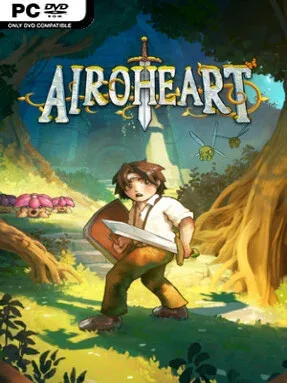
Engard is a bright but troubled fantasy realm where a family feud threatens to become an apocalypse. Airoheart follows a young hero pursuing his brother, whose attempt to wield the Draoidh Stone risks releasing a long-buried evil and igniting war across the land. The story leans into betrayal, grief, and reconciliation rather than simple good-versus-evil heroics, giving its classic quest framework more emotional weight. Its top-down pixel-art presentation immediately recalls the 16-bit adventure era, balancing colorful towns and forests against dangerous ruins, monster-filled wilds, and ominous ancient places.
Moment-to-moment play revolves around roaming a connected overworld, speaking with its inhabitants, uncovering routes, and pushing through increasingly demanding dungeons. Combat happens in real time, with melee weapons complemented by magic, consumable potions, and bombs that can damage enemies or interact with the environment. Dungeons are the backbone of progression: expect trap rooms, switch puzzles, hidden paths, boss encounters, and new tools that open previously inaccessible corners of Engard. Weapons, armor, and magical upgrades steadily expand Airoheart’s options, although success still depends on learning enemy patterns, managing health, and approaching puzzles with patience.
What separates Airoheart from a purely nostalgic throwback is its focus on a more personal central conflict and a world built to reward curiosity outside the main route. The game’s clean sprite work and overhead perspective wear their inspirations openly, while its dungeon structure, item-gated exploration, and tactical action feel close in spirit to classic The Legend of Zelda adventures. Puzzles can be demanding enough to make progress feel earned, and combat asks more of players than simply mashing an attack button. It suits anyone craving a compact, story-driven retro action RPG, especially Zelda fans who want familiar exploration and dungeon design paired with a darker tale of family, redemption, and magical catastrophe.
Installation
- Click the green button below to be redirected to UploadHaven.
- Wait 15 seconds, then hit “Free Download.” (Free downloads may be slower — upgrade to UploadHaven Pro for faster speeds.)
- Once downloaded, right-click the .zip file and choose “Extract to Airoheart.” (You’ll need 7-Zip for this.)
- Open the extracted folder and run the game as administrator.
- Enjoy! 🎮 If you see missing DLL errors, check the <strong>_Redist</strong> folder inside and install what’s needed.
System Requirements
- OS *: Windows Vista or higher
- Processor: Intel i3 Processor
- Memory: 2 GB RAM
- Graphics: Integrated
- DirectX: Version 11
- Storage: 2 GB available space
Setup Guide & Troubleshooting
How do I fix missing DLL errors for Airoheart?
After extracting Airoheart, navigate to the _Redist or _CommonRedist folder inside the game directory and install DirectX, Vcredist, and any other dependencies included.
What should I do if the downloaded file is corrupted?
The full archive is 427.49 MB — make sure your download completed fully before extracting. Use 7-Zip to extract the files. If you still see a "file corrupted" error, re-download and try again.
Why should I run the game as administrator?
Right-click the game executable and select "Run as Administrator" to avoid save file issues and permission errors. This is especially important on the first launch.
How do I update my GPU drivers for this game?
Airoheart requires a Integrated or equivalent. Update your NVIDIA or AMD drivers to the latest version for the best performance.
The game won't launch — what should I try?
This game requires Version 11. Try running in compatibility mode, install the latest DirectX runtime, or install the All-in-One VC Redist Package.
My antivirus is blocking the game — is it safe?
Antivirus false positives are common with pre-installed games. Temporarily pause your antivirus during extraction to prevent it from quarantining game files. You can re-enable it after the extraction completes.