
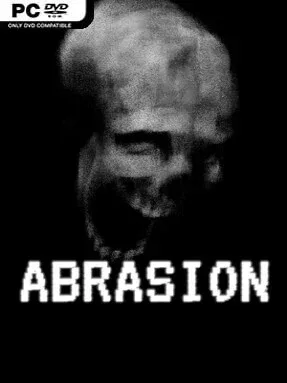
Game Overview
A ruined industrial labyrinth becomes the setting for a compact, nerve-tightening horror descent where survival means serving an unseen system—or finding the nerve to resist it. Abrasion casts you as a captive laborer sent beneath a skyless facility to harvest a grotesque resource from mutated remains, with every task pushing you farther into a place that feels ancient, mechanical, and profoundly wrong. The tone is oppressive rather than action-heavy: corroded corridors, invasive vegetation, harsh machinery, and distant sounds make even a quiet room feel unsafe. Its roughly 90-minute campaign favors sustained dread and curiosity over a sprawling runtime.
Played from a first-person perspective, the experience revolves around navigating a connected maze, searching for practical tools, and using scarce supplies to open routes or survive escalating dangers. Progress depends on paying attention to the layout, since tucked-away passages and optional items can make the difference when the creature stalking the complex closes in. The pursuing monster operates as an active threat instead of a scripted jump-scare delivery system, forcing you to reconsider where you hide, which doors you unlock, and how much noise or risk a detour is worth. Combat is not the focus; tension comes from vulnerability, navigation, and the constant possibility that something has found your trail.
Abrasion stands out through its dense environmental storytelling, letting architecture, abandoned equipment, unsettling biological details, and sound design explain the setting without stopping for exposition. The world is small enough to learn yet layered enough to reward players who inspect corners and test suspicious walls, giving its linear horror premise a welcome sense of discovery. Its visual identity sits somewhere between industrial nightmare fiction and decaying sci-fi ruin, while the branching sense of purpose—submit to the Facility’s demands or look for escape—adds narrative weight to the descent. Fans of Amnesia-style pursuit horror, especially players who prefer focused, atmospheric indies over combat-driven survival games, should find a sharp and memorable evening of dread here.
Installation
- Click the green button below to be redirected to UploadHaven.
- Wait 15 seconds, then hit “Free Download.” (Free downloads may be slower — upgrade to UploadHaven Pro for faster speeds.)
- Once downloaded, right-click the .zip file and choose “Extract to Abrasion.” (You’ll need 7-Zip for this.)
- Open the extracted folder and run the game as administrator.
- Enjoy! 🎮 If you see missing DLL errors, check the <strong>_Redist</strong> folder inside and install what’s needed.
System Requirements
- OS: Windows 10 / 11
- Processor: 2.0 GHz dual core or better
- Memory: 8 GB RAM
- Graphics: GeForce GTX 750ti or better
- Storage: 5 GB available space
Setup Guide & Troubleshooting
How do I fix missing DLL errors for Abrasion?
After extracting Abrasion, navigate to the _Redist or _CommonRedist folder inside the game directory and install DirectX, Vcredist, and any other dependencies included.
What should I do if the downloaded file is corrupted?
The full archive is 387.83 MB — make sure your download completed fully before extracting. Use 7-Zip to extract the files. If you still see a "file corrupted" error, re-download and try again.
Why should I run the game as administrator?
Right-click the game executable and select "Run as Administrator" to avoid save file issues and permission errors. This is especially important on the first launch.
How do I update my GPU drivers for this game?
Abrasion requires a GeForce GTX 750ti or better or equivalent. Update your NVIDIA or AMD drivers to the latest version for the best performance.
The game won't launch — what should I try?
Try running in compatibility mode, install the latest DirectX runtime, or install the All-in-One VC Redist Package.
My antivirus is blocking the game — is it safe?
Antivirus false positives are common with pre-installed games. Temporarily pause your antivirus during extraction to prevent it from quarantining game files. You can re-enable it after the extraction completes.