
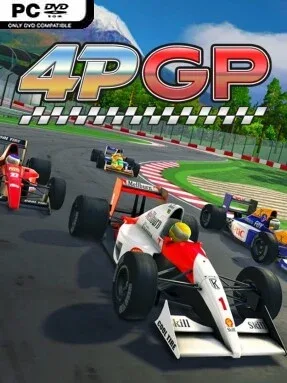
Game Overview
Formula-style racing takes a clean, accessible arcade approach here, pairing recognizable open-wheel machinery with a brisk pace that suits both solo hot-lappers and crowded couch sessions. 4PGP puts players behind 19 cars inspired by different eras and styles of real-world formula racing, then sends them around 14 international circuits. Each track can also be run backwards, giving familiar layouts a different rhythm and extending the value of the circuit roster. The overall mood is competitive without becoming intimidating, favoring immediate laps and close races over a dense simulation-learning curve.
Races revolve around finding braking markers, carrying speed through corners, managing acceleration on exit, and adapting to the selected difficulty level. Analogue throttle and brake control give gamepad users more finesse than simple on/off inputs, while customizable keyboard and controller bindings make setup straightforward. Championship mode provides a longer series structure, Quick Race delivers instant action, and Time Attack is where players can focus on shaving tenths from their personal best. Rookie through Expert settings, an assist option, and a substantial tutorial let newcomers learn the fundamentals before tougher AI demands cleaner, more consistent driving.
Local split-screen for up to four players is the feature that gives 4PGP much of its personality, turning a focused racer into an easy choice for competitive evenings with friends or family. Remote Play Together broadens that social angle for players who are not in the same room, and multiplayer races can unlock a Safety Car for an extra novelty vehicle. Rather than chasing the technical authenticity of iRacing or the huge career modes of the F1 series, it occupies a more approachable space closer to classic pick-up-and-play arcade racers. It is a strong fit for formula fans who want responsive driving, varied tracks, and local multiplayer without needing to master an intimidating simulation.
Installation
- Click the green button below to be redirected to UploadHaven.
- Wait 15 seconds, then hit “Free Download.” (Free downloads may be slower — upgrade to UploadHaven Pro for faster speeds.)
- Once downloaded, right-click the .zip file and choose “Extract to 4PGP.” (You’ll need 7-Zip for this.)
- Open the extracted folder and run the game as administrator.
- Enjoy! 🎮 If you see missing DLL errors, check the <strong>_Redist</strong> folder inside and install what’s needed.
System Requirements
- Requires a 64-bit processor and operating system
- OS: Windows 10 and above
- Processor: Intel Core i5 (3GHz) or equivalent
- Memory: 8 GB RAM
- Graphics: DirectX 12 compatible GPU with 2 GB VRAM
- DirectX: Version 12
- Storage: 2 GB available space
- Sound Card: Integrated sound card
Setup Guide & Troubleshooting
How do I fix missing DLL errors for 4PGP?
After extracting 4PGP, navigate to the _Redist or _CommonRedist folder inside the game directory and install DirectX, Vcredist, and any other dependencies included.
What should I do if the downloaded file is corrupted?
The full archive is 598.96 MB — make sure your download completed fully before extracting. Use 7-Zip to extract the files. If you still see a "file corrupted" error, re-download and try again.
Why should I run the game as administrator?
Right-click the game executable and select "Run as Administrator" to avoid save file issues and permission errors. This is especially important on the first launch.
How do I update my GPU drivers for this game?
4PGP requires a DirectX 12 compatible GPU with 2 GB VRAM or equivalent. Update your NVIDIA or AMD drivers to the latest version for the best performance.
The game won't launch — what should I try?
This game requires Version 12. Try running in compatibility mode, install the latest DirectX runtime, or install the All-in-One VC Redist Package.
My antivirus is blocking the game — is it safe?
Antivirus false positives are common with pre-installed games. Temporarily pause your antivirus during extraction to prevent it from quarantining game files. You can re-enable it after the extraction completes.