
Game Overview
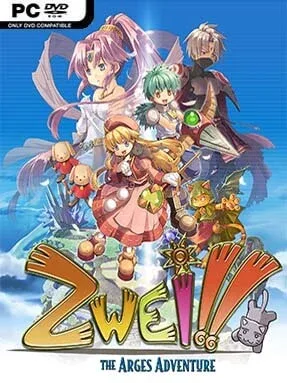
A stolen set of sacred idols turns a sleepy life on the floating continent of Arges into a bright, oddball action-RPG adventure. Pokkle and Pipiro, a pair of squabbling step-siblings with very different personalities, leave their quiet village to chase a masked thief through ruins, caves, towers, and monster-filled dungeons. The tone stays cheerful and knowingly silly even when the story reaches ancient mysteries and dangerous bosses, with a localization that leans hard into character banter, puns, and playful fantasy clichés. It feels like a compact early-2000s console RPG, polished by Falcom’s knack for brisk pacing and memorable dungeon design.
Combat plays out in real time, with the player swapping between Pokkle’s close-range attacks and Pipiro’s ranged magic to handle different enemies and dungeon hazards. Each area mixes fighting with light environmental puzzles, treasure hunting, switches, traps, and boss encounters that reward learning patterns rather than simply overpowering everything. Progression uses an unusual food-based system: instead of gaining traditional experience after every battle, the duo improves by eating the meals, snacks, and ingredients collected during their travels. Health management matters because food can restore them immediately or be saved for long-term growth, giving dungeon runs a small but satisfying layer of planning.
Arges Adventure stands apart through its colorful hand-drawn sprites, expressive portraits, and a relaxed sense of humor that makes even routine monster hunting feel personable. Its dungeon structure is more straightforward than the sprawling maps of Ys or the dense systems of modern action RPGs, but that simplicity keeps the adventure approachable and focused. The two-hero setup prevents combat from becoming repetitive, while the steady stream of loot, recipes, secrets, and escalating bosses gives completion-minded players reasons to poke into every corner. Fans of classic Falcom games, charming retro JRPGs, and lighthearted action adventures will find plenty to enjoy, while newcomers get an accessible introduction to the studio’s older catalog.
Installation
- Click the green button below to be redirected to UploadHaven.
- Wait 15 seconds, then hit “Free Download.” (Free downloads may be slower — upgrade to UploadHaven Pro for faster speeds.)
- Once downloaded, right-click the .zip file and choose “Extract to Zwei: The Arges Adventure.” (You’ll need 7-Zip for this.)
- Open the extracted folder and run the game as administrator.
- Enjoy! 🎮 If you see missing DLL errors, check the <strong>_Redist</strong> folder inside and install what’s needed.
System Requirements
- OS: Windows XP+
- Processor: 2GHz Single core CPU
- Memory: 1 GB RAM
- Graphics: 128 MB VRAM
- DirectX: Version 9.0c
- Storage: 3 GB available space
- Sound Card: Compatible with DirectX 9.0c
Setup Guide & Troubleshooting
How do I fix missing DLL errors for Zwei: The Arges Adventure?
After extracting Zwei: The Arges Adventure, navigate to the _Redist or _CommonRedist folder inside the game directory and install DirectX, Vcredist, and any other dependencies included.
What should I do if the downloaded file is corrupted?
The full archive is 1.63 GB — make sure your download completed fully before extracting. Use 7-Zip to extract the files. If you still see a "file corrupted" error, re-download and try again.
Why should I run the game as administrator?
Right-click the game executable and select "Run as Administrator" to avoid save file issues and permission errors. This is especially important on the first launch.
How do I update my GPU drivers for this game?
Zwei: The Arges Adventure requires a 128 MB VRAM or equivalent. Update your NVIDIA or AMD drivers to the latest version for the best performance.
The game won't launch — what should I try?
This game requires Version 9.0c. Try running in compatibility mode, install the latest DirectX runtime, or install the All-in-One VC Redist Package.
My antivirus is blocking the game — is it safe?
Antivirus false positives are common with pre-installed games. Temporarily pause your antivirus during extraction to prevent it from quarantining game files. You can re-enable it after the extraction completes.