
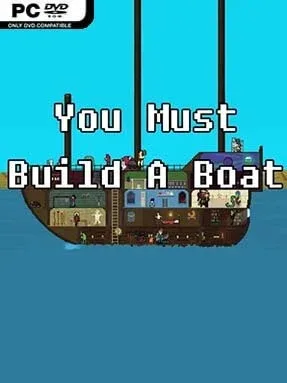
Game Overview
A frantic match-three dungeon run sits at the heart of You Must Build a Boat, an indie puzzle-RPG that turns every swipe into a split-second survival decision. Your tiny adventurer automatically races through monster-filled corridors while a 6×8 tile board determines whether they strike, unlock loot, cast spells, or get flattened by the next threat. The tone is colorful and playful, but the pace is brutally demanding: one missed sword match or delayed key can end a promising run in seconds. Between expeditions, the ultimate goal remains wonderfully straightforward—grow a ramshackle vessel large enough to carry its strange crew across an endless fantasy world.
Runs ask you to slide entire rows and columns to create matches of three or more, rather than swapping individual pieces as in a conventional puzzle game. Swords damage enemies, keys open chests, shields blunt incoming attacks, staffs fuel magic, and materials feed long-term upgrades; success means reading the board while keeping one eye on the advancing dungeon. Recruited companions add passive benefits, special abilities, and new shop options aboard the boat, while quests introduce specific conditions that push you toward riskier builds. Choosing several quests at once can multiply rewards, but it also layers hazards, enemy demands, and awkward objectives onto an already hectic puzzle loop.
Its best idea is how cleanly it fuses puzzle planning with the pressure of an endless runner: a smart match matters, but making it too slowly still loses the fight. Every trip produces useful resources, yet randomized boards, shifting enemy types, and optional challenge modifiers keep progress from becoming mechanical. The chunky pixel art, absurd monster allies, and compact run structure give it the same “one more attempt” pull as 10000000, its predecessor, while the boat-building layer provides a stronger sense of forward momentum. Fans of fast match-three games, roguelite progression, and score-chasing arcade design find plenty to master, though players who dislike real-time pressure may find its escalating speed unforgiving.
Installation
- Click the green button below to be redirected to UploadHaven.
- Wait 15 seconds, then hit “Free Download.” (Free downloads may be slower — upgrade to UploadHaven Pro for faster speeds.)
- Once downloaded, right-click the .zip file and choose “Extract to You Must Build a Boat.” (You’ll need 7-Zip for this.)
- Open the extracted folder and run the game as administrator.
- Enjoy! 🎮 If you see missing DLL errors, check the <strong>_Redist</strong> folder inside and install what’s needed.
System Requirements
- OS: Windows XP
- Processor: Core2Duo
- Memory: 1 GB RAM
- Graphics: OpenGL 2.0 compatible video card with 256 MB shared or dedicated RAM (ATI or NVIDIA)
- DirectX: Version 9.0c
- Storage: 150 MB available space
Setup Guide & Troubleshooting
How do I fix missing DLL errors for You Must Build a Boat (v1.6.1130)?
After extracting You Must Build a Boat (v1.6.1130), navigate to the _Redist or _CommonRedist folder inside the game directory and install DirectX, Vcredist, and any other dependencies included.
What should I do if the downloaded file is corrupted?
The full archive is 80.72 MB — make sure your download completed fully before extracting. Use 7-Zip to extract the files. If you still see a "file corrupted" error, re-download and try again.
Why should I run the game as administrator?
Right-click the game executable and select "Run as Administrator" to avoid save file issues and permission errors. This is especially important on the first launch.
How do I update my GPU drivers for this game?
You Must Build a Boat (v1.6.1130) requires a OpenGL 2.0 compatible video card with 256 MB shared or dedicated RAM (ATI or NVIDIA) or equivalent. Update your NVIDIA or AMD drivers to the latest version for the best performance.
The game won't launch — what should I try?
This game requires Version 9.0c. Try running in compatibility mode, install the latest DirectX runtime, or install the All-in-One VC Redist Package.
My antivirus is blocking the game — is it safe?
Antivirus false positives are common with pre-installed games. Temporarily pause your antivirus during extraction to prevent it from quarantining game files. You can re-enable it after the extraction completes.