
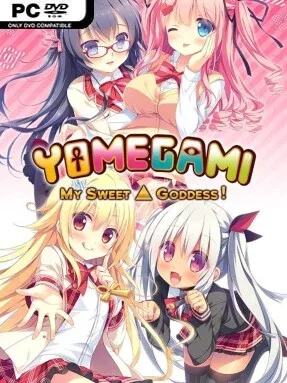
Game Overview
A reincarnated demon trying to earn a peaceful life finds redemption far more complicated when gods, gangsters, and romance collide in modern Masaireshin City. Hayato Narukawa arrives under orders from his divine mother Iris, hoping that ordinary good deeds will balance the sins of his previous existence. A sudden kiss with Mikoto Ichijiku, the daughter of a mob boss, pulls him into a hectic orbit of supernatural family problems and potential girlfriends. The tone stays warm and comedic for much of its runtime, though the underlying tale of atonement gives its romantic chaos a little more emotional weight than a pure gag-driven dating sim.
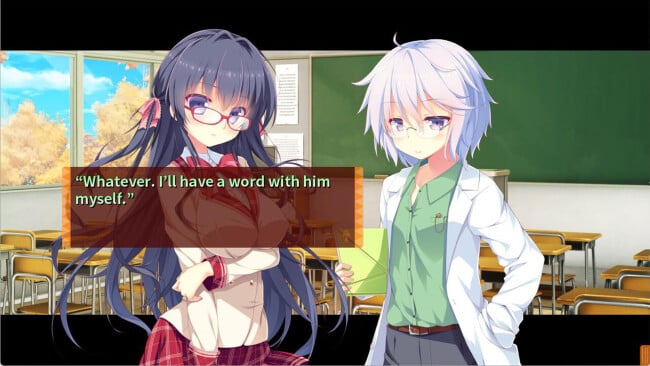
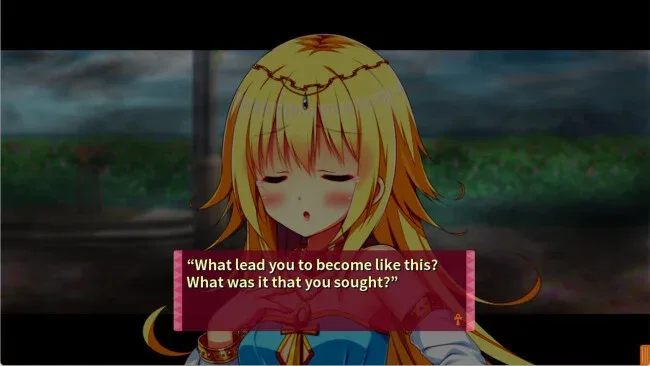
Reading scenes, making route-defining choices, and learning how each heroine responds to Hayato’s unusual past form the central loop. Four main relationship paths lead to distinct endings, encouraging repeat playthroughs for players who want to see every version of the story rather than settling on a single favorite. Completed routes become directly selectable from the main menu, removing the usual visual-novel hassle of replaying long common sections just to revisit a branch. There are no action sequences or demanding systems to master; the appeal lies in character banter, relationship development, and choosing where Hayato directs his attention. Every female character receives voice acting, and separate volume controls for each heroine are an unusually welcome option for tailoring the presentation.
ALcot’s expressive character art gives the cast a bright, polished anime look, while the mix of divine mythology and contemporary school-life romantic comedy keeps the premise from feeling interchangeable. Mikoto’s intense affection, the earnest but awkward class president, the dog-eared girl, and Iris herself create deliberately different romantic dynamics, so routes offer more than cosmetic variations. Players who enjoy lighter Japanese visual novels such as Princess Evangile or MakingLovers should find an easy fit here, especially if they prefer affectionate comedy over bleak supernatural drama. It suits newcomers thanks to its accessible choice structure, while genre regulars get the stronger route organization, voiced cast, and multiple endings they expect.
Screenshots
Installation
- Click the green button below to be redirected to UploadHaven.
- Wait 15 seconds, then hit “Free Download.” (Free downloads may be slower — upgrade to UploadHaven Pro for faster speeds.)
- Once downloaded, right-click the .zip file and choose “Extract to Yomegami: My Sweet Goddess.” (You’ll need 7-Zip for this.)
- Open the extracted folder and run the game as administrator.
- Enjoy! 🎮 If you see missing DLL errors, check the <strong>_Redist</strong> folder inside and install what’s needed.
System Requirements
- OS *: windows 7
- Processor: Intel Core i3 and above
- Memory: 4 GB RAM
Setup Guide & Troubleshooting
How do I fix missing DLL errors for Yomegami: My Sweet Goddess?
After extracting Yomegami: My Sweet Goddess, navigate to the _Redist or _CommonRedist folder inside the game directory and install DirectX, Vcredist, and any other dependencies included.
What should I do if the downloaded file is corrupted?
The full archive is 1.41 GB — make sure your download completed fully before extracting. Use 7-Zip to extract the files. If you still see a "file corrupted" error, re-download and try again.
Why should I run the game as administrator?
Right-click the game executable and select "Run as Administrator" to avoid save file issues and permission errors. This is especially important on the first launch.
How do I update my GPU drivers for this game?
Update your NVIDIA or AMD drivers to the latest version for the best performance and compatibility.
The game won't launch — what should I try?
Try running in compatibility mode, install the latest DirectX runtime, or install the All-in-One VC Redist Package.
My antivirus is blocking the game — is it safe?
Antivirus false positives are common with pre-installed games. Temporarily pause your antivirus during extraction to prevent it from quarantining game files. You can re-enable it after the extraction completes.