
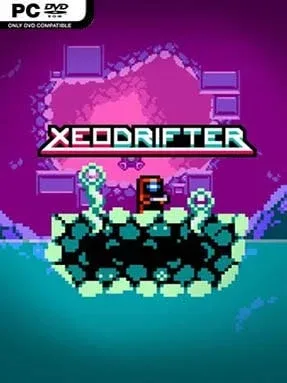
Game Overview
A damaged warp core strands a lone space drifter beside four hostile planets, turning a simple repair job into a compact, demanding Metroidvania. Xeodrifter (Special Edition) favors crisp 2D action over sprawling spectacle, with alien caverns, mechanical ruins, and strange ecosystems rendered in chunky pixel art. Its mood is adventurous but lonely, punctuated by tense boss fights and an energetic electronic soundtrack from Roth Sothy, Matthew Gambrell, and Brian Altano. The result feels like a focused throwback to handheld-era exploration games, built around momentum and discovery rather than lengthy dialogue.
Players pilot their ship between the four worlds, then push through interconnected side-scrolling areas in search of the energy needed to repair the vessel. Combat centers on a blaster whose firing pattern can be customized with collected gun modifications, allowing for different spreads, power levels, and tactical uses against enemies. New abilities open routes that were previously unreachable, while health upgrades, concealed passages, breakable blocks, and optional collectibles reward careful map-reading and repeated visits. Bosses serve as the main skill checks, demanding quick movement, pattern recognition, and smart use of the equipment gathered along the way; the overall challenge is approachable, but careless play gets punished.
What separates Xeodrifter from many retro-inspired platformers is its unusual planet-hopping structure and the way its upgrades reshape both traversal and shooting. The worlds are smaller than those in Super Metroid or Axiom Verge, making the adventure feel concentrated and replay-friendly rather than overwhelming, though veterans may finish it quickly. Pixel visuals stay clean and readable even during busy encounters, and the Special Edition adds a development diary that gives interested players extra context on its creation. Fans of Cave Story, Metroid, and brisk action-exploration games should find plenty to enjoy, while newcomers get a welcoming introduction to the genre’s essential loop of searching, upgrading, and returning stronger.
Installation
- Click the green button below to be redirected to UploadHaven.
- Wait 15 seconds, then hit “Free Download.” (Free downloads may be slower — upgrade to UploadHaven Pro for faster speeds.)
- Once downloaded, right-click the .zip file and choose “Extract to Xeodrifter.” (You’ll need 7-Zip for this.)
- Open the extracted folder and run the game as administrator.
- Enjoy! 🎮 If you see missing DLL errors, check the <strong>_Redist</strong> folder inside and install what’s needed.
System Requirements
- OS: Windows XP +
- Processor: 1.8 Ghz
- Memory: 512 MB RAM
- Graphics: 3D Graphics Card
- DirectX: Version 9.0
- Storage: 200 MB available space
Setup Guide & Troubleshooting
How do I fix missing DLL errors for Xeodrifter (Special Edition)?
After extracting Xeodrifter (Special Edition), navigate to the _Redist or _CommonRedist folder inside the game directory and install DirectX, Vcredist, and any other dependencies included.
What should I do if the downloaded file is corrupted?
The full archive is 267.70 MB — make sure your download completed fully before extracting. Use 7-Zip to extract the files. If you still see a "file corrupted" error, re-download and try again.
Why should I run the game as administrator?
Right-click the game executable and select "Run as Administrator" to avoid save file issues and permission errors. This is especially important on the first launch.
How do I update my GPU drivers for this game?
Xeodrifter (Special Edition) requires a 3D Graphics Card or equivalent. Update your NVIDIA or AMD drivers to the latest version for the best performance.
The game won't launch — what should I try?
This game requires Version 9.0. Try running in compatibility mode, install the latest DirectX runtime, or install the All-in-One VC Redist Package.
My antivirus is blocking the game — is it safe?
Antivirus false positives are common with pre-installed games. Temporarily pause your antivirus during extraction to prevent it from quarantining game files. You can re-enable it after the extraction completes.