
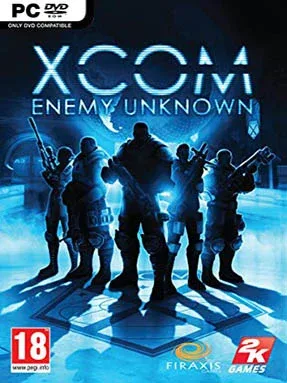
Game Overview
Earth’s defense rests on a small, underfunded military project after alien forces begin striking cities across the globe. XCOM: Enemy Unknown turns that desperate premise into a tense blend of headquarters management and turn-based squad combat, where every victory buys humanity time and every casualty can permanently reshape a campaign. The tone is serious and pressure-filled, balancing pulpy alien-invasion spectacle with the grim reality of sending fragile rookies against enemies they barely understand.
Command begins at the underground XCOM base, where you assign scientists and engineers, construct new facilities, launch satellites, and decide which endangered nations receive help. On missions, a squad of soldiers moves through destructible environments using cover, overwatch fire, flanking maneuvers, grenades, and specialized class abilities; poor positioning can turn a routine encounter into a disaster within a single enemy turn. Recruits develop into snipers, assault troops, supports, and heavy weapons specialists, gaining names, appearances, equipment, and increasingly powerful skills that make their deaths genuinely painful. Researching recovered alien technology unlocks improved armor, weapons, aircraft upgrades, and experimental tools, but the world map keeps advancing while resources remain limited and national panic threatens to spiral out of control.
Firaxis makes the classic XCOM formula approachable without removing its bite: battles are cleanly presented, easy to read, and still packed with brutal risk management. Procedural maps, randomized soldier rosters, shifting mission priorities, and optional Ironman rules give campaigns strong replay value, while the escalating enemy roster forces regular tactical adaptation. The result feels like a more methodical cousin to Gears of War’s cover fights, crossed with the long-term strategic tension of Civilization. It suits newcomers who want a polished introduction to tactical strategy, but veterans also find plenty to enjoy in its demanding higher difficulties, permanent losses, and constant struggle to keep the planet from collapsing.
Installation
- Click the green button below to be redirected to UploadHaven.
- Wait 15 seconds, then hit “Free Download.” (Free downloads may be slower — upgrade to UploadHaven Pro for faster speeds.)
- Once downloaded, right-click the .zip file and choose “Extract to Xcom: Enemy Unknown.” (You’ll need 7-Zip for this.)
- Open the extracted folder and run the game as administrator.
- Enjoy! 🎮 If you see missing DLL errors, check the <strong>_Redist</strong> folder inside and install what’s needed.
System Requirements
- OS:Windows Vista
- Processor:2 GHz Dual Core
- Memory:2 GB RAM
- Graphics:NVIDIA GeForce 8600 GT / ATI Radeon HD 2600 XT or greater
- DirectX®:9.0
- Hard Drive:20 GB HD space
- Sound:DirectX Compatible
- Other Requirements:Broadband Internet connection
- Additional:Initial installation requires one-time internet connection for Steam authentication; software installations required (included with the game) include Steam Client, Visual C++ 2008 Redistributable, DirectX and Microsoft .NET 4.
Setup Guide & Troubleshooting
How do I fix missing DLL errors for Xcom: Enemy Unknown?
After extracting Xcom: Enemy Unknown, navigate to the _Redist or _CommonRedist folder inside the game directory and install DirectX, Vcredist, and any other dependencies included.
What should I do if the downloaded file is corrupted?
The full archive is 23.91 GB — make sure your download completed fully before extracting. Use 7-Zip to extract the files. If you still see a "file corrupted" error, re-download and try again.
Why should I run the game as administrator?
Right-click the game executable and select "Run as Administrator" to avoid save file issues and permission errors. This is especially important on the first launch.
How do I update my GPU drivers for this game?
Xcom: Enemy Unknown requires a NVIDIA GeForce 8600 GT / ATI Radeon HD 2600 XT or greater or equivalent. Update your NVIDIA or AMD drivers to the latest version for the best performance.
The game won't launch — what should I try?
Try running in compatibility mode, install the latest DirectX runtime, or install the All-in-One VC Redist Package.
My antivirus is blocking the game — is it safe?
Antivirus false positives are common with pre-installed games. Temporarily pause your antivirus during extraction to prevent it from quarantining game files. You can re-enable it after the extraction completes.