
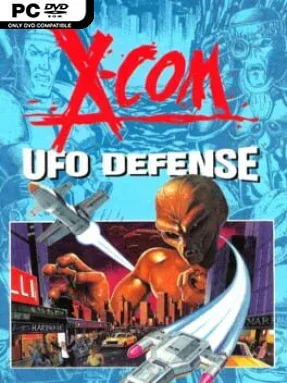
Game Overview
Earth’s defense rests on a fragile international task force as UFO sightings escalate from isolated incidents into a global invasion. X-COM: UFO Defense blends turn-based tactical combat with a demanding strategy layer, asking you to protect civilians, manage panic, and uncover what the alien threat is really doing. Its atmosphere is tense and unforgiving: every mission can turn from a routine recovery operation into a disaster when unseen enemies fire through the dark. Few strategy games make the loss of a single rookie soldier feel so permanent.
Command begins at a global base screen, where you place radar facilities, scramble interceptor craft, track incoming UFOs, hire personnel, and stretch limited funding across an increasingly expensive war. Downed craft lead to squad-based missions where soldiers spend action points moving, spotting targets, firing weapons, throwing explosives, breaching rooms, and capturing aliens or equipment for study. Battles are deliberately methodical and highly lethal, with line of sight, ammunition, terrain destruction, night missions, and unpredictable enemy reactions all demanding caution. Between operations, scientists research recovered artifacts while engineers manufacture advanced armor, laser weapons, plasma gear, and eventually the tools needed to challenge the invasion at its source.
What separates it from many modern tactical games is the scale of its campaign: victory on the ground means little if nations lose confidence, cut funding, or make their own arrangements with the invaders. Procedurally generated missions and changing alien activity keep campaigns unpredictable, while the research tree creates a satisfying sense of technological momentum as conventional forces become a credible extraterrestrial fighting force. The interface and presentation are unmistakably old-school, but the underlying systems remain remarkably deep, influential, and easy to understand once the pressure starts mounting. Fans of modern XCOM, Phoenix Point, or tactical strategy with real consequences should treat it as essential history, while newcomers willing to accept its harsh learning curve find a campaign that still creates unforgettable war stories.
Installation
- Click the green button below to be redirected to UploadHaven.
- Wait 15 seconds, then hit “Free Download.” (Free downloads may be slower — upgrade to UploadHaven Pro for faster speeds.)
- Once downloaded, right-click the .zip file and choose “Extract to X-COM: UFO Defense.” (You’ll need 7-Zip for this.)
- Open the extracted folder and run the game as administrator.
- Enjoy! 🎮 If you see missing DLL errors, check the <strong>_Redist</strong> folder inside and install what’s needed.
System Requirements
- OS: Windows
- Storage: 60.89 MB available space
- License: Free
Setup Guide & Troubleshooting
How do I fix missing DLL errors for X-COM: UFO Defense (GOG)?
After extracting X-COM: UFO Defense (GOG), navigate to the _Redist or _CommonRedist folder inside the game directory and install DirectX, Vcredist, and any other dependencies included.
What should I do if the downloaded file is corrupted?
The full archive is 60.89 MB — make sure your download completed fully before extracting. Use 7-Zip to extract the files. If you still see a "file corrupted" error, re-download and try again.
Why should I run the game as administrator?
Right-click the game executable and select "Run as Administrator" to avoid save file issues and permission errors. This is especially important on the first launch.
How do I update my GPU drivers for this game?
Update your NVIDIA or AMD drivers to the latest version for the best performance and compatibility.
The game won't launch — what should I try?
Try running in compatibility mode, install the latest DirectX runtime, or install the All-in-One VC Redist Package.
My antivirus is blocking the game — is it safe?
Antivirus false positives are common with pre-installed games. Temporarily pause your antivirus during extraction to prevent it from quarantining game files. You can re-enable it after the extraction completes.