

Wrestling Revolution 3D Cover Art

Wrestling Revolution 3D

INDIE 96.07 MB v1.623

Game Overview

Chunky character models, chaotic arenas, and an unapologetically old-school wrestling spirit give Wrestling Revolution 3D a personality few licensed sports games can match. Its shared wrestling universe lets you live the career of an in-ring performer or run a promotion from the booking office, making it as much a management sandbox as a fighting game. The tone is playful and unpredictable, with rivalries, injuries, title changes, and absurd brawls all feeding into a constantly shifting weekly schedule. Beneath the deliberately dated presentation sits a remarkably ambitious recreation of wrestling’s messy, theatrical ecosystem.

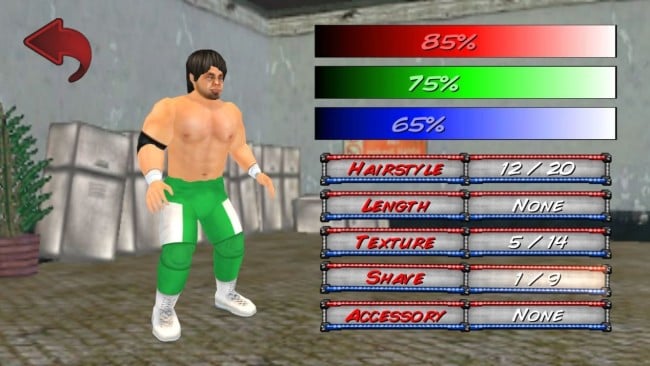
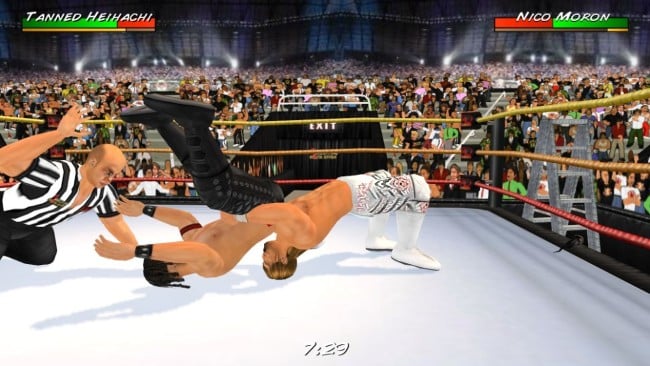
Matches revolve around accessible arcade-style grappling, striking, submissions, pins, and weapon-fuelled mayhem rather than the simulation-heavy inputs of WWE 2K. Wrestlers can fight through a broad range of match types and crowded arenas, where objects and extra bodies turn even routine contests into hilarious disasters. Career mode has you build a custom wrestler’s reputation across multiple promotions, while Booker mode puts contracts, cards, championships, and story direction in your hands. A large roster, editable attributes and appearances, and the ability to arrange fantasy bouts make progression feel less like a fixed campaign and more like an ongoing wrestling universe.

What separates it from most wrestling games is its freedom: matches can spiral into unscripted chaos, promotions change around you, and nearly every major part of the roster can be reshaped to suit your own wrestling world. The animation system prioritizes surprising physical interactions over polish, so it often looks rough but regularly produces memorable, emergent moments. PC players also get extensive editing options, including support for custom images and music, which gives dedicated modders plenty of room to recreate real-world promotions or invent bizarre originals. Fans of the Nintendo 64-era wrestling games, Wrestling Empire, or sandbox sports management will find a lot to enjoy, while newcomers should be ready to overlook clumsy controls and presentation in exchange for depth and personality.

Installation

  1. Click the green button below to be redirected to UploadHaven.
  2. Wait 15 seconds, then hit “Free Download.” (Free downloads may be slower — upgrade to UploadHaven Pro for faster speeds.)
  3. Once downloaded, right-click the .zip file and choose “Extract to Wrestling Revolution 3D.” (You’ll need 7-Zip for this.)
  4. Open the extracted folder and run the game as administrator.
  5. Enjoy! 🎮 If you see missing DLL errors, check the <strong>_Redist</strong> folder inside and install what’s needed.

System Requirements

  • OS: XP
  • Processor: 1gHz
  • Memory: 2 GB RAM
  • Storage: 60 MB available space

Setup Guide & Troubleshooting

How do I fix missing DLL errors for Wrestling Revolution 3D (v1.623)?

After extracting Wrestling Revolution 3D (v1.623), navigate to the _Redist or _CommonRedist folder inside the game directory and install DirectX, Vcredist, and any other dependencies included.

What should I do if the downloaded file is corrupted?

The full archive is 96.07 MB — make sure your download completed fully before extracting. Use 7-Zip to extract the files. If you still see a "file corrupted" error, re-download and try again.

Why should I run the game as administrator?

Right-click the game executable and select "Run as Administrator" to avoid save file issues and permission errors. This is especially important on the first launch.

How do I update my GPU drivers for this game?

Update your NVIDIA or AMD drivers to the latest version for the best performance and compatibility.

The game won't launch — what should I try?

Try running in compatibility mode, install the latest DirectX runtime, or install the All-in-One VC Redist Package.

My antivirus is blocking the game — is it safe?

Antivirus false positives are common with pre-installed games. Temporarily pause your antivirus during extraction to prevent it from quarantining game files. You can re-enable it after the extraction completes.

Need more help? Browse our FAQ & Troubleshooting Guide for solutions to common issues.
Looking for something else? Explore all games on Steam Unlocked