
Game Overview
Rain City’s grubby streets, noisy bars, and back-alley workshops frame a stylish turn-based mech RPG with far more personality than its junkyard premise suggests. Wolfstride follows Dominic Shade, an ex-Yakuza fixer who reunites with pilot Knife Leopard and their dog mechanic Duque after inheriting a battered fighting robot named Cowboy. Their plan is simple: patch the machine together, enter the prestigious Ultimate Golden God Tournament, and make enough money to stay afloat. The story gradually reveals a more melancholy side, using deadpan comedy, strange locals, and old criminal ties to examine a crew whose past is never as settled as they pretend.
Most of the game revolves around preparing Cowboy for demanding one-on-one arena bouts. Duque repairs damage and installs new parts, weapons, and upgrades between matches, letting players tailor a loadout around armor, mobility, ranged pressure, or punishing close combat. Battles use a tactical turn-based system where positioning matters: attacks can focus on particular systems, force opponents into awkward ranges, or exploit openings after their defenses weaken. Outside the ring, Dominic roams Rain City, talks to an oddball cast, takes jobs, visits businesses, and uncovers useful leads that feed back into the team’s tournament run.
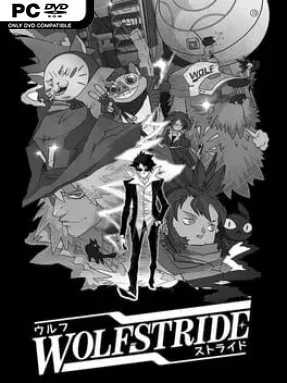
Its hand-drawn black-and-white presentation is the immediate standout, resembling a rough manga panel brought to life with bold animation and flashes of color. Wolfstride also balances its robot-fighting spectacle with an unusually character-driven story, giving the mechanics, pilot, and reluctant leader distinct roles in both gameplay and drama. The pace is more deliberate than an action mech game, and success often comes from smart preparation rather than reflexes. Fans of turn-based RPGs, mech customization, and offbeat visual novels will find plenty to enjoy, especially if they appreciate the strategic duels of Front Mission filtered through a stranger, funnier, more intimate indie sensibility.
Installation
- Click the green button below to be redirected to UploadHaven.
- Wait 15 seconds, then hit “Free Download.” (Free downloads may be slower — upgrade to UploadHaven Pro for faster speeds.)
- Once downloaded, right-click the .zip file and choose “Extract to Wolfstride.” (You’ll need 7-Zip for this.)
- Open the extracted folder and run the game as administrator.
- Enjoy! 🎮 If you see missing DLL errors, check the <strong>_Redist</strong> folder inside and install what’s needed.
System Requirements
- OS: Windows 10
- Processor: Intel Core i5-7400 / AMD Ryzen 3 1200
- Memory: 8 GB RAM
- Graphics: NVIDIA GeForce GTX 1050ti / AMD Radeon RX 570
- DirectX: Version 11
- Storage: 10 GB available space
- Sound Card: DirectX Compatible Sound Card
Setup Guide & Troubleshooting
How do I fix missing DLL errors for Wolfstride?
After extracting Wolfstride, navigate to the _Redist or _CommonRedist folder inside the game directory and install DirectX, Vcredist, and any other dependencies included.
What should I do if the downloaded file is corrupted?
The full archive is 2.80 GB — make sure your download completed fully before extracting. Use 7-Zip to extract the files. If you still see a "file corrupted" error, re-download and try again.
Why should I run the game as administrator?
Right-click the game executable and select "Run as Administrator" to avoid save file issues and permission errors. This is especially important on the first launch.
How do I update my GPU drivers for this game?
Wolfstride requires a NVIDIA GeForce GTX 1050ti / AMD Radeon RX 570 or equivalent. Update your NVIDIA or AMD drivers to the latest version for the best performance.
The game won't launch — what should I try?
This game requires Version 11. Try running in compatibility mode, install the latest DirectX runtime, or install the All-in-One VC Redist Package.
My antivirus is blocking the game — is it safe?
Antivirus false positives are common with pre-installed games. Temporarily pause your antivirus during extraction to prevent it from quarantining game files. You can re-enable it after the extraction completes.