
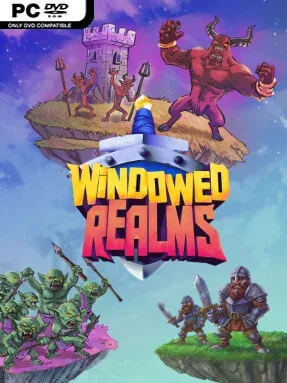
Game Overview
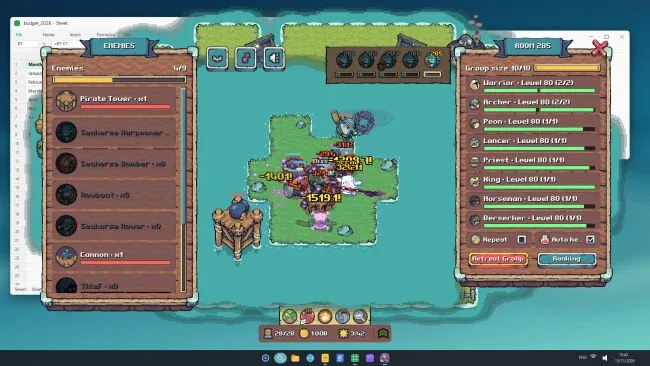
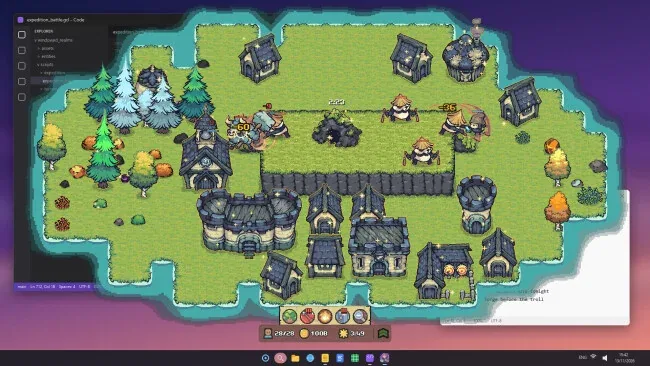
A tiny island kingdom occupies a corner of your monitor while the rest of your desktop stays available, making Windowed Realms an unusually unobtrusive blend of idle management and fantasy combat. Its bright miniature presentation keeps the tone relaxed even when monsters emerge from a mountain cave and interrupt the day’s labor. Movable, resizable windows let the settlement keep running alongside work, videos, or other games, while fullscreen mode remains available for players who want to focus entirely on their growing realm.
The routine begins with up to three pawns gathering wood, stone, and fruit, with the player able to click resources and lend a hand whenever they feel like being active. Improved tools unlock tougher materials, while building upgrades visibly expand and improve the look of the island. When enemies appear, workers abandon their chores and fight, while a separate army window handles troops including warriors, archers, lancers, priests, and peons. Expeditions push squads through endlessly generated rooms in Thornwood, Corsair Coast, and Mistvale, with difficulty settings ranging from approachable Easy runs to punishing Nightmare challenges.
Equipment is more than a stat screen here: every weapon and piece of armor appears on the unit wearing it, giving the army a pleasantly personal, mismatched look. Rare shadow gear, enchantments, refinement, and monster-earned cards provide a steady reason to chase better drops, while class-specific skill trees and rebirth progression keep units advancing beyond their initial limits. A creature collection, weekly challenges, and distance-based leaderboards add long-term goals for dedicated players. Windowed Realms suits fans of idle RPGs and lightweight strategy games who enjoy checking in regularly, optimizing a party, and watching a compact fantasy kingdom develop without monopolizing their screen.
Screenshots
Installation
- Select the <strong>Download</strong> button at the top of this page to open UploadHaven.
- On UploadHaven, wait for any countdown, then select <strong>Free Download</strong>. Optional: UploadHaven Pro for faster downloads.
- When complete, extract the archive to a <strong>Windowed Realms</strong> folder using 7-Zip.
- Open the extracted folder and start the game normally.
- For errors, check <strong>Setup Guide & Troubleshooting</strong> below. Keep your security software enabled.
System Requirements
- OS: Windows 10 (64-bit)
- Processor: Intel® Core™ i3 / AMD Ryzen™ 3 (dual-core, 2.0 GHz)
- Memory: 4 GB RAM
- Graphics: Integrated graphics with DirectX 12 support
- DirectX: Version 12
- Storage: 500 MB available space