
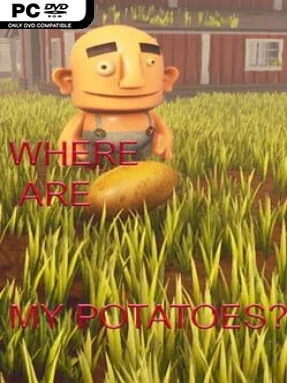
Game Overview
Kake’s potato hunt turns a simple missing-vegetable premise into a colorful, slightly chaotic puzzle adventure spread across six distinct maps. The tone is playful, but the levels demand attention as every blocked route hides a requirement, tool, or environmental trick. One large central area and five shorter stages give the journey a compact arcade-like structure, with each location built around finding a way forward rather than simply reaching the next checkpoint. Hostile ghosts and mines add pressure without turning the experience into a combat game.
Progress comes from scavenging useful objects and learning how the game’s interconnected obstacles work. Bricks break smaller fences, though each barrier demands several before it gives way, while larger barricades require repeated cannon shots. Cannons need to be activated through torch and drain-opener interactions, and fire also plays a role in operating certain bridges. Elsewhere, rabbit ears help gather bunnies; once enough rabbits reach an elevator, it activates and opens access to new parts of the map. Dizziness rocks are instant hazards, and the invincible pursuing enemies force Kake to evade, keep moving, and wait for the threat to vanish instead of fighting back.
Its appeal comes from the deliberately odd combination of potatoes, rabbits, brick-breaking, cannons, and escape sequences. Rather than relying on one puzzle gimmick, the game rotates through several simple mechanics and asks players to recognize which tool solves each obstacle. The enemy design can be tense because ghosts and mines cannot be defeated, making route planning and quick reactions important during exploration. Steam achievements provide an extra reason to thoroughly search the maps and revisit missed objectives. Where Are My Potatoes? suits players looking for a modest, offbeat indie puzzler with light exploration and environmental problem-solving, especially those who enjoy the straightforward progression of classic casual adventure games more than deep narrative or demanding action.
Installation
- Click the green button below to be redirected to UploadHaven.
- Wait 15 seconds, then hit “Free Download.” (Free downloads may be slower — upgrade to UploadHaven Pro for faster speeds.)
- Once downloaded, right-click the .zip file and choose “Extract to Where Are My Potatoes?.” (You’ll need 7-Zip for this.)
- Open the extracted folder and run the game as administrator.
- Enjoy! 🎮 If you see missing DLL errors, check the <strong>_Redist</strong> folder inside and install what’s needed.
System Requirements
- Requires a 64-bit processor and operating system
- OS: windows 8
- Processor: i5
- Memory: 4 GB RAM
- Graphics: NVidia GeForce 800 series
- DirectX: Version 9.0
- Storage: 2 GB available space
- Sound Card: Direct x9
Setup Guide & Troubleshooting
How do I fix missing DLL errors for Where Are My Potatoes??
After extracting Where Are My Potatoes?, navigate to the _Redist or _CommonRedist folder inside the game directory and install DirectX, Vcredist, and any other dependencies included.
What should I do if the downloaded file is corrupted?
The full archive is 1.71 GB — make sure your download completed fully before extracting. Use 7-Zip to extract the files. If you still see a "file corrupted" error, re-download and try again.
Why should I run the game as administrator?
Right-click the game executable and select "Run as Administrator" to avoid save file issues and permission errors. This is especially important on the first launch.
How do I update my GPU drivers for this game?
Where Are My Potatoes? requires a NVidia GeForce 800 series or equivalent. Update your NVIDIA or AMD drivers to the latest version for the best performance.
The game won't launch — what should I try?
This game requires Version 9.0. Try running in compatibility mode, install the latest DirectX runtime, or install the All-in-One VC Redist Package.
My antivirus is blocking the game — is it safe?
Antivirus false positives are common with pre-installed games. Temporarily pause your antivirus during extraction to prevent it from quarantining game files. You can re-enable it after the extraction completes.