
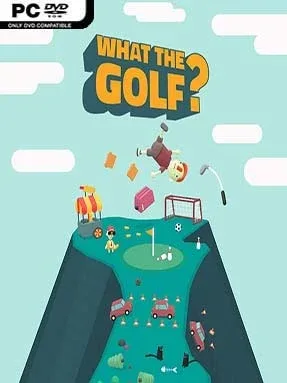


WHAT THE GOLF? Cover Art

WHAT THE GOLF?

INDIE 372.82 MB v15.0.1

Game Overview

Golf becomes a physics-powered punchline where the ball is often the least important object on the course. WHAT THE GOLF? turns the familiar pull-back-and-release swing into a string of absurd miniature challenges, sending cars, houses, sheep, office furniture, and occasionally the golfer himself toward a flag. Its bright, toy-like presentation and deliberately unpredictable jokes make every new hole feel like a comedy sketch rather than a sporting event. The mood stays light, chaotic, and wonderfully willing to throw out its own rules.

Each level begins with a simple goal—reach the flag in as few shots as possible—but the object you control and the rules governing it constantly change. One stage may play like traditional golf, while the next asks you to slingshot a vehicle, navigate a platforming course, race against opponents, or solve a small physics puzzle through carefully aimed launches. Success often comes from learning how an oddball object handles, then using momentum, rebounds, timing, and the environment to find an efficient route. Short levels and quick restarts keep failure painless, while optional tougher challenges reward players who want cleaner runs and more complete mastery.

The standout idea is how completely it commits to undermining expectations: golf is merely the framework supporting hundreds of punchlines, genre parodies, and surprising mechanical twists. Levels regularly riff on recognizable styles of games, yet the controls remain approachable enough that anyone can jump in and understand the basic swing within minutes. Rather than offering a deep sports simulation, it delivers a fast-moving collection of inventive puzzles with a strong sense of comic timing. Fans of playful indie experiments such as Untitled Goose Game, Donut County, or the more mischievous WarioWare-style minigames should find plenty to enjoy, while golf veterans should leave their real-world knowledge at the door.

Installation

  1. Click the green button below to be redirected to UploadHaven.
  2. Wait 15 seconds, then hit “Free Download.” (Free downloads may be slower — upgrade to UploadHaven Pro for faster speeds.)
  3. Once downloaded, right-click the .zip file and choose “Extract to WHAT THE GOLF?.” (You’ll need 7-Zip for this.)
  4. Open the extracted folder and run the game as administrator.
  5. Enjoy! 🎮 If you see missing DLL errors, check the <strong>_Redist</strong> folder inside and install what’s needed.

System Requirements

  • OS: Windows 7
  • Processor: 2.6 GHz Intel Quad Core
  • Memory: 2 GB RAM
  • Graphics: NVIDIA GeForce GT 750M, 2 GB Memory
  • DirectX: Version 11
  • Storage: 1 GB available space

Setup Guide & Troubleshooting

How do I fix missing DLL errors for WHAT THE GOLF? (v15.0.1)?

After extracting WHAT THE GOLF? (v15.0.1), navigate to the _Redist or _CommonRedist folder inside the game directory and install DirectX, Vcredist, and any other dependencies included.

What should I do if the downloaded file is corrupted?

The full archive is 372.82 MB — make sure your download completed fully before extracting. Use 7-Zip to extract the files. If you still see a "file corrupted" error, re-download and try again.

Why should I run the game as administrator?

Right-click the game executable and select "Run as Administrator" to avoid save file issues and permission errors. This is especially important on the first launch.

How do I update my GPU drivers for this game?

WHAT THE GOLF? (v15.0.1) requires a  NVIDIA GeForce GT 750M, 2 GB Memory or equivalent. Update your NVIDIA or AMD drivers to the latest version for the best performance.

The game won't launch — what should I try?

This game requires  Version 11. Try running in compatibility mode, install the latest DirectX runtime, or install the All-in-One VC Redist Package.

My antivirus is blocking the game — is it safe?

Antivirus false positives are common with pre-installed games. Temporarily pause your antivirus during extraction to prevent it from quarantining game files. You can re-enable it after the extraction completes.

Need more help? Browse our FAQ & Troubleshooting Guide for solutions to common issues.
Looking for something else? Explore all games on Steam Unlocked