
Game Overview
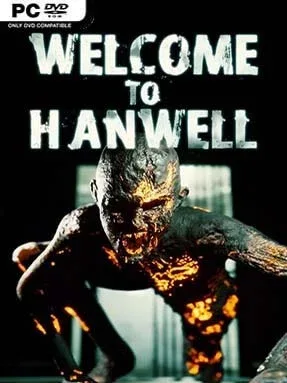
Hanwell is a decaying British town where the streets belong to things that should not exist. This first-person indie horror experience trades scripted haunted-house scares for an unsettling open-world structure: derelict shops, homes, industrial sites, and public buildings each hide their own fragments of the town’s collapse. The mood is grimy, lonely, and constantly threatening, with distant noises and movement at the edge of vision making even a quiet walk feel unsafe. Welcome To Hanwell turns a former refuge into a hostile maze shaped by failed containment efforts and supernatural contamination.
Survival means searching buildings for weapons, ammunition, healing supplies, keys, and clues while choosing whether a dangerous detour is worth the reward. The Anomalies wandering Hanwell vary in behavior and appearance, so combat is less about mowing down crowds than reacting under pressure with whatever battered firearms or melee tools are available. Exploration forms the heart of the loop, as district access gradually expands and environmental details connect separate locations into a broader mystery. Resources are limited, enemies can overwhelm careless players, and the town’s loose, non-linear layout rewards curiosity, caution, and learning safe routes between shelters.
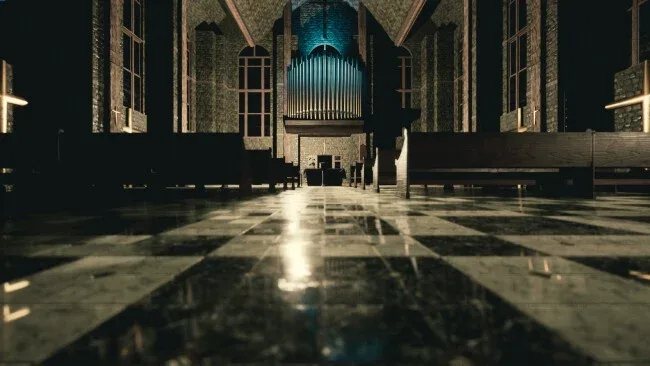
What separates Hanwell from more corridor-bound horror games is the way it makes an entire town feel like a haunted ecosystem rather than a sequence of levels. Individual interiors have distinct stories and visual identities, giving abandoned offices, flats, and public facilities more character than generic loot spaces. Its presentation is rougher and more experimental than polished mainstream survival horror, but that rawness often complements the oppressive atmosphere and the sensation of being lost in a place nobody can control. Players who enjoy the uneasy exploration of Silent Hill, the scavenging tension of early Resident Evil, or ambitious indie horror with a sandbox edge find plenty to investigate, while newcomers should expect a deliberately disorienting and unforgiving trip.
Screenshots

Installation
- Select the <strong>Download</strong> button at the top of this page to open UploadHaven.
- On UploadHaven, wait for any countdown, then select <strong>Free Download</strong>. Optional: UploadHaven Pro for faster downloads.
- When complete, extract the archive to a <strong>Welcome To Hanwell</strong> folder using 7-Zip.
- Open the extracted folder and start the game normally.
- For errors, check <strong>Setup Guide & Troubleshooting</strong> below. Keep your security software enabled.
System Requirements
- Requires a 64-bit processor and operating system
- OS: Windows 7
- Processor: Quad-core Intel or AMD processor, 2.5 GHz or faster
- Memory: 8 GB RAM
- Graphics: NVIDIA GeForce GTX 470 or AMD Radeon 6870 HD series card or higher
- DirectX: Version 11
- Storage: 16 GB available space
Setup Guide & Troubleshooting
How do I fix missing DLL errors for Welcome To Hanwell?
After extracting Welcome To Hanwell, navigate to the _Redist or _CommonRedist folder inside the game directory and install DirectX, Vcredist, and any other dependencies included.
What should I do if the downloaded file is corrupted?
The full archive is 8.10 GB — make sure your download completed fully before extracting. Use 7-Zip to extract the files. If you still see a "file corrupted" error, re-download and try again.
Why should I run the game as administrator?
Right-click the game executable and select "Run as Administrator" to avoid save file issues and permission errors. This is especially important on the first launch.
How do I update my GPU drivers for this game?
Welcome To Hanwell requires a NVIDIA GeForce GTX 470 or AMD Radeon 6870 HD series card or higher or equivalent. Update your NVIDIA or AMD drivers to the latest version for the best performance.
The game won't launch — what should I try?
This game requires Version 11. Try running in compatibility mode, install the latest DirectX runtime, or install the All-in-One VC Redist Package.
My antivirus is blocking the game — is it safe?
Antivirus false positives are common with pre-installed games. Temporarily pause your antivirus during extraction to prevent it from quarantining game files. You can re-enable it after the extraction completes.