
Wayhaven Chronicles: Book Three Cover Art

Wayhaven Chronicles: Book Three

INDIE 141.87 MB

Game Overview

Wayhaven’s quiet streets give way to a supernatural kidnapping case involving grotesque experiments, vampire politics, and the unnerving spectacle of a travelling carnival. Wayhaven Chronicles: Book Three is a text-driven detective fantasy where the biggest weapons are your instincts, relationships, and ability to decide who deserves your trust. The tone balances intimate romantic drama with pulpy paranormal danger, letting a small-town investigation steadily grow into something much stranger. Returning as Wayhaven’s human detective, you work beside the vampire agents of Unit Bravo while a new threat begins to take a personal interest in you.

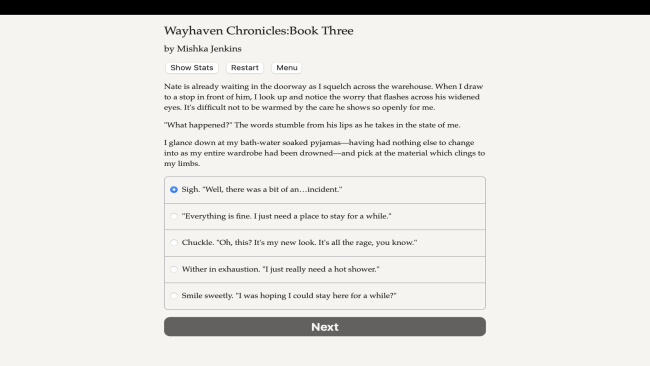
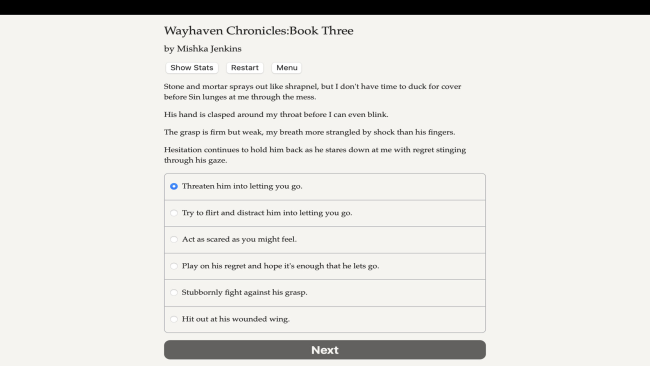
Reading, choosing dialogue, pursuing leads, and reacting to escalating crises form the core loop. Decisions shape your detective’s personality, including whether they act as bold, compassionate, sarcastic, analytical, or guarded, while past choices and established relationships carry forward from earlier books. Investigations branch according to the clues you pursue and the people you confide in, and important confrontations can be handled through resolve, diplomacy, deduction, or supernatural power. Romance remains central, with the four Unit Bravo routes deepening through quiet conversations, jealousy, vulnerability, and choices that can strengthen—or complicate—existing bonds.

Rather than relying on graphics or combat systems, the game succeeds through an enormous amount of reactive prose and the feeling that your detective has a distinct voice. The carnival setting, ethically questionable vampire science, and auction-themed menace give this chapter a more theatrical villainy than the previous cases without abandoning the series’ character focus. Its 1.2-million-word scope supports multiple relationship routes and different approaches to the investigation, though players get the most from it after experiencing Books One and Two. Fans of Choice of Games-style interactive fiction, paranormal romance, and narrative RPGs such as Vampire: The Masquerade will find a substantial, character-led continuation here.

Installation

  1. Click the green button below to be redirected to UploadHaven.
  2. Wait 15 seconds, then hit “Free Download.” (Free downloads may be slower — upgrade to UploadHaven Pro for faster speeds.)
  3. Once downloaded, right-click the .zip file and choose “Extract to Wayhaven Chronicles: Book Three.” (You’ll need 7-Zip for this.)
  4. Open the extracted folder and run the game as administrator.
  5. Enjoy! 🎮 If you see missing DLL errors, check the <strong>_Redist</strong> folder inside and install what’s needed.

System Requirements

  • OS: Windows
  • Storage: 141.87 MB available space
  • License: Free

Setup Guide & Troubleshooting

How do I fix missing DLL errors for Wayhaven Chronicles: Book Three?

After extracting Wayhaven Chronicles: Book Three, navigate to the _Redist or _CommonRedist folder inside the game directory and install DirectX, Vcredist, and any other dependencies included.

What should I do if the downloaded file is corrupted?

The full archive is 141.87 MB — make sure your download completed fully before extracting. Use 7-Zip to extract the files. If you still see a "file corrupted" error, re-download and try again.

Why should I run the game as administrator?

Right-click the game executable and select "Run as Administrator" to avoid save file issues and permission errors. This is especially important on the first launch.

How do I update my GPU drivers for this game?

Update your NVIDIA or AMD drivers to the latest version for the best performance and compatibility.

The game won't launch — what should I try?

Try running in compatibility mode, install the latest DirectX runtime, or install the All-in-One VC Redist Package.

My antivirus is blocking the game — is it safe?

Antivirus false positives are common with pre-installed games. Temporarily pause your antivirus during extraction to prevent it from quarantining game files. You can re-enable it after the extraction completes.

Need more help? Browse our FAQ & Troubleshooting Guide for solutions to common issues.
Looking for something else? Explore all games on Steam Unlocked