
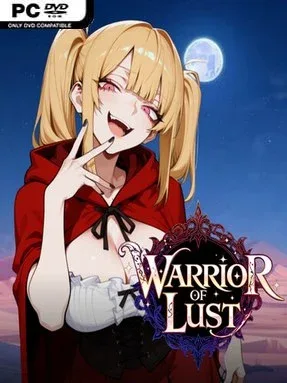
Game Overview
A cynical mercenary’s refusal to kneel before a corrupt monarch sparks a bawdy fantasy revenge story built around branching choices and arcade-style violence. Warrior of Lust balances its raunchy premise with a deliberately over-the-top medieval tone: the hero has won a war, insulted the throne, and becomes the target of Princess Zofia’s increasingly personal retaliation. The result is an adult-oriented adventure where political spite, dungeon danger, and erotic encounters continually collide. Its mood is knowingly pulpy rather than grimly serious, with plenty of room for players to steer scenes toward romance, domination, or stranger outcomes.
Combat follows the side-scrolling hack-and-slash tradition, sending the mercenary through enemy-packed stages against more than 50 creature types and bosses. Mid-fight class switching is the mechanical centerpiece, letting players move between Knight, Shield Warrior, Thief, Archer, and Sky Lancer to combine defensive tools, ranged pressure, mobility, and heavy attacks without locking into one build. Upgrades improve the hero’s effectiveness, while five difficulty settings make it viable for players who want either a casual story run or a more demanding action challenge. Defeat encounters against female enemies also become choice-driven adult scenes, with resistance or submission determining the direction of the sequence.
What separates Warrior of Lust from a typical adult visual novel is that the erotic material sits beside a substantial, hands-on beat-em-up framework rather than replacing it. More than 40 animated scenes, voiced dialogue for adult sequences, an optional text-focused audio setting, and a replay gallery give collectors plenty to uncover, while scene variations encourage experimentation. Branching routes, a stage selector, and nine endings make repeat runs more practical than replaying a long linear campaign from scratch. Players looking for the combat rhythm of old-school brawlers mixed with explicit fantasy storytelling will find a focused niche experience here; pure action fans may find the adult emphasis distracting, but genre veterans who enjoy choice-heavy erotic games get far more gameplay than usual.
Installation
- Click the green button below to be redirected to UploadHaven.
- Wait 15 seconds, then hit “Free Download.” (Free downloads may be slower — upgrade to UploadHaven Pro for faster speeds.)
- Once downloaded, right-click the .zip file and choose “Extract to Warrior of Lust.” (You’ll need 7-Zip for this.)
- Open the extracted folder and run the game as administrator.
- Enjoy! 🎮 If you see missing DLL errors, check the <strong>_Redist</strong> folder inside and install what’s needed.
System Requirements
- OS *: Windows XP
- Processor: any
- Memory: 2000 MB RAM
- Storage: 1500 MB available space
Setup Guide & Troubleshooting
How do I fix missing DLL errors for Warrior of Lust (v1.0.1 & Uncensored)?
After extracting Warrior of Lust (v1.0.1 & Uncensored), navigate to the _Redist or _CommonRedist folder inside the game directory and install DirectX, Vcredist, and any other dependencies included.
What should I do if the downloaded file is corrupted?
The full archive is 3.31 GB — make sure your download completed fully before extracting. Use 7-Zip to extract the files. If you still see a "file corrupted" error, re-download and try again.
Why should I run the game as administrator?
Right-click the game executable and select "Run as Administrator" to avoid save file issues and permission errors. This is especially important on the first launch.
How do I update my GPU drivers for this game?
Update your NVIDIA or AMD drivers to the latest version for the best performance and compatibility.
The game won't launch — what should I try?
Try running in compatibility mode, install the latest DirectX runtime, or install the All-in-One VC Redist Package.
My antivirus is blocking the game — is it safe?
Antivirus false positives are common with pre-installed games. Temporarily pause your antivirus during extraction to prevent it from quarantining game files. You can re-enable it after the extraction completes.