
Game Overview
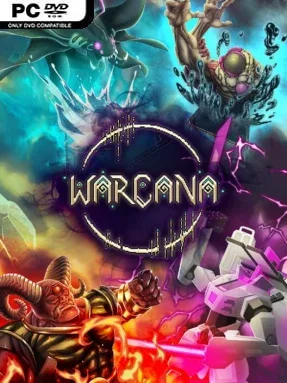
Arcane warfare unfolds at a scale few strategy games attempt, turning every match into a frantic contest of planning, adaptation, and spectacular destruction. WARCANA combines real-time base defense with collectible-card style deck construction, casting the player as a mage trying to keep a fortress alive while building an army capable of crushing rival strongholds. Its fantasy factions range from nature-driven Fay forces to infernal occult armies and stranger cosmic powers, giving battles a colorful but dangerous high-fantasy mood. The result feels less like a slow city builder and more like a pressure-cooker RTS where one bad decision can leave your walls exposed.
Matches revolve around drawing and playing cards that create structures, summon troops, expand an economy, or unleash battlefield magic. Economy choices open access to further cards and upgrades, so a deck is also a branching technology plan: invest in defenses and resources early, or risk a faster push toward devastating monsters and spells. Enemies arrive in relentless waves while opposing players develop their own forces, demanding constant attention to base layout, unit composition, timing, and the shrinking margin for error. Solo campaigns offer more than 30 scenarios to teach the systems, while the included editor supports custom challenges for players who want to experiment beyond the authored missions.
Its most distinctive idea is the massive multiplayer battle royale, where up to 30 contenders fight through paired rivalries instead of one unreadable all-against-all battlefield. Armies can grow into enormous swarms, creating the sort of screen-filling clashes normally associated with tower-defense games pushed to absurd extremes. Primary and secondary devotions allow mixed-color decks with different perks and tactical identities, giving dedicated players plenty of room to refine unusual combinations. Horde score-chasing and streamer-focused modes broaden the package, making WARCANA a strong fit for RTS veterans who enjoy deck synergies, as well as newcomers willing to learn under heavy pressure.
Installation
- Click the green button below to be redirected to UploadHaven.
- Wait 15 seconds, then hit “Free Download.” (Free downloads may be slower — upgrade to UploadHaven Pro for faster speeds.)
- Once downloaded, right-click the .zip file and choose “Extract to WARCANA.” (You’ll need 7-Zip for this.)
- Open the extracted folder and run the game as administrator.
- Enjoy! 🎮 If you see missing DLL errors, check the <strong>_Redist</strong> folder inside and install what’s needed.
System Requirements
- Requires a 64-bit processor and operating system
- OS: Windows 10
- Processor: Intel Core i5-4570 or AMD Ryzen 3 1200
- Memory: 8 GB RAM
- Graphics: NVIDIA GeForce GTX 960, 4 GB or AMD Radeon RX 560, 4 GB or Intel Arc A380, 6 GB
- Storage: 2 GB available space
- Additional Notes: Low 1080p @ 60 FPS
Setup Guide & Troubleshooting
How do I fix missing DLL errors for WARCANA (v1.0.240813 & ALL DLC)?
After extracting WARCANA (v1.0.240813 & ALL DLC), navigate to the _Redist or _CommonRedist folder inside the game directory and install DirectX, Vcredist, and any other dependencies included.
What should I do if the downloaded file is corrupted?
The full archive is 1.15 GB — make sure your download completed fully before extracting. Use 7-Zip to extract the files. If you still see a "file corrupted" error, re-download and try again.
Why should I run the game as administrator?
Right-click the game executable and select "Run as Administrator" to avoid save file issues and permission errors. This is especially important on the first launch.
How do I update my GPU drivers for this game?
WARCANA (v1.0.240813 & ALL DLC) requires a NVIDIA GeForce GTX 960, 4 GB or AMD Radeon RX 560, 4 GB or Intel Arc A380, 6 GB or equivalent. Update your NVIDIA or AMD drivers to the latest version for the best performance.
The game won't launch — what should I try?
Try running in compatibility mode, install the latest DirectX runtime, or install the All-in-One VC Redist Package.
My antivirus is blocking the game — is it safe?
Antivirus false positives are common with pre-installed games. Temporarily pause your antivirus during extraction to prevent it from quarantining game files. You can re-enable it after the extraction completes.