
Game Overview
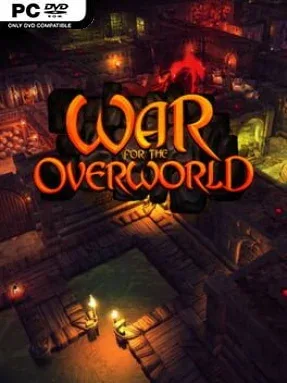
Beneath a brightly heroic fantasy surface, the real work happens in a growing labyrinth of greed, monsters, and carefully engineered cruelty. War for the Overworld is a dungeon-management strategy game that proudly follows the Dungeon Keeper tradition, casting you as an all-powerful Underlord rather than another sword-swinging savior. Your job is to carve out a subterranean empire, attract dangerous creatures, and turn every tunnel into a deathtrap for invading heroes. The mood is gleefully villainous and darkly comic, with Richard Ridings’ booming narration giving your schemes the proper theatrical menace.
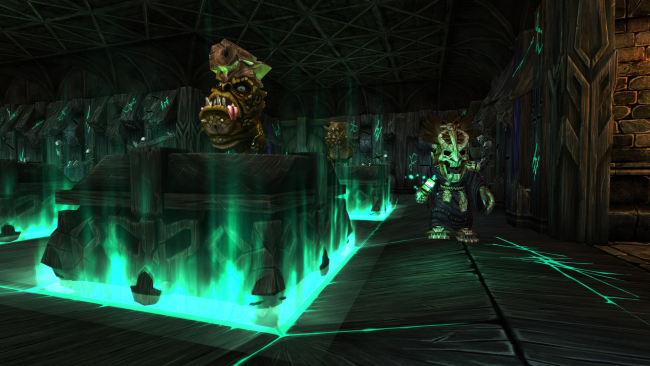
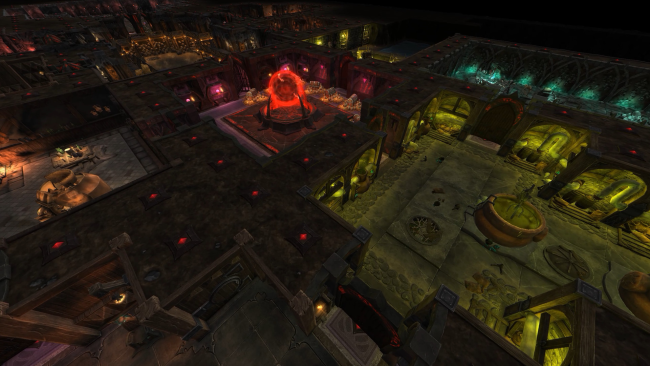
Players excavate earth, claim territory, place specialized rooms, and manage the needs of an unruly workforce of minions. Gold funds expansion, while rooms such as lairs, foundries, prisons, and training areas keep your creatures productive, equipped, and ready to defend their home. You can directly intervene with spells, possession mode, traps, defenses, potions, and rituals, whether that means supporting a frontline brawl or devastating intruders with a well-timed magical disaster. Campaign missions introduce the systems steadily, while skirmishes, survival battles, set scenarios, and multiplayer matches offer different tests of your dungeon-building instincts.
Its strength lies in how many nasty solutions it gives you to a simple problem: keep the heroes out and crush rival Underlords. More than sixty tools, rooms, constructs, and powers allow for dungeons built around brute-force armies, layered trap corridors, economic efficiency, or disruptive magic. The visual style is modern and readable without losing the chunky, sinister character of classic 1990s management games, and the free My Pet Dungeon sample adds a lighter experimental side to the package. Anyone who misses Dungeon Keeper, enjoys Dungeons, or wants a strategy game where being evil is the entire point should feel at home here; newcomers can learn through the campaign, while genre veterans can lose hours refining lethal underground layouts.
Installation
- Click the green button below to be redirected to UploadHaven.
- Wait 15 seconds, then hit “Free Download.” (Free downloads may be slower — upgrade to UploadHaven Pro for faster speeds.)
- Once downloaded, right-click the .zip file and choose “Extract to War for the Overworld.” (You’ll need 7-Zip for this.)
- Open the extracted folder and run the game as administrator.
- Enjoy! 🎮 If you see missing DLL errors, check the <strong>_Redist</strong> folder inside and install what’s needed.
System Requirements
- OS: Windows 7 Service Pack 1 , Windows 8 , Windows 10
- Processor: Dual Core CPU @ 2.5GHz
- Memory: 4GB RAM
- Graphics: Nvidia GT450 512MB or better, ATI 4870HD 512MB or better
- G3D Mark: 1500
- Hard Drive: 7GB available space
- Sound: Speakers or headphones
Setup Guide & Troubleshooting
How do I fix missing DLL errors for War for the Overworld (v2.1.0f4 & ALL DLC)?
After extracting War for the Overworld (v2.1.0f4 & ALL DLC), navigate to the _Redist or _CommonRedist folder inside the game directory and install DirectX, Vcredist, and any other dependencies included.
What should I do if the downloaded file is corrupted?
The full archive is 3.26 GB — make sure your download completed fully before extracting. Use 7-Zip to extract the files. If you still see a "file corrupted" error, re-download and try again.
Why should I run the game as administrator?
Right-click the game executable and select "Run as Administrator" to avoid save file issues and permission errors. This is especially important on the first launch.
How do I update my GPU drivers for this game?
War for the Overworld (v2.1.0f4 & ALL DLC) requires a Nvidia GT450 512MB or better, ATI 4870HD 512MB or better or equivalent. Update your NVIDIA or AMD drivers to the latest version for the best performance.
The game won't launch — what should I try?
Try running in compatibility mode, install the latest DirectX runtime, or install the All-in-One VC Redist Package.
My antivirus is blocking the game — is it safe?
Antivirus false positives are common with pre-installed games. Temporarily pause your antivirus during extraction to prevent it from quarantining game files. You can re-enable it after the extraction completes.