
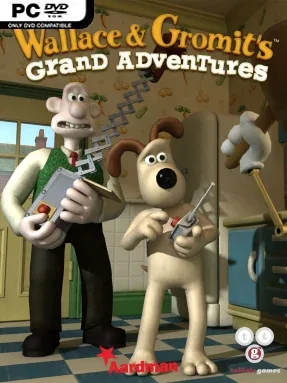
Game Overview
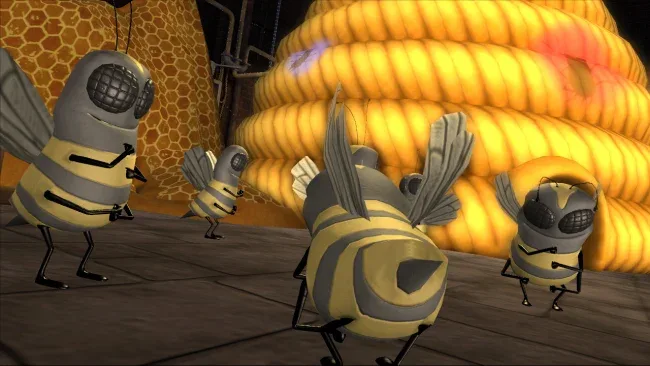
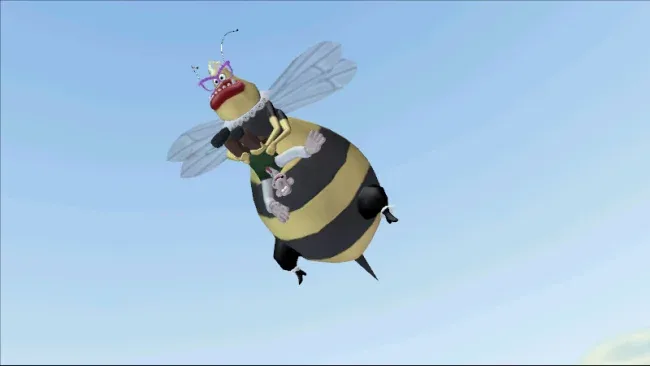
West Wallaby Street becomes a wonderfully daft playground for four connected adventures starring Aardman’s beloved inventor and his unflappable dog. Wallace & Gromit’s Grand Adventures captures the clay-animation charm, gentle British humor, and elaborate contraptions of the films while giving players control of the duo’s increasingly messy schemes. Giant honeybees, a makeshift holiday resort, a canine kidnapping, and a suspicious country club all turn ordinary neighborhood life into cheerful chaos. The tone stays light, witty, and family-friendly, but its mysteries give each episode enough momentum to feel like more than a collection of sketches.
Gameplay follows the classic Telltale adventure format: investigate colorful locations, collect useful odds and ends, speak to a cast of eccentric locals, and figure out how seemingly unrelated objects solve the next problem. Wallace handles much of the dialogue and gadget-based experimentation, while Gromit’s silent reactions, practical thinking, and canine abilities often open paths his master cannot manage alone. Puzzles are built around comic cause and effect rather than punishing logic, asking players to manipulate inventions, distract characters, and turn household junk into improbable solutions. Each chapter functions as a compact story with its own central crisis, while the later episodes expand the cast and stakes around the neighborhood.
What separates the collection from many licensed adventures is how convincingly it recreates Aardman’s timing and personality. The expressive animation, deadpan visual jokes, oddball British supporting characters, and constant background detail make wandering around and exhausting dialogue options genuinely entertaining. Its controls and puzzles are approachable by modern standards, although players expecting action, deep branching choices, or difficult brainteasers may find the pace deliberately relaxed. Fans of Monkey Island, Sam & Max, classic LucasArts-style puzzle adventures, or Wallace & Gromit itself get the most from it, but newcomers also find an easygoing, funny introduction to the genre.
Screenshots
Installation
- Select the <strong>Download</strong> button at the top of this page to open UploadHaven.
- On UploadHaven, wait for any countdown, then select <strong>Free Download</strong>. Optional: UploadHaven Pro for faster downloads.
- When complete, extract the archive to a <strong>Wallace & Gromits Grand Adventures</strong> folder using 7-Zip.
- Open the extracted folder and start the game normally.
- For errors, check <strong>Setup Guide & Troubleshooting</strong> below. Keep your security software enabled.
System Requirements
- Operating System: Microsoft® Windows® XP/Vista
- Processor: 2.0 Ghz or better (3 GHz Pentium® 4 or equivalent recommended)
- Memory: 512 MB RAM (1GB recommended)
- Hard Disk Space: 310 MB
- Video Card: 64 MB DirectX® 8.1 compliant video card (128 MB recommended)
- Sound Card: DirectX® 8.1 sound device
- DirectX® Version: DirectX® Version 9.0c or better (DirectX updater included)
- Controller Support: Yes
Setup Guide & Troubleshooting
Is Wallace & Gromits Grand Adventures completely free?
Yes, this listing offers a free download of the game packaged by SteamUnlocked. Keep your security software enabled and review any antivirus warnings before running the files.
How do I install Wallace & Gromits Grand Adventures?
Click the Download button to open UploadHaven, wait for any countdown, select Free Download, then extract the 1.90 GB archive with 7-Zip and start the game from the extracted folder.
What are the system requirements?
The game runs on Windows XP/Vista or later, needs a 2.0 GHz processor (3 GHz recommended), 512 MB RAM (1 GB recommended), 310 MB hard disk space, and a 64 MB DirectX 8.1 compliant video card. DirectX 9.0c or better is required, and controller support is included.
Is the version up to date?
The version is not publicly listed by the publisher, so treat the build number as an estimate. Check the status panel above for the last update date and request an update if you need a newer patch.