
Game Overview
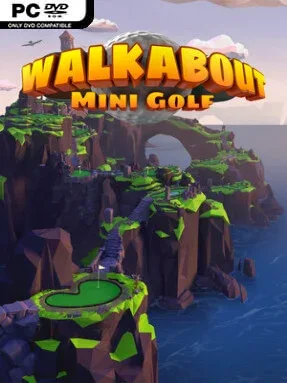
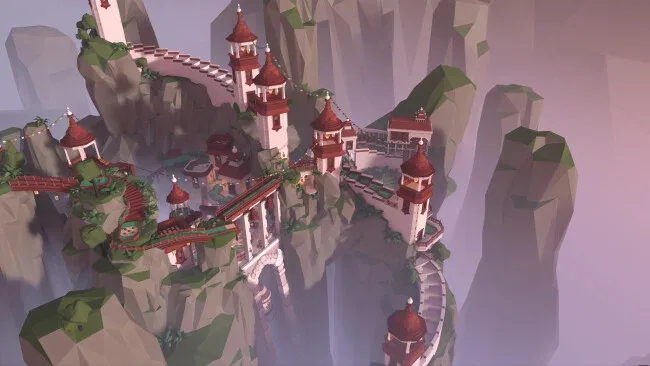
Miniature golf becomes a surprisingly convincing VR sport here, pairing believable putting with imaginative courses that feel built for wandering as much as scoring. Walkabout Mini Golf VR sends players through bright fantasy spaces, from familiar windmills and ramps to elaborate locations where the scenery becomes part of the challenge. Its tone is relaxed, social, and playful, but the clean physics give every angled bank shot and gentle tap enough weight to reward real control. Whether you are chasing par or simply enjoying the view with friends, it captures the casual appeal of a holiday mini-golf course without the queues.
Matches revolve around reading slopes, lining up a putt with natural motion controls, and learning how each hole’s obstacles affect the ball. Courses contain 18 connected holes, and players can roam beyond the fairway to hunt down hidden collectible balls, attempt reckless trick shots, or just inspect the environments. Standard layouts are approachable for newcomers, while unlocking Hard Mode substantially reworks each course rather than merely making the same holes less forgiving; these versions also include Foxhunt trails that lead to special commemorative putters. Solo rounds, online quick matches, and private rooms support different moods, with cross-platform voice-enabled sessions accommodating up to eight players and guest access allowing friends to join DLC courses they do not own.
What separates it from most VR sports games is how effortlessly it turns a simple activity into a place to hang out. Accurate ball behavior matters, yet the game never becomes a dry simulation: optional teleport or smooth movement, flying, customizable avatars, and dense course secrets encourage players to treat every venue like a small theme park. The growing selection of themed courses and their alternate layouts provides substantial replay value, especially for collectors and groups that return for regular rounds. Fans of Golf With Your Friends, social VR spaces, or real-world mini golf will find an unusually polished adaptation, while experienced players have enough demanding shot design to keep lowering scores long after the first tour.
Screenshots

Installation
- Click the green button below to be redirected to UploadHaven.
- Wait 15 seconds, then hit “Free Download.” (Free downloads may be slower — upgrade to UploadHaven Pro for faster speeds.)
- Once downloaded, right-click the .zip file and choose “Extract to Walkabout Mini Golf VR.” (You’ll need 7-Zip for this.)
- Open the extracted folder and run the game as administrator.
- Enjoy! 🎮 If you see missing DLL errors, check the <strong>_Redist</strong> folder inside and install what’s needed.
System Requirements
- OS: Windows 10
- Processor: Intel Core i5-4590/AMD FX 8350 equivalent or better
- Memory: 12 GB RAM
- Graphics: NVIDIA GeForce GTX 970, AMD Radeon R9 290 equivalent or better.
- Storage: 2 GB available space
- VR Support: SteamVR
Setup Guide & Troubleshooting
How do I fix missing DLL errors for Walkabout Mini Golf VR?
After extracting Walkabout Mini Golf VR, navigate to the _Redist or _CommonRedist folder inside the game directory and install DirectX, Vcredist, and any other dependencies included.
What should I do if the downloaded file is corrupted?
The full archive is 12.25 GB — make sure your download completed fully before extracting. Use 7-Zip to extract the files. If you still see a "file corrupted" error, re-download and try again.
Why should I run the game as administrator?
Right-click the game executable and select "Run as Administrator" to avoid save file issues and permission errors. This is especially important on the first launch.
How do I update my GPU drivers for this game?
Walkabout Mini Golf VR requires a NVIDIA GeForce GTX 970, AMD Radeon R9 290 equivalent or better. or equivalent. Update your NVIDIA or AMD drivers to the latest version for the best performance.
The game won't launch — what should I try?
Try running in compatibility mode, install the latest DirectX runtime, or install the All-in-One VC Redist Package.
My antivirus is blocking the game — is it safe?
Antivirus false positives are common with pre-installed games. Temporarily pause your antivirus during extraction to prevent it from quarantining game files. You can re-enable it after the extraction completes.