
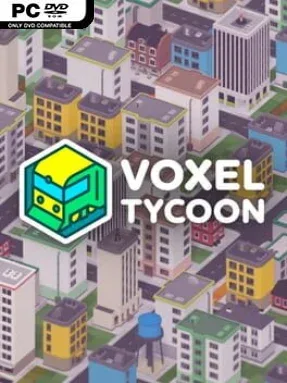
Game Overview
A quiet wilderness of blocky hills, forests, and mineral deposits becomes the foundation for an increasingly complicated industrial empire. Voxel Tycoon combines transport management, factory automation, and city growth in an endlessly generated voxel landscape where every rail line, road, bridge, and production plant exists because you put it there. Its tone is methodical rather than frantic, rewarding players who enjoy watching raw resources travel through a carefully planned network before returning as valuable finished goods. Small settlements gradually turn into busy cities when you provide the materials and passenger connections their economies need.
Mining coal, iron, stone, and other resources begins the central loop, but getting those materials where they need to go is the real challenge. You build custom factories, connect production chains, and use trains, trucks, and buses to move freight and people across terrain that can be bridged, tunneled through, or reshaped around your plans. A large vehicle roster spans steam-era engines, modern locomotives, railcars, articulated trucks, buses, and high-speed units, with cargo weight, gradients, traction, and engine power affecting performance. Detailed schedules and route tools let you automate entire fleets or micromanage individual vehicles, while proper signals and track layouts prevent traffic jams and collisions as your railway becomes denser.
The voxel presentation is more than a visual gimmick: it gives the map a toy-like readability while supporting satisfying large-scale earthworks and infrastructure projects. Vehicle physics makes fleet selection matter, so a heavy mineral train on a steep climb demands more thought than simply buying the fastest engine available. Fans of Transport Fever, OpenTTD, Factorio, and Railway Empire should find a rewarding blend of their favorite ideas, especially if they enjoy designing efficient systems instead of chasing a fixed campaign. Newcomers can start with straightforward delivery routes, while seasoned logistics players have plenty of room to create sprawling factories, layered rail junctions, and self-sustaining metropolitan networks.
Installation
- Click the green button below to be redirected to UploadHaven.
- Wait 15 seconds, then hit “Free Download.” (Free downloads may be slower — upgrade to UploadHaven Pro for faster speeds.)
- Once downloaded, right-click the .zip file and choose “Extract to Voxel Tycoon.” (You’ll need 7-Zip for this.)
- Open the extracted folder and run the game as administrator.
- Enjoy! 🎮 If you see missing DLL errors, check the <strong>_Redist</strong> folder inside and install what’s needed.
System Requirements
- Requires a 64-bit processor and operating system
- OS: Windows 7
- Processor: Dual Core 2GHz
- Memory: 4 GB RAM
- Graphics: 512MB VRAM
- DirectX: Version 11
- Storage: 500 MB available space
Setup Guide & Troubleshooting
How do I fix missing DLL errors for Voxel Tycoon (v0.88.8.4)?
After extracting Voxel Tycoon (v0.88.8.4), navigate to the _Redist or _CommonRedist folder inside the game directory and install DirectX, Vcredist, and any other dependencies included.
What should I do if the downloaded file is corrupted?
The full archive is 345.06 MB — make sure your download completed fully before extracting. Use 7-Zip to extract the files. If you still see a "file corrupted" error, re-download and try again.
Why should I run the game as administrator?
Right-click the game executable and select "Run as Administrator" to avoid save file issues and permission errors. This is especially important on the first launch.
How do I update my GPU drivers for this game?
Voxel Tycoon (v0.88.8.4) requires a 512MB VRAM or equivalent. Update your NVIDIA or AMD drivers to the latest version for the best performance.
The game won't launch — what should I try?
This game requires Version 11. Try running in compatibility mode, install the latest DirectX runtime, or install the All-in-One VC Redist Package.
My antivirus is blocking the game — is it safe?
Antivirus false positives are common with pre-installed games. Temporarily pause your antivirus during extraction to prevent it from quarantining game files. You can re-enable it after the extraction completes.