
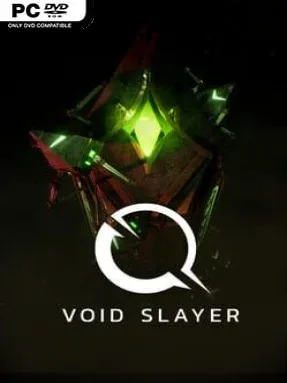
Game Overview
Suspended above an endless abyss, an immortal warrior faces a brutal score-chasing battle against creatures pouring out of the void. Void Slayer is a compact first-person arena shooter built around constant movement, mounting pressure, and the terrifying cost of every mistake. Its cosmic-horror framing gives the action a suitably hostile edge: strange monoliths loom over the arena, malformed enemies swarm from their portals, and the floor itself becomes less dependable as the fight continues. The mood is fast, bleak, and aggressive rather than story-heavy, with survival measured in seconds, kills, and leaderboard position.
Combat revolves around firing separate attacks from each hand while staying airborne through double jumps and dashes. Taking damage does more than reduce survivability; it steals part of the available arena, gradually shrinking the safe space and making later waves far more dangerous. Players need to prioritize enemies, preserve room to maneuver, and decide when to break off from the horde to destroy the obelisks producing additional threats. Shattering these structures closes their portals and grants gems that strengthen your offensive options, creating a clear risk-reward loop between immediate survival and long-term power. Runs emphasize learning enemy behavior, improving movement discipline, and pushing for a higher score, while online score comparison supplies the competitive incentive to return.
Its smartest idea is turning health loss into a physical change to the battlefield, making damage feel dangerous even before a run ends. That mechanic gives Void Slayer a different rhythm from standard wave shooters, since reckless play steadily removes the space needed for evasive acrobatics. The stripped-down structure and escalating upgrades make it well suited to short, intense sessions, especially for players who enjoy the replayable pressure of arena survival modes in games like Doom or Devil Daggers. Newcomers can grasp the controls quickly, but high-score chasers and FPS veterans will get the most from mastering positioning, portal priorities, and the increasingly cramped battlefield.
Installation
- Click the green button below to be redirected to UploadHaven.
- Wait 15 seconds, then hit “Free Download.” (Free downloads may be slower — upgrade to UploadHaven Pro for faster speeds.)
- Once downloaded, right-click the .zip file and choose “Extract to Void Slayer.” (You’ll need 7-Zip for this.)
- Open the extracted folder and run the game as administrator.
- Enjoy! 🎮 If you see missing DLL errors, check the <strong>_Redist</strong> folder inside and install what’s needed.
System Requirements
- OS: Windows 10
- Processor: Intel Core i5-4200H
- Memory: 4 GB RAM
- Graphics: Intel (R) HD Graphics 4600
- DirectX: Version 11
- Storage: 2 GB available space
Setup Guide & Troubleshooting
How do I fix missing DLL errors for Void Slayer?
After extracting Void Slayer, navigate to the _Redist or _CommonRedist folder inside the game directory and install DirectX, Vcredist, and any other dependencies included.
What should I do if the downloaded file is corrupted?
The full archive is 651.28 MB — make sure your download completed fully before extracting. Use 7-Zip to extract the files. If you still see a "file corrupted" error, re-download and try again.
Why should I run the game as administrator?
Right-click the game executable and select "Run as Administrator" to avoid save file issues and permission errors. This is especially important on the first launch.
How do I update my GPU drivers for this game?
Void Slayer requires a Intel (R) HD Graphics 4600 or equivalent. Update your NVIDIA or AMD drivers to the latest version for the best performance.
The game won't launch — what should I try?
This game requires Version 11. Try running in compatibility mode, install the latest DirectX runtime, or install the All-in-One VC Redist Package.
My antivirus is blocking the game — is it safe?
Antivirus false positives are common with pre-installed games. Temporarily pause your antivirus during extraction to prevent it from quarantining game files. You can re-enable it after the extraction completes.