
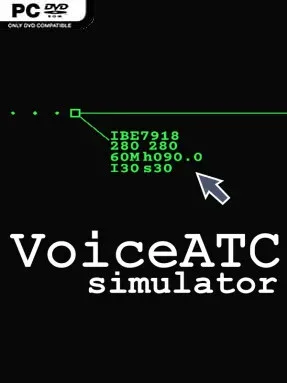
Game Overview
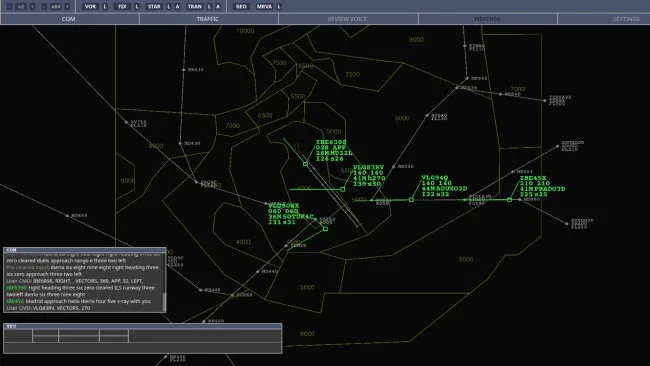
A crowded radar scope turns every arrival bank into a test of focus, timing, and calm authority. VoiceATC Simulator puts you in the controller’s chair, where aircraft stream through a sector on believable airline routes and every instruction can prevent confusion or create it. Its tone is technical rather than flashy, aiming for the satisfaction of mastering real aviation procedures instead of delivering arcade-style spectacle. Speaking clear commands through a microphone is the intended centerpiece, giving successful sequencing and safe landings an unusually hands-on feel.
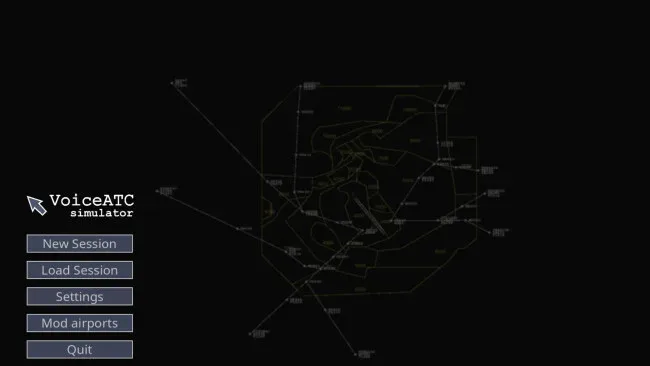
Players monitor traffic, issue headings, altitude restrictions, speed commands, direct routings, and approach clearances, then adjust the plan as aircraft converge. You can also control aircraft through clickable labels, which makes the simulator accessible when voice recognition is inconvenient or when learning its command structure. Traffic density is configurable, allowing quieter practice sessions or demanding rush-hour sectors where spacing mistakes snowball quickly. Minimum sector altitudes matter, and low-altitude warnings reinforce the importance of terrain-safe vectoring; included manuals and video lessons help newcomers understand both the interface and fundamental ATC language.
What separates it from lighter air traffic games is its commitment to real-world navigation data, procedures, NAVAIDs, runways, transitions, airlines, and callsigns. Navigraph subscribers can use current AIRAC information across airports worldwide, while the included legacy database keeps the full simulator playable without an ongoing subscription. Community-made sectors and scenarios extend its lifespan through GitHub-based modding, although its Early Access status means occasional rough edges and changing systems remain part of the package. Fans of realistic flight-sim operations, especially players who enjoy the procedural depth of VATSIM-style control, find plenty to learn here, while complete newcomers should expect a steep but rewarding learning curve rather than an instant pick-up-and-play experience.
Screenshots
Installation
- Select the <strong>Download</strong> button at the top of this page to open UploadHaven.
- On UploadHaven, wait for any countdown, then select <strong>Free Download</strong>. Optional: UploadHaven Pro for faster downloads.
- When complete, extract the archive to a <strong>VoiceATC Simulator</strong> folder using 7-Zip.
- Open the extracted folder and start the game normally.
- For errors, check <strong>Setup Guide & Troubleshooting</strong> below. Keep your security software enabled.
System Requirements
- Requires a 64-bit processor and operating system
- OS: Windows 10 64 bit
- Processor: 4-core x64 CPU with SSE4.2, AVX2 preferred, e.g. Intel Core i5-4590 / AMD Ryzen 3 1200
- Memory: 8 GB RAM
- Graphics: Direct3D 12 / Vulkan-compatible GPU, 2 GB VRAM or modern integrated graphics, e.g. GTX 1050 / RX 460 / Intel UHD 620
- Storage: 10 GB available space
- Additional Notes: VoiceATC Simulator uses local speech recognition, local command parsing, and neural text-to-speech. Lower-end systems can run with lighter voice models or rule-based command parsing, while recommended specs target the full local voice experience.