
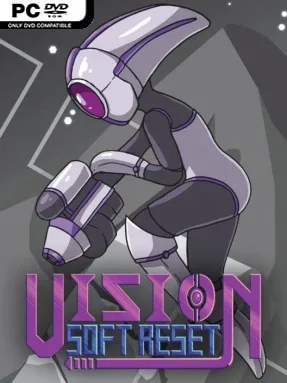
Game Overview
A dying planet gives this brisk 2D adventure a real sense of urgency, but its clever time powers keep failure from becoming frustration. You play a clairvoyant cyborg racing to avert catastrophe across a compact sci-fi world of industrial ruins, hostile facilities, and strange alien spaces. Vision Soft Reset carries the exploratory spirit of classic Metroid while feeling sharper and more deliberate, with a tense, lonely atmosphere offset by energetic pixel art and a driving electronic soundtrack.
Movement is fast and responsive: you run, jump, dash, shoot, and gradually use new abilities to bypass hazards and open routes through interconnected areas. Its defining trick is temporal awareness—brief enemy attack previews let you react before danger arrives, while a convenient rewind ability restores a recent moment after a bad jump, a hit, or an untimely death. Puzzles ask you to exploit that foresight rather than simply find switches, and the Time Tree tracks different story states so major choices and timeline changes remain understandable. Combat rewards observation and positioning more than brute force, while hidden movement techniques allow knowledgeable players to reach places earlier than expected and reshape their route.
Vision Soft Reset stands apart by making time manipulation a practical part of every encounter instead of an occasional scripted novelty. The map is intentionally focused rather than enormous, favoring meaningful secrets, clean progression, and few wasted corridors; that makes it especially satisfying for repeat runs and players who enjoy sequence breaking. Its pixel visuals are crisp without leaning too heavily on nostalgia, and the soundtrack gives each discovery and escape sequence momentum. Fans of Axiom Verge, Environmental Station Alpha, or tightly designed speedrun-friendly action platformers should find plenty to enjoy, while newcomers benefit from forgiving rewinds that soften the genre’s usual punishment.
Screenshots


Installation
- Select the <strong>Download</strong> button at the top of this page to open UploadHaven.
- On UploadHaven, wait for any countdown, then select <strong>Free Download</strong>. Optional: UploadHaven Pro for faster downloads.
- When complete, extract the archive to a <strong>Vision Soft Reset</strong> folder using 7-Zip.
- Open the extracted folder and start the game normally.
- For errors, check <strong>Setup Guide & Troubleshooting</strong> below. Keep your security software enabled.
System Requirements
- Requires a 64-bit processor and operating system
- OS *: Windows 7
- Processor: SSE2 instruction set support
- Memory: 2 GB RAM
- Graphics: Graphics card with DX10 (shader model 4.0) capabilities
- Storage: 400 MB available space
Setup Guide & Troubleshooting
How do I fix missing DLL errors for Vision Soft Reset (v1.2.0)?
After extracting Vision Soft Reset (v1.2.0), navigate to the _Redist or _CommonRedist folder inside the game directory and install DirectX, Vcredist, and any other dependencies included.
What should I do if the downloaded file is corrupted?
The full archive is 151.00 MB — make sure your download completed fully before extracting. Use 7-Zip to extract the files. If you still see a "file corrupted" error, re-download and try again.
Why should I run the game as administrator?
Right-click the game executable and select "Run as Administrator" to avoid save file issues and permission errors. This is especially important on the first launch.
How do I update my GPU drivers for this game?
Vision Soft Reset (v1.2.0) requires a Graphics card with DX10 (shader model 4.0) capabilities or equivalent. Update your NVIDIA or AMD drivers to the latest version for the best performance.
The game won't launch — what should I try?
Try running in compatibility mode, install the latest DirectX runtime, or install the All-in-One VC Redist Package.
My antivirus is blocking the game — is it safe?
Antivirus false positives are common with pre-installed games. Temporarily pause your antivirus during extraction to prevent it from quarantining game files. You can re-enable it after the extraction completes.