
Game Overview
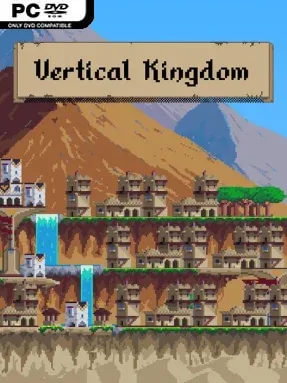
A ruined empire becomes a vertical city-building puzzle in Vertical Kingdom, where every successful settlement is built under pressure rather than peacefully planned. You serve as the Empire’s Great Architect, traveling through a land still scarred by a generation-long war and founding new communities in difficult territory. Its mood is measured and strategic, mixing the satisfaction of watching a skyline rise with the anxiety of knowing one poor placement can compromise an entire expedition. Instead of conquering provinces with armies, you restore imperial influence through housing, industry, infrastructure, and careful civic planning.
Each run sends you into a new region with changing terrain, limited space, and different economic problems to solve. Building comes from a card-driven system: you choose several decks before a turn, draw structures and upgrades, then fit them into an upward-growing settlement while maintaining access and supply lines. Food, water, timber, stone, brick, and metal all feed into the city’s expansion, while homes, workshops, taxes, and loyalty determine whether your people can support further construction. Decisions are permanent, so there is no easy demolition-based correction when a tower blocks a useful route or a resource chain fails; smart deck choices and building synergies matter from the opening moves onward.
Vertical Kingdom stands out by treating city construction like a roguelite expedition rather than an open-ended sandbox. Randomized journeys, shifting regional restrictions, and evolving card combinations give each attempt a fresh strategic shape, while the compact play space forces meaningful compromises instead of endless urban sprawl. Its tall, layered settlements evoke the pleasing spatial puzzles of Dorfromantik and deckbuilding logic of Slay the Spire, but the focus remains firmly on resource management and irreversible architecture. Players who enjoy deliberate, replayable builders with real consequences will find plenty to master, while newcomers should expect a demanding learning curve rather than a relaxed city-planning holiday.
Installation
- Click the green button below to be redirected to UploadHaven.
- Wait 15 seconds, then hit “Free Download.” (Free downloads may be slower — upgrade to UploadHaven Pro for faster speeds.)
- Once downloaded, right-click the .zip file and choose “Extract to Vertical Kingdom.” (You’ll need 7-Zip for this.)
- Open the extracted folder and run the game as administrator.
- Enjoy! 🎮 If you see missing DLL errors, check the <strong>_Redist</strong> folder inside and install what’s needed.
System Requirements
- Requires a 64-bit processor and operating system
- OS: Windows 10
- Processor: AMD FX-4350 / Intel® Core™ i3-3210
- Memory: 4 GB RAM
- Graphics: AMD Radeon™ R7 260X (2GB VRAM) / NVIDIA® GeForce® GTX 750(2GB VRAM)
- DirectX: Version 11
- Storage: 2 GB available space
- Additional Notes: Requires a 64-bit processor and operating system
Setup Guide & Troubleshooting
How do I fix missing DLL errors for Vertical Kingdom?
After extracting Vertical Kingdom, navigate to the _Redist or _CommonRedist folder inside the game directory and install DirectX, Vcredist, and any other dependencies included.
What should I do if the downloaded file is corrupted?
The full archive is 1.00 GB — make sure your download completed fully before extracting. Use 7-Zip to extract the files. If you still see a "file corrupted" error, re-download and try again.
Why should I run the game as administrator?
Right-click the game executable and select "Run as Administrator" to avoid save file issues and permission errors. This is especially important on the first launch.
How do I update my GPU drivers for this game?
Vertical Kingdom requires a AMD Radeon™ R7 260X (2GB VRAM) / NVIDIA® GeForce® GTX 750(2GB VRAM) or equivalent. Update your NVIDIA or AMD drivers to the latest version for the best performance.
The game won't launch — what should I try?
This game requires Version 11. Try running in compatibility mode, install the latest DirectX runtime, or install the All-in-One VC Redist Package.
My antivirus is blocking the game — is it safe?
Antivirus false positives are common with pre-installed games. Temporarily pause your antivirus during extraction to prevent it from quarantining game files. You can re-enable it after the extraction completes.