
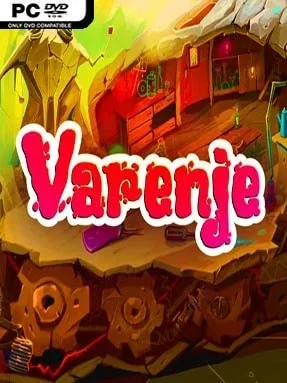
Game Overview
A sunny cottage holiday turns into a miniature adventure after an inquisitive child tastes a strange berry beside a stream and suddenly finds himself no larger than an insect. Varenje trades danger-heavy survival for a warm, storybook-style journey through grass, roots, puddles, and garden debris that now tower overhead. Worms, beetles, and spiders become the inhabitants of an unfamiliar civilization, while ordinary human objects take on the scale and mystery of enormous landmarks. The mood stays playful and cozy, built around childhood imagination, summer nostalgia, and the reassuring idea that grandmother’s raspberry jam can fix almost anything.
Progress centers on travelling through this tiny world, meeting its insect residents, and working toward a cure that restores the hero’s normal size. Raspberry gathering is the central objective, as the berries provide the key ingredient for the jam-based remedy, but reaching them means navigating environments designed from a bug’s-eye perspective. Strange improvised vehicles and disguises help the miniature inhabitants move around unnoticed, giving the adventure a distinctly handmade, whimsical flavor. Rather than focusing on high-pressure combat or punishing systems, Varenje leans into light exploration, environmental problem-solving, and following its cheerful narrative from one unusual encounter to the next.
Its strongest appeal comes from the change in scale: a garden stream or patch of undergrowth becomes an entire fantasy landscape when seen by someone only centimeters tall. The premise recalls the playful miniature-world charm of Grounded and Honey, I Shrunk the Kids, though its tone is far gentler and more fairy-tale-like than either. Colorful insect characters, oversized natural scenery, and the absurd seriousness of searching for medicinal jam give it personality beyond a standard indie adventure. Varenje suits younger players, families, and anyone looking for a relaxed, imaginative break from grim survival games; veteran action players may find it slight, but its cozy setting and unusual perspective make it easy to appreciate.
Installation
- Click the green button below to be redirected to UploadHaven.
- Wait 15 seconds, then hit “Free Download.” (Free downloads may be slower — upgrade to UploadHaven Pro for faster speeds.)
- Once downloaded, right-click the .zip file and choose “Extract to Varenje.” (You’ll need 7-Zip for this.)
- Open the extracted folder and run the game as administrator.
- Enjoy! 🎮 If you see missing DLL errors, check the <strong>_Redist</strong> folder inside and install what’s needed.
System Requirements
- OS: Microsoft® Windows® XP SP1
- Processor: 1.5 GHz
- Memory: 1024 MB RAM
- Graphics: 128 MB
- DirectX: Version 9.0
- Storage: 1500 MB available space
- Sound Card: Standard
Setup Guide & Troubleshooting
How do I fix missing DLL errors for Varenje?
After extracting Varenje, navigate to the _Redist or _CommonRedist folder inside the game directory and install DirectX, Vcredist, and any other dependencies included.
What should I do if the downloaded file is corrupted?
The full archive is 681.57 MB — make sure your download completed fully before extracting. Use 7-Zip to extract the files. If you still see a "file corrupted" error, re-download and try again.
Why should I run the game as administrator?
Right-click the game executable and select "Run as Administrator" to avoid save file issues and permission errors. This is especially important on the first launch.
How do I update my GPU drivers for this game?
Varenje requires a 128 MB or equivalent. Update your NVIDIA or AMD drivers to the latest version for the best performance.
The game won't launch — what should I try?
This game requires Version 9.0. Try running in compatibility mode, install the latest DirectX runtime, or install the All-in-One VC Redist Package.
My antivirus is blocking the game — is it safe?
Antivirus false positives are common with pre-installed games. Temporarily pause your antivirus during extraction to prevent it from quarantining game files. You can re-enable it after the extraction completes.