
Game Overview
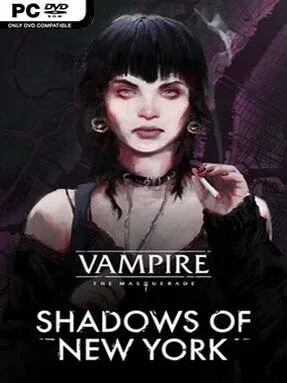
New York’s vampire court runs on old grudges, fragile alliances, and the certainty that someone weaker will pay for every political mistake. Vampire: The Masquerade – Shadows of New York is a noir visual novel set in the World of Darkness, following Julia, a Lasombra outsider trapped between the Camarilla’s ruthless hierarchy and her own deteriorating sense of self. She is not a glamorous immortal power fantasy protagonist; she is an anxious, alienated investigator whose clan curse turns even ordinary technology into a source of friction. The mood is bleak, intimate, and sharply observant, finding horror in late-night diners, empty streets, social obligations, and the knowledge that death rarely settles anything.
Most of the play revolves around reading conversations closely, choosing Julia’s responses, following leads, and deciding whom to trust while a suspicious death threatens the city’s already unstable political balance. Dialogue choices shape her relationships and attitude, letting her lean toward defiance, manipulation, compassion, or exhausted detachment without turning the story into a simple morality meter. Investigation is largely narrative-driven rather than puzzle-heavy, with scenes moving between faction meetings, crime scenes, private reflections, and dangerous encounters. There is no traditional combat system to master; survival depends on information, social awareness, and knowing when a seemingly harmless answer puts Julia in someone’s debt.
Its strongest asset is Julia herself: cynical, vulnerable, funny in a grim way, and distinct from the usual confident vampire antihero. The writing uses the Lasombra’s relationship with shadow and technology to make vampirism feel psychologically invasive rather than merely stylish, while the illustrated city creates a convincing sense of modern urban loneliness. As a stand-alone mystery, it works best for players willing to read and sit with difficult characters, though familiarity with Vampire: The Masquerade – Coteries of New York adds useful context for its returning setting and factions. Fans of Disco Elysium’s internal turmoil, choice-led visual novels, and supernatural noir will find a focused, mature story here; action-focused players may find its deliberate pace too passive.
Installation
- Click the green button below to be redirected to UploadHaven.
- Wait 15 seconds, then hit “Free Download.” (Free downloads may be slower — upgrade to UploadHaven Pro for faster speeds.)
- Once downloaded, right-click the .zip file and choose “Extract to Vampire: The Masquerade – Shadows Of New York.” (You’ll need 7-Zip for this.)
- Open the extracted folder and run the game as administrator.
- Enjoy! 🎮 If you see missing DLL errors, check the <strong>_Redist</strong> folder inside and install what’s needed.
System Requirements
- Requires a 64-bit processor and operating system
- OS: Windows 7 SP1
- Processor: Dual Core 3 GHz
- Memory: 4 GB RAM
- Graphics: 1 GB VRAM OpenGL 2.1+
- Storage: 2 GB available space
Setup Guide & Troubleshooting
How do I fix missing DLL errors for Vampire: The Masquerade – Shadows Of New York?
After extracting Vampire: The Masquerade – Shadows Of New York, navigate to the _Redist or _CommonRedist folder inside the game directory and install DirectX, Vcredist, and any other dependencies included.
What should I do if the downloaded file is corrupted?
The full archive is 1.65 GB — make sure your download completed fully before extracting. Use 7-Zip to extract the files. If you still see a "file corrupted" error, re-download and try again.
Why should I run the game as administrator?
Right-click the game executable and select "Run as Administrator" to avoid save file issues and permission errors. This is especially important on the first launch.
How do I update my GPU drivers for this game?
Vampire: The Masquerade – Shadows Of New York requires a 1 GB VRAM OpenGL 2.1+ or equivalent. Update your NVIDIA or AMD drivers to the latest version for the best performance.
The game won't launch — what should I try?
Try running in compatibility mode, install the latest DirectX runtime, or install the All-in-One VC Redist Package.
My antivirus is blocking the game — is it safe?
Antivirus false positives are common with pre-installed games. Temporarily pause your antivirus during extraction to prevent it from quarantining game files. You can re-enable it after the extraction completes.