
Game Overview
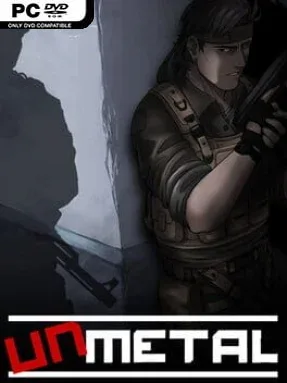
A wrongfully imprisoned civilian turns a hostile military facility into the stage for an increasingly ridiculous escape story. UnMetal is a top-down stealth-action adventure that deliberately channels the tense infiltration of early Metal Gear games, then punctures every serious moment with deadpan jokes, absurd disguises, and action-movie nonsense. Jesse Fox narrates his breakout while under interrogation, giving the whole campaign an unreliable-storyteller angle: every detail may be true, embellished, or invented to impress his skeptical interviewer. The result is a lighthearted spy parody with enough sneaking and danger to keep its humor from feeling weightless.
Most of the action revolves around slipping past guards, studying patrol routes, scavenging supplies, and using improvised tools to bypass locked rooms or remove threats. Jesse gains abilities through stealthy play, while weapons, explosives, distractions, and bizarre gadgets offer louder alternatives when a plan collapses. Conversations matter as much as combat in certain scenes, since interrogation segments let players choose how much detail Jesse adds to his account, sometimes creating new problems or opportunities inside the story he is telling. Puzzles often reward experimentation, whether that means crafting a useful device from junk, bluffing an enemy, or finding a particularly silly way through security.
Its greatest strength is the balance between affectionate retro design and modern convenience: pixel-art corridors, boss encounters, inventory management, and field-of-view stealth feel familiar, but checkpoints, contextual interactions, and flexible solutions prevent it from becoming a museum piece. References to films, games, and spy-fiction clichés are everywhere, yet the comedy works best when it grows naturally from Jesse’s escalating lies and overconfident attitude. UnMetal suits players who enjoy Metal Gear’s old-school stealth structure but want a more comedic, puzzle-heavy take rather than a grim tactical thriller. Veterans will appreciate the genre nods, while newcomers can enjoy a focused campaign that explains its mechanics clearly and rarely takes itself too seriously.
Installation
- Click the green button below to be redirected to UploadHaven.
- Wait 15 seconds, then hit “Free Download.” (Free downloads may be slower — upgrade to UploadHaven Pro for faster speeds.)
- Once downloaded, right-click the .zip file and choose “Extract to UnMetal.” (You’ll need 7-Zip for this.)
- Open the extracted folder and run the game as administrator.
- Enjoy! 🎮 If you see missing DLL errors, check the <strong>_Redist</strong> folder inside and install what’s needed.
System Requirements
- OS: Windows 7
- Processor: Intel i3
- Memory: 4 GB RAM
- Graphics: 256Mb openGL
- DirectX: Version 9.0
- Storage: 400 MB available space
- Sound Card: Direct Sound
Setup Guide & Troubleshooting
How do I fix missing DLL errors for UnMetal (v1.00.00)?
After extracting UnMetal (v1.00.00), navigate to the _Redist or _CommonRedist folder inside the game directory and install DirectX, Vcredist, and any other dependencies included.
What should I do if the downloaded file is corrupted?
The full archive is 668.45 MB — make sure your download completed fully before extracting. Use 7-Zip to extract the files. If you still see a "file corrupted" error, re-download and try again.
Why should I run the game as administrator?
Right-click the game executable and select "Run as Administrator" to avoid save file issues and permission errors. This is especially important on the first launch.
How do I update my GPU drivers for this game?
UnMetal (v1.00.00) requires a 256Mb openGL or equivalent. Update your NVIDIA or AMD drivers to the latest version for the best performance.
The game won't launch — what should I try?
This game requires Version 9.0. Try running in compatibility mode, install the latest DirectX runtime, or install the All-in-One VC Redist Package.
My antivirus is blocking the game — is it safe?
Antivirus false positives are common with pre-installed games. Temporarily pause your antivirus during extraction to prevent it from quarantining game files. You can re-enable it after the extraction completes.