
Game Overview
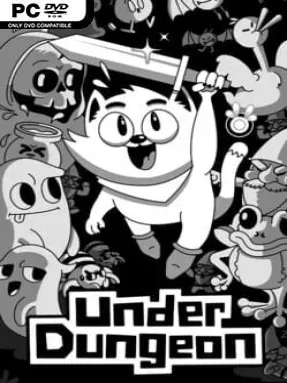
Kutopia turns the misery of monster-infested streets into an odd, funny, and occasionally unsettling 1-bit adventure. You play Kimuto, a nervous newcomer trying to survive his first day of work while the rest of society adapts to a disaster that has made ordinary life anything but ordinary. Heroes hunt creatures, frightened citizens form defensive groups, and plenty of people simply scrape by, giving the setting a worn-down but strangely charming personality. UnderDungeon balances classic dungeon-crawling danger with a surreal sense of humor, wrapping its bleak premise in expressive pixel art and an emotional soundtrack.
Kimuto’s work sends him through hazardous districts, strange interiors, and monster-filled areas where exploration is as important as staying alive. The action follows a top-down adventure format: you move through compact environments, fight hostile enemies, uncover hidden paths, interact with residents, and deal with unexpected mechanical twists rather than relying on combat alone. Its low-resolution visual style keeps information clean and readable, but the world is packed with small environmental details, secrets, and characters that reward poking into corners. Progress comes from pushing deeper into Kutopia’s escalating problems, learning how its people live under pressure, and overcoming challenges that can shift from straightforward fights to more unusual obstacles.
What makes UnderDungeon memorable is its willingness to treat an everyday job as the basis for a fantasy adventure while refusing to make Kutopia feel like a standard heroic kingdom. The monochrome-inspired 1-bit presentation gives every creature and location a distinctive silhouette, while the music adds surprising weight to Kimuto’s awkward, dangerous journey. It has some of the exploratory spirit of early The Legend of Zelda-style adventures, though its stranger humor and workplace framing give it a personality of its own. Players who enjoy compact indie action games, eccentric NPCs, hidden secrets, and stories that mix comedy with melancholy should find plenty to like, while dungeon-crawler veterans can appreciate its deliberate throwback structure.
Installation
- Click the green button below to be redirected to UploadHaven.
- Wait 15 seconds, then hit “Free Download.” (Free downloads may be slower — upgrade to UploadHaven Pro for faster speeds.)
- Once downloaded, right-click the .zip file and choose “Extract to UnderDungeon.” (You’ll need 7-Zip for this.)
- Open the extracted folder and run the game as administrator.
- Enjoy! 🎮 If you see missing DLL errors, check the <strong>_Redist</strong> folder inside and install what’s needed.
System Requirements
- OS: Windows XP, Vista, 7, 10
- Processor: i3 or AMD FX 6100
- Memory: 2 GB RAM
- Graphics: A normal graphic card
- Storage: 500 MB available space
Setup Guide & Troubleshooting
How do I fix missing DLL errors for UnderDungeon (v1.2b)?
After extracting UnderDungeon (v1.2b), navigate to the _Redist or _CommonRedist folder inside the game directory and install DirectX, Vcredist, and any other dependencies included.
What should I do if the downloaded file is corrupted?
The full archive is 581.74 MB — make sure your download completed fully before extracting. Use 7-Zip to extract the files. If you still see a "file corrupted" error, re-download and try again.
Why should I run the game as administrator?
Right-click the game executable and select "Run as Administrator" to avoid save file issues and permission errors. This is especially important on the first launch.
How do I update my GPU drivers for this game?
UnderDungeon (v1.2b) requires a A normal graphic card or equivalent. Update your NVIDIA or AMD drivers to the latest version for the best performance.
The game won't launch — what should I try?
Try running in compatibility mode, install the latest DirectX runtime, or install the All-in-One VC Redist Package.
My antivirus is blocking the game — is it safe?
Antivirus false positives are common with pre-installed games. Temporarily pause your antivirus during extraction to prevent it from quarantining game files. You can re-enable it after the extraction completes.