
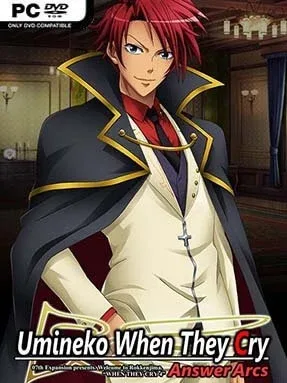
Game Overview
Rokkenjima’s isolated mansion becomes a courtroom, a locked-room crime scene, and a battleground for competing versions of reality in this second half of the Umineko saga. Set during the Ushiromiya family’s 1986 conference, Umineko When They Cry – Answer Arcs revisits the island murders with sharper focus, bringing witches, detectives, inheritance disputes, and impossible deaths into a dense supernatural mystery. Its mood shifts constantly between gothic horror, cruel black comedy, intimate family drama, and heated intellectual debate. Players arriving from the Question Arcs finally receive vital context, but the central truth never becomes a simple handout.
Reading is the primary activity, though calling it passive misses the point. Episodes five through eight present enormous amounts of dialogue and narration while challenging you to test alibis, reconstruct crime scenes, and decide whether each “miracle” needs magic or a human explanation. The story’s signature debates use red statements as facts that cannot be denied, forcing characters and readers alike to find loopholes, challenge assumptions, and build a logically complete theory. There is no traditional combat, exploration, or branching-route structure; progression comes from following the novel’s escalating arguments, rereading clues, and connecting details across a deliberately tangled narrative.
What separates Umineko from most visual novels is the way it treats mystery-solving as a conversation between author and audience. Elaborate character art, a famously powerful soundtrack, theatrical prose, and a wildly imaginative meta-fictional framework make every episode feel larger than its island setting. The Answer Arcs reward close attention to the earlier chapters and work best when approached after the Question Arcs, since they directly build on their mysteries rather than serving as a standalone sequel. Fans of Higurashi, Danganronpa’s courtroom confrontations, or clever closed-circle detective fiction find plenty to love, while newcomers should expect a long, demanding, and emotionally intense read rather than a quick anime-style mystery.
Installation
- Click the green button below to be redirected to UploadHaven.
- Wait 15 seconds, then hit “Free Download.” (Free downloads may be slower — upgrade to UploadHaven Pro for faster speeds.)
- Once downloaded, right-click the .zip file and choose “Extract to Umineko When They Cry – Answer Arcs.” (You’ll need 7-Zip for this.)
- Open the extracted folder and run the game as administrator.
- Enjoy! 🎮 If you see missing DLL errors, check the <strong>_Redist</strong> folder inside and install what’s needed.
System Requirements
- OS: Windows XP and up
- Processor: Pentium III 800 MHz
- Memory: 1 GB RAM
- Graphics: 1280 x 960
- Storage: 4 GB available space
Setup Guide & Troubleshooting
How do I fix missing DLL errors for Umineko When They Cry – Answer Arcs?
After extracting Umineko When They Cry – Answer Arcs, navigate to the _Redist or _CommonRedist folder inside the game directory and install DirectX, Vcredist, and any other dependencies included.
What should I do if the downloaded file is corrupted?
The full archive is 3.86 GB — make sure your download completed fully before extracting. Use 7-Zip to extract the files. If you still see a "file corrupted" error, re-download and try again.
Why should I run the game as administrator?
Right-click the game executable and select "Run as Administrator" to avoid save file issues and permission errors. This is especially important on the first launch.
How do I update my GPU drivers for this game?
Umineko When They Cry – Answer Arcs requires a 1280 x 960 or equivalent. Update your NVIDIA or AMD drivers to the latest version for the best performance.
The game won't launch — what should I try?
Try running in compatibility mode, install the latest DirectX runtime, or install the All-in-One VC Redist Package.
My antivirus is blocking the game — is it safe?
Antivirus false positives are common with pre-installed games. Temporarily pause your antivirus during extraction to prevent it from quarantining game files. You can re-enable it after the extraction completes.