
Game Overview
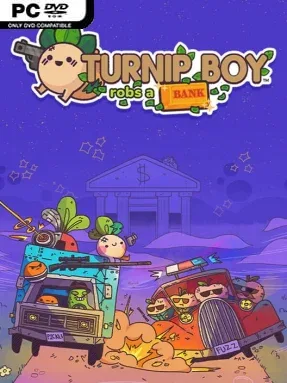
A vegetable criminal spree trades tax evasion for a full-scale bank job in this fast, silly action-adventure. Turnip Boy Robs a Bank sends its deadpan root-vegetable antihero into Botanical Bank alongside the Pickled Gang, where every vault, hostage, and locked door becomes part of an escalating score. The tone is gleefully absurd, but the action has real bite as armed guards, police officers, and specialized SWAT vegetables turn a simple robbery into a chaotic survival run. Beneath the jokes and cartoon violence sits more lore about the strange food-filled society introduced in the earlier game.
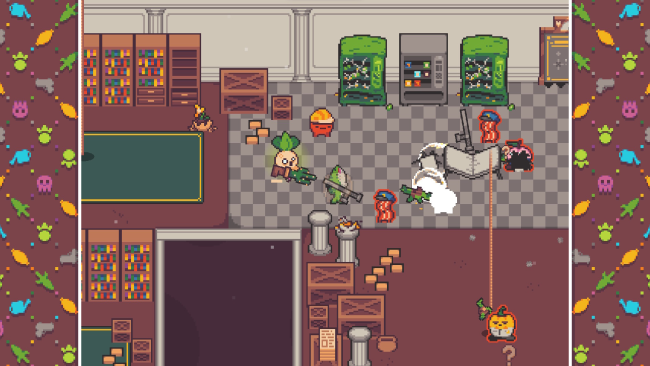
Each run begins with breaking into the bank and pushing deeper through its changing rooms, offices, secure areas, and hidden secrets. Players grab cash and valuables, threaten civilians for rewards, blast enemies in twin-stick shootouts, and use stolen money to buy increasingly ridiculous equipment through an in-game dark-web shop. Weapons and tools range from straightforward explosives and firearms to utility gear that opens routes or helps deal with tougher opposition, while death sends you back to regroup and improve your next attempt. Roguelite progression keeps the loop moving, since new purchases, discoveries, and player knowledge make later robberies more ambitious.
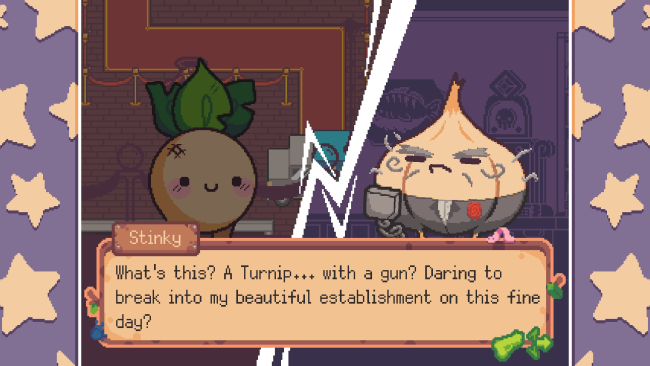
What makes the game work is its commitment to a joke without letting the humor replace the gameplay: conversations are packed with dry food puns, yet the bank is a surprisingly dense dungeon full of enemies, loot, and environmental storytelling. Its colorful pixel art, punchy soundtrack, collectible hats, and bizarre supporting cast give every run more personality than a typical procedural shooter. Fans of Enter the Gungeon-style room combat and quick roguelite repetition will feel at home, though Turnip Boy Robs a Bank is less punishing and more focused on comedic exploration than mastery alone. It suits newcomers looking for a compact, lighthearted action game, while returning players get a bigger, stranger follow-up with sharper combat and more reasons to keep looting.
Installation
- Click the green button below to be redirected to UploadHaven.
- Wait 15 seconds, then hit “Free Download.” (Free downloads may be slower — upgrade to UploadHaven Pro for faster speeds.)
- Once downloaded, right-click the .zip file and choose “Extract to Turnip Boy Robs A Bank.” (You’ll need 7-Zip for this.)
- Open the extracted folder and run the game as administrator.
- Enjoy! 🎮 If you see missing DLL errors, check the <strong>_Redist</strong> folder inside and install what’s needed.
System Requirements
- Requires a 64-bit processor and operating system
- OS *: Windows 8.1/10
- Processor: Intel i3 4130T (2.9 GHz) / AMD Ryzen 3 2200G (3.5 GHz)
- Memory: 4 GB RAM
- Graphics: Intel HD Graphics 4400 (Shared)/ AMD Vega 8 Graphics (Shared)
- DirectX: Version 11
- Storage: 2 GB available space
Setup Guide & Troubleshooting
How do I fix missing DLL errors for Turnip Boy Robs A Bank?
After extracting Turnip Boy Robs A Bank, navigate to the _Redist or _CommonRedist folder inside the game directory and install DirectX, Vcredist, and any other dependencies included.
What should I do if the downloaded file is corrupted?
The full archive is 1.05 GB — make sure your download completed fully before extracting. Use 7-Zip to extract the files. If you still see a "file corrupted" error, re-download and try again.
Why should I run the game as administrator?
Right-click the game executable and select "Run as Administrator" to avoid save file issues and permission errors. This is especially important on the first launch.
How do I update my GPU drivers for this game?
Turnip Boy Robs A Bank requires a Intel HD Graphics 4400 (Shared)/ AMD Vega 8 Graphics (Shared) or equivalent. Update your NVIDIA or AMD drivers to the latest version for the best performance.
The game won't launch — what should I try?
This game requires Version 11. Try running in compatibility mode, install the latest DirectX runtime, or install the All-in-One VC Redist Package.
My antivirus is blocking the game — is it safe?
Antivirus false positives are common with pre-installed games. Temporarily pause your antivirus during extraction to prevent it from quarantining game files. You can re-enable it after the extraction completes.