
Game Overview
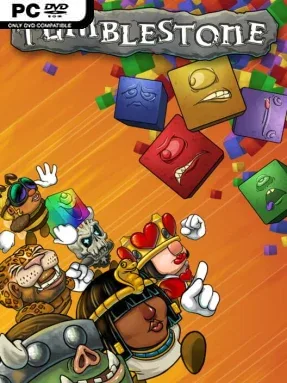
Color-matching puzzles become a surprisingly fierce head-to-head sport in Tumblestone, an indie action-puzzler built around speed, planning, and the ability to keep cool when a board begins to unravel. Its cheerful fantasy presentation, oddball characters, and playful story about a missing crown give the campaign plenty of personality, but the real mood shifts quickly from relaxed to intensely competitive. Beneath the cartoon polish sits a game that asks players to read patterns several moves ahead while reacting instantly to changing layouts. Whether played alone or against friends, it delivers the satisfying pressure of a puzzle game where one poor decision can spoil an otherwise perfect run.
Players fire colored blocks into compact puzzle formations, aiming to clear matching sequences and carefully dismantle each board without trapping crucial pieces. Story mode steadily introduces new rules, modifiers, challenge stages, and boss encounters, so the campaign keeps demanding new ways of thinking rather than relying on one trick. Progress comes from mastering color order, timing, and board control, with later puzzles requiring deliberate setup instead of frantic matching. Local matches support up to four people on one computer, while online ranked play, bots, leaderboards, quests, and player stats provide plenty of reasons to keep improving after the main adventure.
Tumblestone stands apart from familiar falling-block and bubble-shooter games by making every shot feel like part of a larger chain of decisions. Its lengthy campaign is unusually substantial for a competitive puzzle title, while Marathon, Infinipuzzle, and Heartbeat modes offer different speeds for casual sessions or score-chasing obsession. Character and environment choices add a little visual flavor, but the strongest feature remains the multiplayer: rounds are quick, readable, and capable of turning friendly competition into a noisy grudge match. Fans of Puyo Puyo, Puzzle Bobble, or competitive match-three games should find a fresh challenge here, and newcomers can learn the basics easily before the advanced puzzles expose how demanding it becomes.
Installation
- Click the green button below to be redirected to UploadHaven.
- Wait 15 seconds, then hit “Free Download.” (Free downloads may be slower — upgrade to UploadHaven Pro for faster speeds.)
- Once downloaded, right-click the .zip file and choose “Extract to Tumblestone.” (You’ll need 7-Zip for this.)
- Open the extracted folder and run the game as administrator.
- Enjoy! 🎮 If you see missing DLL errors, check the <strong>_Redist</strong> folder inside and install what’s needed.
System Requirements
- OS: Windows XP SP2+
- Processor: SSE2 instruction set support
- Memory: 1 GB RAM
- Graphics: No dedicated graphics card required
- DirectX: Version 9.0
- Storage: 1 GB available space
Setup Guide & Troubleshooting
How do I fix missing DLL errors for Tumblestone?
After extracting Tumblestone, navigate to the _Redist or _CommonRedist folder inside the game directory and install DirectX, Vcredist, and any other dependencies included.
What should I do if the downloaded file is corrupted?
The full archive is 293.00 MB — make sure your download completed fully before extracting. Use 7-Zip to extract the files. If you still see a "file corrupted" error, re-download and try again.
Why should I run the game as administrator?
Right-click the game executable and select "Run as Administrator" to avoid save file issues and permission errors. This is especially important on the first launch.
How do I update my GPU drivers for this game?
Tumblestone requires a No dedicated graphics card required or equivalent. Update your NVIDIA or AMD drivers to the latest version for the best performance.
The game won't launch — what should I try?
This game requires Version 9.0. Try running in compatibility mode, install the latest DirectX runtime, or install the All-in-One VC Redist Package.
My antivirus is blocking the game — is it safe?
Antivirus false positives are common with pre-installed games. Temporarily pause your antivirus during extraction to prevent it from quarantining game files. You can re-enable it after the extraction completes.