
Game Overview
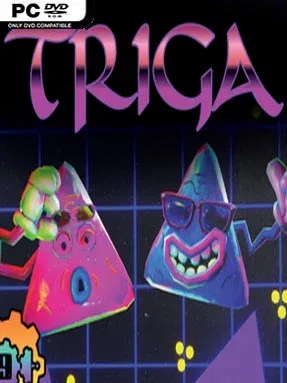
Golden triangles sit at the center of a compact, cosmic puzzle challenge built around cause, effect, and satisfying destruction. Triga trades sprawling campaigns for bite-sized boards that can be tackled at a relaxed pace or mined for more demanding perfect clears. Its colorful, offbeat presentation keeps the mood light, even when a single misplaced piece sends an elaborate plan spinning in the wrong direction. The result feels approachable on the surface while leaving plenty of room for players who enjoy dissecting every possible move.
Each stage asks you to remove as many golden triangles as possible from a triangular grid, ideally clearing every target before moving on. You place limited triangular tools onto the board, with different pieces triggering effects such as blasts or shoves that alter nearby tiles. The real puzzle comes from arranging those effects into chain reactions, predicting how pieces slide and collide across the unusually shaped spaces. Levels do not lock progress behind one stubborn solution, so you can skip a challenge, try another board, and return later with a fresh idea; completion also supports both simple clears and the pursuit of 100 percent results.
Triangular geometry gives Triga a character distinct from the usual square-grid logic of games like Sokoban or many match-based puzzlers. Movement can take unexpected angles, obstacles complicate clean setups, and the best solutions often emerge from turning a small reaction into a board-wide cascade. Its short format makes it well suited to quick sessions, while optional full clears give dedicated puzzle fans a reason to revisit stages and experiment. Casual players who want colorful, low-pressure brainteasers can enjoy progressing at their own speed, while veterans looking for efficient, high-scoring solutions find the most rewarding challenge in mastering each level’s tool interactions.
Installation
- Click the green button below to be redirected to UploadHaven.
- Wait 15 seconds, then hit “Free Download.” (Free downloads may be slower — upgrade to UploadHaven Pro for faster speeds.)
- Once downloaded, right-click the .zip file and choose “Extract to Triga.” (You’ll need 7-Zip for this.)
- Open the extracted folder and run the game as administrator.
- Enjoy! 🎮 If you see missing DLL errors, check the <strong>_Redist</strong> folder inside and install what’s needed.
System Requirements
- OS: 7
- Processor: Intel or AMD dual core
- Graphics: DirectX9 or later compatible.
- DirectX: Version 9.0
- Storage: 500 MB available space
- Sound Card: DirectX9 or later compatible.
Setup Guide & Troubleshooting
How do I fix missing DLL errors for Triga (v1.1)?
After extracting Triga (v1.1), navigate to the _Redist or _CommonRedist folder inside the game directory and install DirectX, Vcredist, and any other dependencies included.
What should I do if the downloaded file is corrupted?
The full archive is 96.40 MB — make sure your download completed fully before extracting. Use 7-Zip to extract the files. If you still see a "file corrupted" error, re-download and try again.
Why should I run the game as administrator?
Right-click the game executable and select "Run as Administrator" to avoid save file issues and permission errors. This is especially important on the first launch.
How do I update my GPU drivers for this game?
Triga (v1.1) requires a DirectX9 or later compatible. or equivalent. Update your NVIDIA or AMD drivers to the latest version for the best performance.
The game won't launch — what should I try?
This game requires Version 9.0. Try running in compatibility mode, install the latest DirectX runtime, or install the All-in-One VC Redist Package.
My antivirus is blocking the game — is it safe?
Antivirus false positives are common with pre-installed games. Temporarily pause your antivirus during extraction to prevent it from quarantining game files. You can re-enable it after the extraction completes.