
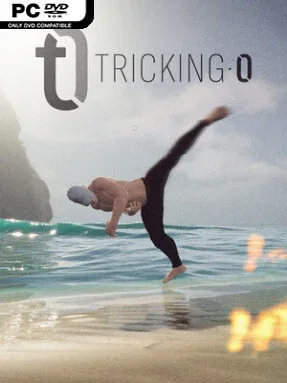
Game Overview
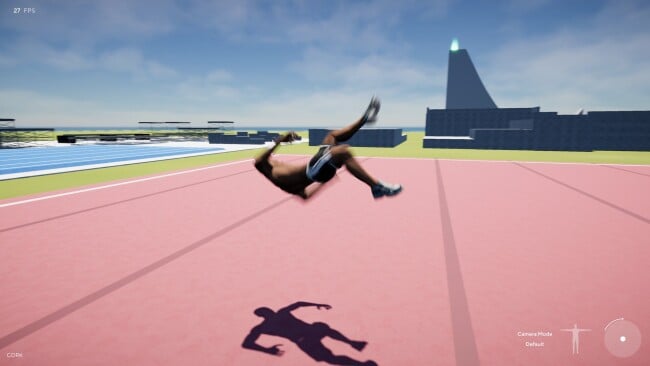
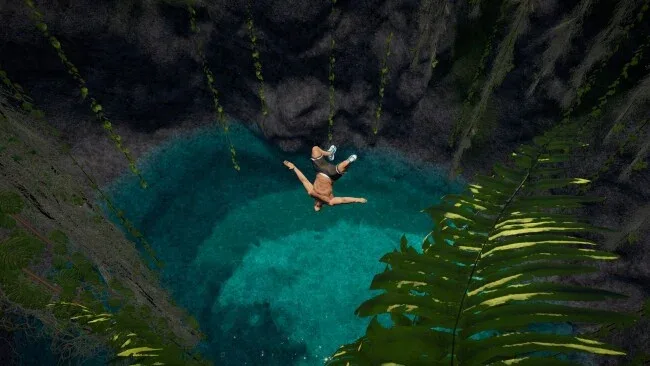
Tricking 0 turns freestyle acrobatics into a demanding physics sandbox where a clean cork, wall flip, or cliff dive feels earned rather than canned. Its focus is extreme movement: tricking, tumbling, gymnastics, parkour, and the spectacularly reckless art of throwing yourself from high places. The mood lands somewhere between a serious training session and a hilarious fail compilation, since every ambitious line can end in a bone-rattling ragdoll crash. Rather than following a conventional sports-game structure, it gives players room to experiment with movement and chase personal style.
A controller is central to the experience, with the Flick-It system using analog-stick motions and triggers to initiate spins, flips, kicks, and other maneuvers without requiring long fighting-game-style inputs. More than 170 moves form the current toolkit, and the real challenge lies in linking them smoothly, maintaining momentum, and adapting a combo to walls, ledges, slopes, and different landing heights. Parkour actions such as vaults and wall flips extend ground-based tricking into improvised lines through each environment, while active ragdoll controls give mid-air dives an unusual degree of influence. Local multiplayer supports competitive trick-copying modes modeled after H.O.R.S.E. and S.K.A.T.E., with AI opponents available when nobody is on the couch.
What makes Tricking 0 interesting is its attempt to make expressive movement the main event, not merely an animation attached to fixed buttons. The physics can be unforgiving, but that unpredictability gives successful runs a satisfying sense of mastery; failed attempts are equally memorable thanks to slow-motion replay tools and X-ray injury effects. Character proportions and clothing can be adjusted, though the title remains an in-development alpha and promised career progression, online multiplayer, expanded maps, and deeper customization are not yet reasons to buy in. Players who enjoy Skate’s creative lines, Descenders’ repeated practice, or the precision of arcade sports simulations should find plenty to work with, especially if they are comfortable learning with a gamepad and accepting rough edges.
Screenshots
Installation
- Click the green button below to be redirected to UploadHaven.
- Wait 15 seconds, then hit “Free Download.” (Free downloads may be slower — upgrade to UploadHaven Pro for faster speeds.)
- Once downloaded, right-click the .zip file and choose “Extract to Tricking 0.” (You’ll need 7-Zip for this.)
- Open the extracted folder and run the game as administrator.
- Enjoy! 🎮 If you see missing DLL errors, check the <strong>_Redist</strong> folder inside and install what’s needed.
System Requirements
- OS: Windows 10 version 21H1 (build 19043) or newer
- Processor: Quad Core Processor > 2.5Ghz, x86, x64 architecture with SSE2 instruction set support
- Memory: 8 GB RAM
- Graphics: NVIDIA 1060, AMD RX56, DirectX 11 or DirectX 12 and Shader Model 5.0
- DirectX: Version 11
- Storage: 5 GB available space
- Additional Notes: Please set quality settings to low if you can’t reach 60FPS, the game is way better when it’s smooth.
Setup Guide & Troubleshooting
How do I fix missing DLL errors for Tricking 0 (v5.0)?
After extracting Tricking 0 (v5.0), navigate to the _Redist or _CommonRedist folder inside the game directory and install DirectX, Vcredist, and any other dependencies included.
What should I do if the downloaded file is corrupted?
The full archive is 4.86 GB — make sure your download completed fully before extracting. Use 7-Zip to extract the files. If you still see a "file corrupted" error, re-download and try again.
Why should I run the game as administrator?
Right-click the game executable and select "Run as Administrator" to avoid save file issues and permission errors. This is especially important on the first launch.
How do I update my GPU drivers for this game?
Tricking 0 (v5.0) requires a NVIDIA 1060, AMD RX56, DirectX 11 or DirectX 12 and Shader Model 5.0 or equivalent. Update your NVIDIA or AMD drivers to the latest version for the best performance.
The game won't launch — what should I try?
This game requires Version 11. Try running in compatibility mode, install the latest DirectX runtime, or install the All-in-One VC Redist Package.
My antivirus is blocking the game — is it safe?
Antivirus false positives are common with pre-installed games. Temporarily pause your antivirus during extraction to prevent it from quarantining game files. You can re-enable it after the extraction completes.