
Game Overview
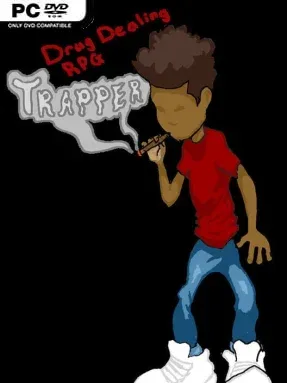
Cloverland presents a rough, choice-driven crime story where ambition matters more than clean hands. You play Dre, an 18-year-old dealer starting with little beyond nerve, street sense, and the potential to turn a small operation into something far larger. Its open-world RPG framework lets you shape that rise in several directions, from building a local crew and distribution network to running nightlife businesses that give your operation another face. The tone is unapologetically grimy and grounded in the risks, compromises, and unstable rewards of criminal enterprise.
Each run begins with a choice between four character classes, and their different strengths and drawbacks immediately affect how you approach the city. Rather than following a tightly scripted campaign, you decide where to invest time and money, what kind of organization to establish, and how aggressively to pursue growth. Building a gang, expanding product distribution, opening a nightclub, or managing a strip club all create different opportunities, but none comes without pressure or consequences. Roguelike elements reinforce the sense that success is never guaranteed, encouraging players to adapt to the situation instead of relying on one perfect route through Cloverland.
What makes Trapper: Drug Dealing RPG interesting is its willingness to turn a controversial urban-crime fantasy into a sandbox of business choices and character builds rather than a conventional action game. The focus sits on constructing an empire and living with the fallout of every decision, giving it more in common with lightweight management RPGs and branching crime sims than a typical shooter. As an early-access project, it feels best suited to players comfortable with an evolving feature set and interested in seeing additional content develop over time. Fans of open-ended hustling, replayable character starts, and morally dark role-playing should find plenty to experiment with, while players expecting polished combat or a heavily authored narrative may want to temper expectations.
Installation
- Click the green button below to be redirected to UploadHaven.
- Wait 15 seconds, then hit “Free Download.” (Free downloads may be slower — upgrade to UploadHaven Pro for faster speeds.)
- Once downloaded, right-click the .zip file and choose “Extract to Trapper: Drug Dealing RPG.” (You’ll need 7-Zip for this.)
- Open the extracted folder and run the game as administrator.
- Enjoy! 🎮 If you see missing DLL errors, check the <strong>_Redist</strong> folder inside and install what’s needed.
System Requirements
- OS: Windows Vista/7/8/10
- Processor: 1.7+GHz or better
- Memory: 1 GB RAM
- Graphics: OpenGL 2.1 or Higher. Intel HD 3000 0r better
- DirectX: Version 12
- Storage: 100 MB available space
Setup Guide & Troubleshooting
How do I fix missing DLL errors for Trapper: Drug Dealing RPG (v10.0)?
After extracting Trapper: Drug Dealing RPG (v10.0), navigate to the _Redist or _CommonRedist folder inside the game directory and install DirectX, Vcredist, and any other dependencies included.
What should I do if the downloaded file is corrupted?
The full archive is 2.47 GB — make sure your download completed fully before extracting. Use 7-Zip to extract the files. If you still see a "file corrupted" error, re-download and try again.
Why should I run the game as administrator?
Right-click the game executable and select "Run as Administrator" to avoid save file issues and permission errors. This is especially important on the first launch.
How do I update my GPU drivers for this game?
Trapper: Drug Dealing RPG (v10.0) requires a OpenGL 2.1 or Higher. Intel HD 3000 0r better or equivalent. Update your NVIDIA or AMD drivers to the latest version for the best performance.
The game won't launch — what should I try?
This game requires Version 12. Try running in compatibility mode, install the latest DirectX runtime, or install the All-in-One VC Redist Package.
My antivirus is blocking the game — is it safe?
Antivirus false positives are common with pre-installed games. Temporarily pause your antivirus during extraction to prevent it from quarantining game files. You can re-enable it after the extraction completes.