
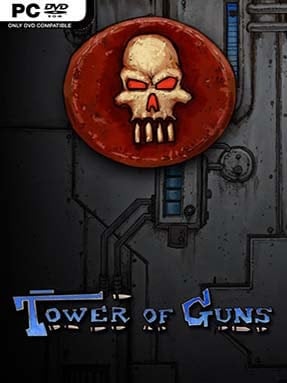
Game Overview
A towering gauntlet of traps, turrets, and oversized bosses turns every run into a noisy sprint for survival. Tower of Guns is a compact roguelite first-person shooter built around old-school movement, constant strafing, and the pleasure of unloading absurd weapons into anything that moves. Its colorful industrial fortress feels deliberately game-like rather than realistic, with launch pads, secret routes, and hazards arranged to keep players airborne and under pressure. The tone is energetic and playful, but the challenge is real: one careless jump into a firing lane can end a promising attempt quickly.
Each run begins with a basic loadout before sending you through a partly randomized sequence of combat rooms on the way to the tower’s summit. Enemies drop upgrades that alter damage, firing behavior, mobility, and survivability, letting a weak pea shooter evolve into a wildly destructive tool by the final floors. Success depends on reading arenas at speed, circle-strafing around projectiles, using vertical space, and deciding whether a risky treasure room is worth the potential punishment. Death sends you back to the start, but unlocked weapons, perks, characters, and modifiers steadily broaden the pool of possible builds and make repeat runs less predictable.
What separates Tower of Guns from more methodical roguelites is its focus on pure FPS momentum. Rather than emphasizing careful resource management or dense storytelling, it captures the immediate, arcade-like rhythm of Doom-era shooters and mixes it with the randomized rewards of The Binding of Isaac. Runs are short enough to fit into a break, yet the changing room layouts, weapon combinations, and unlocks encourage the familiar “one more try” loop. Players who enjoy fast reflex challenges, ridiculous guns, and roguelite experimentation find plenty to like, while newcomers should expect a learning curve built around movement and repeated failure.
Installation
- Click the green button below to be redirected to UploadHaven.
- Wait 15 seconds, then hit “Free Download.” (Free downloads may be slower — upgrade to UploadHaven Pro for faster speeds.)
- Once downloaded, right-click the .zip file and choose “Extract to Tower Of Guns.” (You’ll need 7-Zip for this.)
- Open the extracted folder and run the game as administrator.
- Enjoy! 🎮 If you see missing DLL errors, check the <strong>_Redist</strong> folder inside and install what’s needed.
System Requirements
- OS: Windows Vista/7
- Processor: 2.4 GHz Intel Core 2 Duo (Dual-Core)
- Memory: 3 GB RAM
- Graphics: NVidia Geforce 275 GTX +512mb memory
- DirectX: Version 9.0c
- Storage: 2 GB available space
- Sound Card: windows compatible sound card
- Additional Notes: Warning: This game is CPU/GPU intensive. There are a lot of bullets. It is stable on older Nvidia cards (8800 era), but the framerate made for a sub-optimal experience.
Setup Guide & Troubleshooting
How do I fix missing DLL errors for Tower Of Guns (v1.3c)?
After extracting Tower Of Guns (v1.3c), navigate to the _Redist or _CommonRedist folder inside the game directory and install DirectX, Vcredist, and any other dependencies included.
What should I do if the downloaded file is corrupted?
The full archive is 494.48 MB — make sure your download completed fully before extracting. Use 7-Zip to extract the files. If you still see a "file corrupted" error, re-download and try again.
Why should I run the game as administrator?
Right-click the game executable and select "Run as Administrator" to avoid save file issues and permission errors. This is especially important on the first launch.
How do I update my GPU drivers for this game?
Tower Of Guns (v1.3c) requires a NVidia Geforce 275 GTX +512mb memory or equivalent. Update your NVIDIA or AMD drivers to the latest version for the best performance.
The game won't launch — what should I try?
This game requires Version 9.0c. Try running in compatibility mode, install the latest DirectX runtime, or install the All-in-One VC Redist Package.
My antivirus is blocking the game — is it safe?
Antivirus false positives are common with pre-installed games. Temporarily pause your antivirus during extraction to prevent it from quarantining game files. You can re-enable it after the extraction completes.