
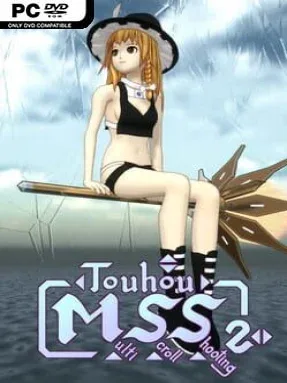
Game Overview
Arcade-style bullet hell action takes on an unusually cinematic form here, shifting its perspective without interrupting the stage. Touhou Multi Scroll Shooting 2 is a fan-made shooter built around Reimu Hakurei, Marisa Kirisame, and Sakuya Izayoi as they fly through dense enemy formations and surreal encounters. Rather than leaning on a detailed dialogue-heavy plot, it presents an abstract succession of battles, visual set pieces, and character moments. The tone is playful, flashy, and proudly rooted in Touhou fan culture, with alternate costumes and references to other derivative works giving it a distinctly unofficial personality.
Stages move between horizontal shooting, vertical scrolling bullet hell, and behind-the-character 3D sequences, while cutscenes flow into the action without conventional camera breaks. Movement, firing, bombs, special abilities, focused slow movement, and a turn command form the basic toolkit, making survival depend on positioning as much as aggression. Holding the focus control tightens movement and directs attacks toward threats, which is essential when patterns begin filling the screen. Each heroine offers a different feel through her own firing style and abilities, encouraging repeat runs to see how their tools handle the game’s changing camera angles. Default keyboard controls are straightforward and fully configurable, so it is easy to tailor the setup to an arcade stick or preferred key layout.
Its biggest strength is the willingness to treat a familiar danmaku formula as a constantly changing shooter showcase. Most Touhou-inspired games stay in a single top-down perspective; this one makes the camera itself part of the challenge, asking players to adapt their spatial awareness from scene to scene. The presentation is rougher and more niche than an official Touhou release, and players seeking a clear narrative or polished competitive systems may find its eccentricity limiting. Fans of Touhou, vertical shooters, and experimental indie action games will get the most from it, especially if they enjoy the intensity of bullet hell with the perspective shifts of classic arcade rail shooters.
Installation
- Click the green button below to be redirected to UploadHaven.
- Wait 15 seconds, then hit “Free Download.” (Free downloads may be slower — upgrade to UploadHaven Pro for faster speeds.)
- Once downloaded, right-click the .zip file and choose “Extract to Touhou Multi Scroll Shooting 2.” (You’ll need 7-Zip for this.)
- Open the extracted folder and run the game as administrator.
- Enjoy! 🎮 If you see missing DLL errors, check the <strong>_Redist</strong> folder inside and install what’s needed.
System Requirements
- Requires a 64-bit processor and operating system
- OS: Windows 7 or later
- Processor: Intel (R) Core (TM) i5-4570 CPU @ 3.20 GHz
- Memory: 8 GB RAM
- Graphics: GT630 or higer.
- DirectX: Version 11
- Storage: 2 GB available space
Setup Guide & Troubleshooting
How do I fix missing DLL errors for Touhou Multi Scroll Shooting 2?
After extracting Touhou Multi Scroll Shooting 2, navigate to the _Redist or _CommonRedist folder inside the game directory and install DirectX, Vcredist, and any other dependencies included.
What should I do if the downloaded file is corrupted?
The full archive is 568.06 MB — make sure your download completed fully before extracting. Use 7-Zip to extract the files. If you still see a "file corrupted" error, re-download and try again.
Why should I run the game as administrator?
Right-click the game executable and select "Run as Administrator" to avoid save file issues and permission errors. This is especially important on the first launch.
How do I update my GPU drivers for this game?
Touhou Multi Scroll Shooting 2 requires a GT630 or higer. or equivalent. Update your NVIDIA or AMD drivers to the latest version for the best performance.
The game won't launch — what should I try?
This game requires Version 11. Try running in compatibility mode, install the latest DirectX runtime, or install the All-in-One VC Redist Package.
My antivirus is blocking the game — is it safe?
Antivirus false positives are common with pre-installed games. Temporarily pause your antivirus during extraction to prevent it from quarantining game files. You can re-enable it after the extraction completes.