
Game Overview
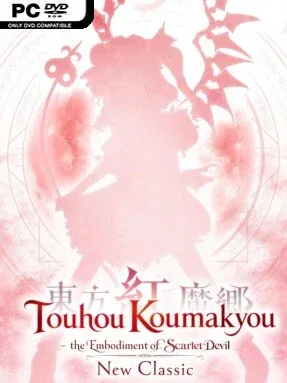
Scarlet fog rolls across Gensokyo, turning a familiar fantasy land into the backdrop for a demanding bullet-hell investigation. Touhou Koumakyou: New Classic – the Embodiment of Scarlet Devil revisits one of the genre’s most influential vertical shooters with cleaner high-resolution visuals and newly arranged music from series creator ZUN. Its mood balances playful anime fantasy characters with screen-filling patterns that demand absolute concentration. The result is fast, colorful, and often intimidating, but its rules stay clear enough that every failure feels like a lesson rather than a cheap hit.
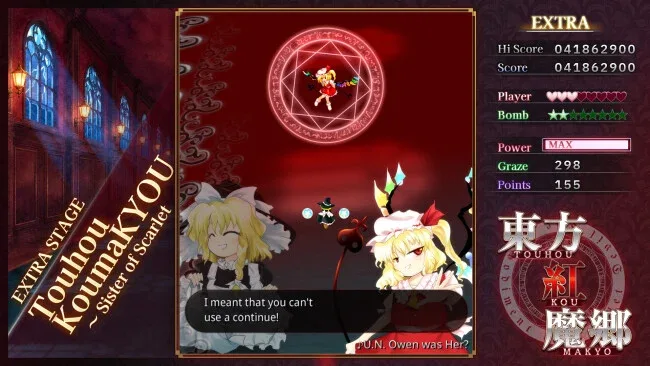
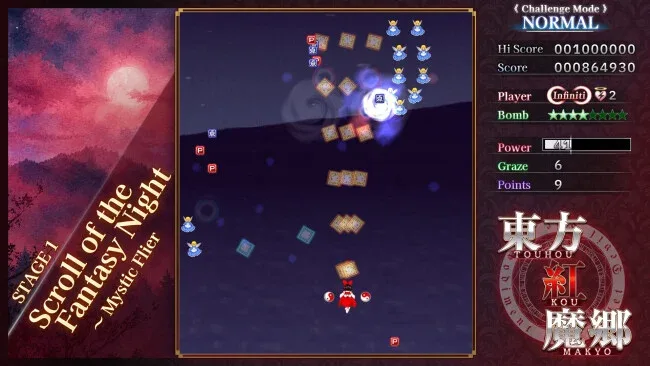
Players choose Reimu Hakurei or Marisa Kirisame, then fight through successive stages toward the mansion at the center of the mist. Reimu favors broader coverage and more forgiving positioning, while Marisa trades safety for aggressive damage, and their selectable shot styles significantly change how bosses are approached. Movement, firing, focused slow movement, and limited-use bombs form the essential toolkit: normal speed helps sweep across the arena, while focus mode enables the precise slips needed to pass through seemingly impossible gaps. Enemy encounters revolve around memorizing attack rhythms, identifying safe lanes, collecting power-ups, and deciding when preserving a life is worth spending a bomb. An unlimited-lives mode lets newcomers practice entire routes without the usual arcade pressure, while the traditional limited-life structure remains available for score-minded players.
What still separates it from many modern bullet hells is the elegance of its pattern design. Attacks look spectacularly dense, yet most are carefully choreographed puzzles built around reading motion rather than relying on reflexes alone. The remastered soundtrack gives each stage and boss a stronger presence, while the included Classic edition preserves the original 2002 presentation for players who want the historical version, though its text remains Japanese. Fans of DoDonPachi, Mushihimesama, or later Touhou entries find a foundational shooter here, and newcomers willing to practice benefit greatly from the new unlimited-lives option.
Screenshots
Installation
- Click the green button below to be redirected to UploadHaven.
- Wait 15 seconds, then hit “Free Download.” (Free downloads may be slower — upgrade to UploadHaven Pro for faster speeds.)
- Once downloaded, right-click the .zip file and choose “Extract to Touhou Koumakyou: New Classic - the Embodiment of Scarlet Devil.” (You’ll need 7-Zip for this.)
- Open the extracted folder and run the game as administrator.
- Enjoy! 🎮 If you see missing DLL errors, check the <strong>_Redist</strong> folder inside and install what’s needed.
System Requirements
- Requires a 64-bit processor and operating system
- OS: Windows10 / 11 64bit
- Processor: core i5 8350U
- Memory: 4 GB RAM
- Graphics: UHD-Graphics-620
- DirectX: Version 11
- Storage: 1 GB available space
Setup Guide & Troubleshooting
How do I fix missing DLL errors for Touhou Koumakyou: New Classic – the Embodiment of Scarlet Devil?
After extracting Touhou Koumakyou: New Classic – the Embodiment of Scarlet Devil, navigate to the _Redist or _CommonRedist folder inside the game directory and install DirectX, Vcredist, and any other dependencies included.
What should I do if the downloaded file is corrupted?
The full archive is 1.22 GB — make sure your download completed fully before extracting. Use 7-Zip to extract the files. If you still see a "file corrupted" error, re-download and try again.
Why should I run the game as administrator?
Right-click the game executable and select "Run as Administrator" to avoid save file issues and permission errors. This is especially important on the first launch.
How do I update my GPU drivers for this game?
Touhou Koumakyou: New Classic – the Embodiment of Scarlet Devil requires a UHD-Graphics-620 or equivalent. Update your NVIDIA or AMD drivers to the latest version for the best performance.
The game won't launch — what should I try?
This game requires Version 11. Try running in compatibility mode, install the latest DirectX runtime, or install the All-in-One VC Redist Package.
My antivirus is blocking the game — is it safe?
Antivirus false positives are common with pre-installed games. Temporarily pause your antivirus during extraction to prevent it from quarantining game files. You can re-enable it after the extraction completes.