
Game Overview
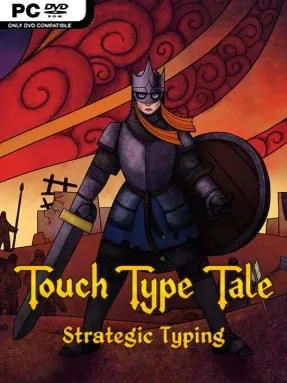
A fantasy war for Minsteria’s empty crown plays out through rapid keystrokes rather than traditional point-and-click commands. Touch Type Tale – Strategic Typing turns the keyboard into the center of a real-time strategy adventure, casting the unlikely apprentice Paul against scheming aristocrats, raiders, and increasingly demanding tactical threats. Its tone is playful and storybook-like, with colorful medieval-fantasy battles balanced by a self-aware sense of humor. Narration from Jim Broadbent gives the campaign an unusually warm personality, even when the pressure of managing a battlefield becomes intense.
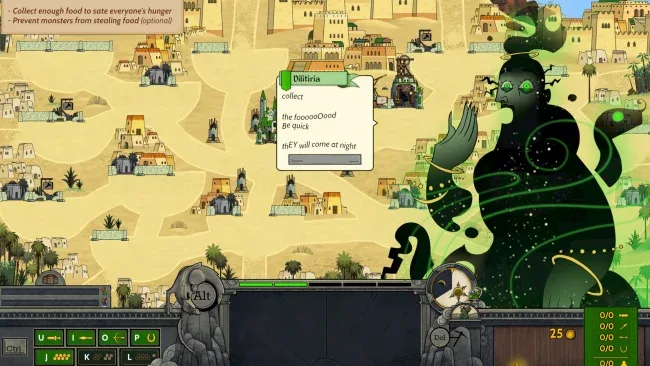
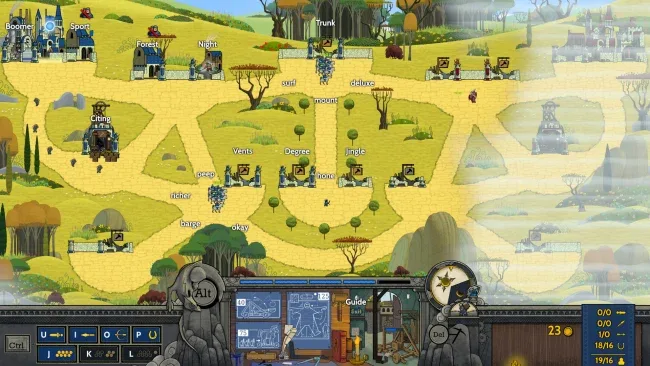
Every command begins with typing: words let you recruit troops, gather resources, raise structures, and send forces along branching routes. Workers produce the gold needed for barracks, stables, upgrades, and specialized units, while swordsmen, archers, spearmen, cavalry, siege weapons, and magical golems each fill a useful battlefield role. Winning is not only about typing quickly; positioning, countering enemy formations, flanking, charging, and deciding where to spend limited resources all matter. Spellcasting adds another layer once advanced infrastructure is available, and the campaign breaks up its strategy missions with typing-focused side activities that range from rhythm challenges to shooting-gallery and bullet-avoidance scenarios. Adjustable difficulty makes the game approachable for slower typists, while higher settings demand accuracy under pressure and strong multitasking.
What separates it from typing tutors and standard RTS games is the way it makes keyboard fluency feel like a tactical skill rather than a detached exercise. The controls deliberately exclude mouse dependence, so learning efficient typing habits directly improves reaction time and command speed, with support for thirteen languages broadening its training value. Online skirmishes and leaderboards give confident players a competitive reason to refine their techniques beyond the campaign. Fans of Kingdom Rush-style readable strategy, classic RTS resource management, and games that teach through play should find plenty to enjoy, while newcomers benefit from its forgiving early difficulty and veterans can chase demanding mastery runs.
Screenshots
Installation
- Select the <strong>Download</strong> button at the top of this page to open UploadHaven.
- On UploadHaven, wait for any countdown, then select <strong>Free Download</strong>. Optional: UploadHaven Pro for faster downloads.
- When complete, extract the archive to a <strong>Touch Type Tale - Strategic Typing</strong> folder using 7-Zip.
- Open the extracted folder and start the game normally.
- For errors, check <strong>Setup Guide & Troubleshooting</strong> below. Keep your security software enabled.
System Requirements
- Requires a 64-bit processor and operating system
- OS: Windows 10 – 64-bit
- Processor: Dual Core 1.4 GHz
- Memory: 8 GB RAM
- Graphics: Nvidia GeForce GTX 580 or Nvidia GeForce GTX 750 TI
- DirectX: Version 10
- Network: Broadband Internet connection
- Storage: 20 GB available space
Setup Guide & Troubleshooting
How do I fix missing DLL errors for Touch Type Tale – Strategic Typing (v1.2.68)?
After extracting Touch Type Tale – Strategic Typing (v1.2.68), navigate to the _Redist or _CommonRedist folder inside the game directory and install DirectX, Vcredist, and any other dependencies included.
What should I do if the downloaded file is corrupted?
The full archive is 11.66 GB — make sure your download completed fully before extracting. Use 7-Zip to extract the files. If you still see a "file corrupted" error, re-download and try again.
Why should I run the game as administrator?
Right-click the game executable and select "Run as Administrator" to avoid save file issues and permission errors. This is especially important on the first launch.
How do I update my GPU drivers for this game?
Touch Type Tale – Strategic Typing (v1.2.68) requires a Nvidia GeForce GTX 580 or Nvidia GeForce GTX 750 TI or equivalent. Update your NVIDIA or AMD drivers to the latest version for the best performance.
The game won't launch — what should I try?
This game requires Version 10. Try running in compatibility mode, install the latest DirectX runtime, or install the All-in-One VC Redist Package.
My antivirus is blocking the game — is it safe?
Antivirus false positives are common with pre-installed games. Temporarily pause your antivirus during extraction to prevent it from quarantining game files. You can re-enable it after the extraction completes.