
Game Overview
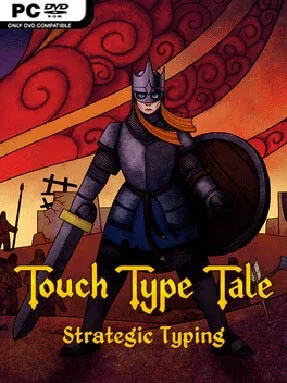
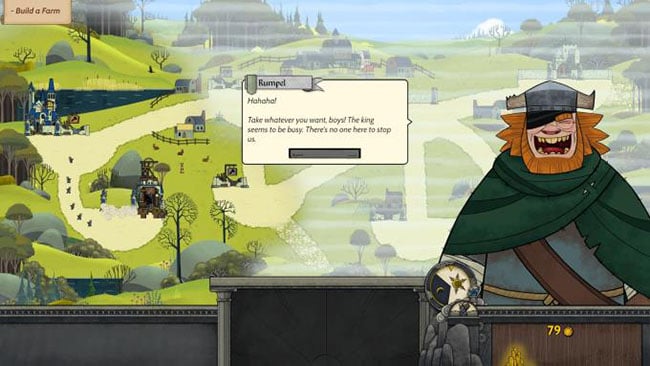
A keyboard replaces the usual click-heavy command interface in this fast, surprisingly tense real-time strategy adventure. Touch Type Tale follows Paul, an ordinary young man pushed into defending a kingdom whose throne stands vacant while hostile forces gather at its borders. Its fantasy setting keeps the tone playful and storybook-like rather than grim, but the pressure of managing an army under time limits gives every battle real urgency.
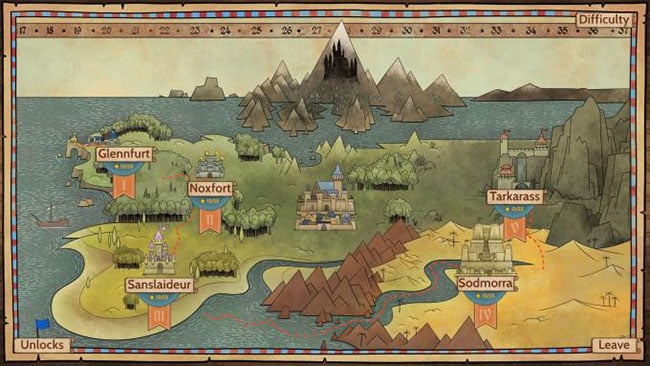
Players type words to construct buildings, recruit troops, activate abilities, and issue battlefield orders, turning familiar RTS multitasking into a test of speed, accuracy, and composure. Each mission introduces a different tactical problem, whether that means building an economy quickly, surviving attacks, escorting allies, or breaking through defended positions. Correct typing lets commands flow rapidly, while mistakes cost precious seconds and can leave units idle at exactly the wrong moment. The single-player campaign gradually teaches its systems through varied scenarios, then online competitive modes ask players to out-think and out-type human opponents in fast tactical matches.
What makes Touch Type Tale more than an educational typing tool is how naturally the keyboard mechanic supports strategy: strong typing alone does not compensate for poor unit placement, resource management, or target priority. Its hand-drawn fantasy presentation and character-driven campaign give the missions more personality than a string of abstract drills, while the changing objectives prevent battles from becoming repetitive. Fans of classic accessible RTS games such as Age of Empires or Warcraft, especially players who enjoy typing challenges, get the most from it, but newcomers also receive a welcoming route into the genre. Veterans looking for a competitive RTS with an unconventional control scheme find a clever, demanding alternative to standard mouse-driven warfare.
Installation
- Click the green button below to be redirected to UploadHaven.
- Wait 15 seconds, then hit “Free Download.” (Free downloads may be slower — upgrade to UploadHaven Pro for faster speeds.)
- Once downloaded, right-click the .zip file and choose “Extract to Touch Type Tale.” (You’ll need 7-Zip for this.)
- Open the extracted folder and run the game as administrator.
- Enjoy! 🎮 If you see missing DLL errors, check the <strong>_Redist</strong> folder inside and install what’s needed.
System Requirements
- OS: Windows 7 – 64-bit
- Processor: Dual Core 1.4 GHz
- Memory: 4 GB RAM
- Graphics: Intel Core HD Graphics 4600 or equivalent
- Storage: 11 GB available space
Setup Guide & Troubleshooting
How do I fix missing DLL errors for Touch Type Tale (v1.0.12)?
After extracting Touch Type Tale (v1.0.12), navigate to the _Redist or _CommonRedist folder inside the game directory and install DirectX, Vcredist, and any other dependencies included.
What should I do if the downloaded file is corrupted?
The full archive is 11.00 GB — make sure your download completed fully before extracting. Use 7-Zip to extract the files. If you still see a "file corrupted" error, re-download and try again.
Why should I run the game as administrator?
Right-click the game executable and select "Run as Administrator" to avoid save file issues and permission errors. This is especially important on the first launch.
How do I update my GPU drivers for this game?
Touch Type Tale (v1.0.12) requires a Intel Core HD Graphics 4600 or equivalent or equivalent. Update your NVIDIA or AMD drivers to the latest version for the best performance.
The game won't launch — what should I try?
Try running in compatibility mode, install the latest DirectX runtime, or install the All-in-One VC Redist Package.
My antivirus is blocking the game — is it safe?
Antivirus false positives are common with pre-installed games. Temporarily pause your antivirus during extraction to prevent it from quarantining game files. You can re-enable it after the extraction completes.