
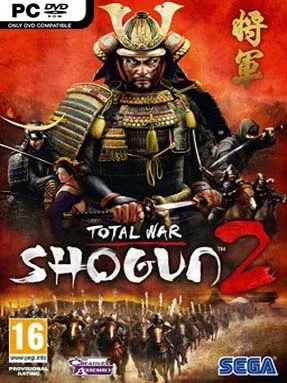
Game Overview
Feudal Japan becomes a pressure cooker of rival ambitions, fragile alliances, and sudden betrayal as ten clans battle to place their daimyo beneath the title of shogun. Total War: Shogun 2 is a grand strategy game at heart, pairing a turn-based campaign of conquest with large real-time battles that reward planning more than reflexes. Its 16th-century setting gives every campaign a focused, grounded identity: ashigaru spear lines hold the front, samurai cavalry hunt openings, and burning castles mark the collapse of an enemy province. The tone is tense and methodical, but the clean presentation makes an intimidating war for Japan surprisingly approachable.
Players guide a chosen clan across a detailed campaign map, managing taxes, food supplies, public order, agents, trade routes, research, diplomacy, and the succession of their ruling family. Armies move province by province, but every declaration of war can lead to a fully controllable 3D engagement where terrain, morale, weather, formations, and unit positioning decide the outcome. A force of cheap spearmen can defeat elite warriors when it occupies a hill, protects its flanks, and uses yari wall at the right moment, while archers, cavalry, monks, ninja, and siege weapons add specialized tactical options. Naval warfare matters as well, particularly when controlling coastal trade and transporting troops, and multiplayer lets commanders test armies and tactics against human opponents.
Its greatest strength is clarity: compared with later Total War entries, Shogun 2 has fewer factions and systems, yet its clans feel distinct without drowning strategy in needless complexity. The Realm Divide endgame ensures that success brings new danger, turning former friends into threats once a clan becomes powerful enough to challenge for national rule. Japanese art, music, seasonal visuals, and cinematic battle camera work give the conflict real atmosphere, while the sturdy mod scene extends campaigns and unit variety. Anyone who enjoys Civilization-style empire management but wants battles closer to a historical battlefield should start here; veterans appreciate its disciplined design, and newcomers get one of the series’ most readable introductions.
Installation
- Click the green button below to be redirected to UploadHaven.
- Wait 15 seconds, then hit “Free Download.” (Free downloads may be slower — upgrade to UploadHaven Pro for faster speeds.)
- Once downloaded, right-click the .zip file and choose “Extract to Total War: Shogun 2.” (You’ll need 7-Zip for this.)
- Open the extracted folder and run the game as administrator.
- Enjoy! 🎮 If you see missing DLL errors, check the <strong>_Redist</strong> folder inside and install what’s needed.
System Requirements
- OS: Windows 7 / Vista / XP
- Processor: 2 GHz Intel Dual Core processor / 2.6 GHz Intel Single Core processor, or AMD equivalent (with SSE2)
- Memory: 1GB RAM (XP), 2GB RAM (Vista / Windows7)
- Graphics: 256 MB DirectX 9.0c compatible card (shader model 3)
- DirectX®: DirectX 9.0c
- Hard Drive: 32GB free hard disk space
- Screen Resolution: 1024×768 minimum
Setup Guide & Troubleshooting
How do I fix missing DLL errors for Total War: Shogun 2 (v1.1.0.6262 & ALL DLC)?
After extracting Total War: Shogun 2 (v1.1.0.6262 & ALL DLC), navigate to the _Redist or _CommonRedist folder inside the game directory and install DirectX, Vcredist, and any other dependencies included.
What should I do if the downloaded file is corrupted?
The full archive is 15.56 GB — make sure your download completed fully before extracting. Use 7-Zip to extract the files. If you still see a "file corrupted" error, re-download and try again.
Why should I run the game as administrator?
Right-click the game executable and select "Run as Administrator" to avoid save file issues and permission errors. This is especially important on the first launch.
How do I update my GPU drivers for this game?
Total War: Shogun 2 (v1.1.0.6262 & ALL DLC) requires a 256 MB DirectX 9.0c compatible card (shader model 3) or equivalent. Update your NVIDIA or AMD drivers to the latest version for the best performance.
The game won't launch — what should I try?
Try running in compatibility mode, install the latest DirectX runtime, or install the All-in-One VC Redist Package.
My antivirus is blocking the game — is it safe?
Antivirus false positives are common with pre-installed games. Temporarily pause your antivirus during extraction to prevent it from quarantining game files. You can re-enable it after the extraction completes.