
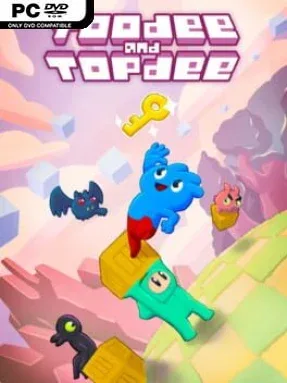
Game Overview
Two tiny heroes carry the fate of a wildly unstable universe in a puzzle adventure that constantly changes the rules beneath your feet. Toodee and Topdee blends side-scrolling precision platforming with top-down block-pushing puzzles, turning each screen into a clever argument between two incompatible genres. The search for a missing semicolon gives the journey a knowingly oddball story, populated by strange allies, visual gags, and increasingly surreal locations. Its bright pixel-art presentation keeps the mood playful, even when the level design becomes downright devious.
Players swap between Toodee, who works within a 2D platformer perspective, and Topdee, who sees the same space from above and handles it like a traditional Sokoban-style puzzle. A wall that stops one character can become a movable object for the other, while platforms, hazards, switches, and physics all behave differently depending on who is active. Most stages revolve around arranging blocks, creating paths, avoiding traps, and timing jumps precisely enough to reach an exit that neither hero can access alone. The campaign also introduces large bosses that test both quick reactions and the ability to understand the game’s perspective-switching logic. Local co-op lets two players control one hero each, which turns communication and coordination into part of the challenge rather than simply making the game easier.
The standout idea is not merely switching characters, but switching entire genres mid-puzzle; the world reshapes its logic around the current viewpoint. Levels regularly teach a familiar concept, then twist it into a tougher variation, giving the adventure the satisfying escalation associated with games like Baba Is You, Celeste, and classic Sokoban puzzlers. Precision-platforming sections can be demanding, but adjustable difficulty rules help players soften specific frustrations without stripping away the central puzzle ideas. Hidden secrets reward observant players, while the co-op mode gives the campaign a second, more social personality. Toodee and Topdee suits puzzle fans who enjoy experimentation and platformer veterans who can handle demanding jumps, yet its flexible settings make it approachable for curious newcomers too.
Installation
- Click the green button below to be redirected to UploadHaven.
- Wait 15 seconds, then hit “Free Download.” (Free downloads may be slower — upgrade to UploadHaven Pro for faster speeds.)
- Once downloaded, right-click the .zip file and choose “Extract to Toodee and Topdee.” (You’ll need 7-Zip for this.)
- Open the extracted folder and run the game as administrator.
- Enjoy! 🎮 If you see missing DLL errors, check the <strong>_Redist</strong> folder inside and install what’s needed.
System Requirements
- OS: Windows 7 and above
- Processor: i3
- Memory: 4 GB RAM
- Graphics: Intel HD 4000
- Storage: 500 MB available space
Setup Guide & Troubleshooting
How do I fix missing DLL errors for Toodee and Topdee (v1.0.1.2)?
After extracting Toodee and Topdee (v1.0.1.2), navigate to the _Redist or _CommonRedist folder inside the game directory and install DirectX, Vcredist, and any other dependencies included.
What should I do if the downloaded file is corrupted?
The full archive is 106.05 MB — make sure your download completed fully before extracting. Use 7-Zip to extract the files. If you still see a "file corrupted" error, re-download and try again.
Why should I run the game as administrator?
Right-click the game executable and select "Run as Administrator" to avoid save file issues and permission errors. This is especially important on the first launch.
How do I update my GPU drivers for this game?
Toodee and Topdee (v1.0.1.2) requires a Intel HD 4000 or equivalent. Update your NVIDIA or AMD drivers to the latest version for the best performance.
The game won't launch — what should I try?
Try running in compatibility mode, install the latest DirectX runtime, or install the All-in-One VC Redist Package.
My antivirus is blocking the game — is it safe?
Antivirus false positives are common with pre-installed games. Temporarily pause your antivirus during extraction to prevent it from quarantining game files. You can re-enable it after the extraction completes.