
Game Overview
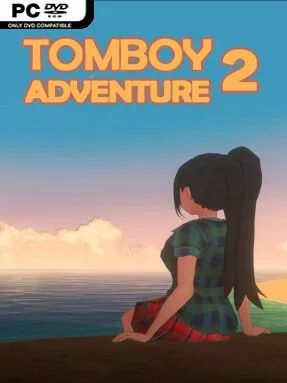
A lonely island summer provides the setting for a deliberately awkward romantic comedy built around persistence, petty routines, and one very stubborn companion. Tomboy Adventure 2 trades grand drama for a small-scale story of sea air, vending-machine ice cream, changing weather, and the strange intimacy of repeatedly running into the same person. Its mood stays light and teasing rather than sentimental, with the humor coming from failed attempts to make an impression and the companion’s refusal to behave like a conventional dating-sim target. Anyone expecting sweeping romance should adjust expectations: the charm lies in the uncomfortable, goofy back-and-forth.
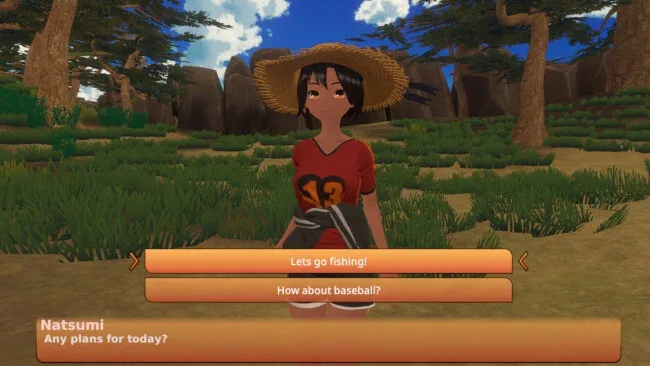
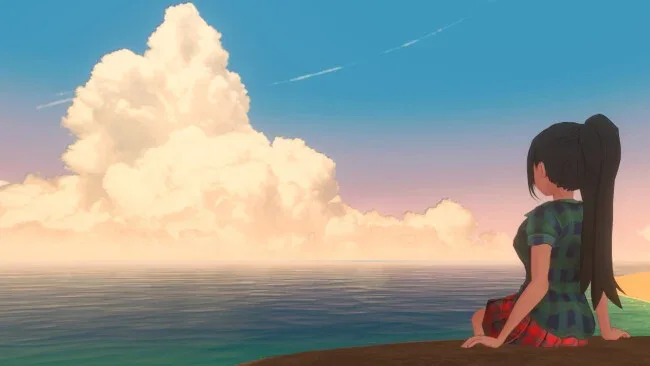
Most of the play revolves around talking, choosing responses, and roaming the island to uncover new conversational possibilities. Branching dialogue gives individual exchanges different flavors, while exploration unlocks outfits, interactions, and additional ways to approach your companion. The day-and-night cycle and shifting weather make the island feel less like a static menu between scenes, encouraging players to revisit places and see what changes. Headpatting is treated as an actual recurring interaction rather than a throwaway joke, and the game leans into that absurdity with increasing variations and reactions. Both standard screen play and VR support are included, so players can either treat it as a relaxed visual-novel-style experience or get physically closer to its awkward social comedy.
What separates it from more polished, choice-heavy romance games is its willingness to make repeated rejection and social failure part of the entertainment. The limited island setting, casual summer atmosphere, and small catalog of repeatable activities give it the feel of a low-pressure hangout game rather than a route-planning marathon. It is best suited to players who enjoy offbeat dating sims, light exploration, anime-styled humor, and games that turn simple interactions into running gags. Fans of relaxed visual novels and quirky VR experiences should find plenty to like, while players seeking deep relationship systems or serious emotional storytelling may find its intentionally silly premise too slight.
Screenshots
Installation
- Select the <strong>Download</strong> button at the top of this page to open UploadHaven.
- On UploadHaven, wait for any countdown, then select <strong>Free Download</strong>. Optional: UploadHaven Pro for faster downloads.
- When complete, extract the archive to a <strong>Tomboy Adventure 2</strong> folder using 7-Zip.
- Open the extracted folder and start the game normally.
- For errors, check <strong>Setup Guide & Troubleshooting</strong> below. Keep your security software enabled.
System Requirements
- Requires a 64-bit processor and operating system
- OS: Windows 10
- Processor: Intel i5-4590
- Memory: 8 GB RAM
- Graphics: NVIDIA GeForce GTX 970
- Storage: 2400 MB available space
- VR Support: OpenXR (Oculus Rift, Meta Quest via Link, Valve Index) — Requires motion controllers.
- Additional Notes:
Setup Guide & Troubleshooting
How do I fix missing DLL errors for Tomboy Adventure (v1.01)?
After extracting Tomboy Adventure (v1.01), navigate to the _Redist or _CommonRedist folder inside the game directory and install DirectX, Vcredist, and any other dependencies included.
What should I do if the downloaded file is corrupted?
The full archive is 413.43 MB — make sure your download completed fully before extracting. Use 7-Zip to extract the files. If you still see a "file corrupted" error, re-download and try again.
Why should I run the game as administrator?
Right-click the game executable and select "Run as Administrator" to avoid save file issues and permission errors. This is especially important on the first launch.
How do I update my GPU drivers for this game?
Tomboy Adventure (v1.01) requires a NVIDIA GeForce GTX 970 or equivalent. Update your NVIDIA or AMD drivers to the latest version for the best performance.
The game won't launch — what should I try?
Try running in compatibility mode, install the latest DirectX runtime, or install the All-in-One VC Redist Package.
My antivirus is blocking the game — is it safe?
Antivirus false positives are common with pre-installed games. Temporarily pause your antivirus during extraction to prevent it from quarantining game files. You can re-enable it after the extraction completes.