
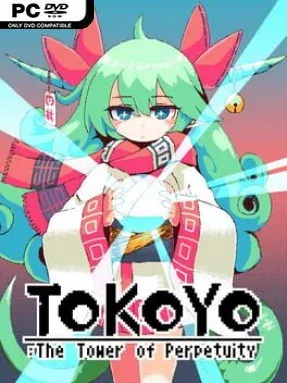
Game Overview
A hostile vertical labyrinth resets the terms of survival every day, turning each climb into a fresh race against traps, monsters, and gravity. Tokoyo: The Tower of Perpetuity is a fast, pixel-art 2D action platformer built around a remarkable shared-world idea: every player faces the same tower layout for a single real-world day. Its mood is tense but playful, mixing bright retro visuals with cruel hazards that can end a promising run in seconds. Reaching higher floors is satisfying on its own, but the larger goal is to leave a mark on the day’s tower and outdo the players who fell before you.
Runs revolve around precise jumping, responsive melee combat, and quick decisions when the path splits. Enemies occupy cramped platforms, moving hazards punish hesitation, and traps demand the kind of timing associated with demanding arcade platformers. Each daily tower contains branching routes, so a safer path may take longer while a riskier route can offer faster progress or a way around a nasty obstacle. Death sends you back into the climb, making observation and muscle memory valuable, while the changing layout prevents players from relying on a permanent walkthrough.
The daily regeneration system is the standout feature, giving the game a communal competitive edge without requiring direct multiplayer combat. Rather than endlessly grinding one procedurally generated dungeon, everyone spends the day learning the same brutal construction, sharing the same surprises, and chasing a better result before it disappears. Its compact runs and retro presentation make it easy to pick up, yet the platforming has enough bite to reward mastery. Players who enjoy Spelunky-style improvisation, Celeste-like movement pressure, or roguelite repetition with a leaderboard-minded twist should find plenty to like, especially if they prefer skill-based action over long-term stat farming.
Installation
- Click the green button below to be redirected to UploadHaven.
- Wait 15 seconds, then hit “Free Download.” (Free downloads may be slower — upgrade to UploadHaven Pro for faster speeds.)
- Once downloaded, right-click the .zip file and choose “Extract to Tokoyo: The Tower Of Perpetuity.” (You’ll need 7-Zip for this.)
- Open the extracted folder and run the game as administrator.
- Enjoy! 🎮 If you see missing DLL errors, check the <strong>_Redist</strong> folder inside and install what’s needed.
System Requirements
- OS: Windows7 or Newer
- Processor: Intel Core i5 or higher
- Memory: 2 GB RAM
- DirectX: Version 9.0
- Storage: 400 MB available space
Setup Guide & Troubleshooting
How do I fix missing DLL errors for Tokoyo: The Tower Of Perpetuity (v6335492)?
After extracting Tokoyo: The Tower Of Perpetuity (v6335492), navigate to the _Redist or _CommonRedist folder inside the game directory and install DirectX, Vcredist, and any other dependencies included.
What should I do if the downloaded file is corrupted?
The full archive is 255.51 MB — make sure your download completed fully before extracting. Use 7-Zip to extract the files. If you still see a "file corrupted" error, re-download and try again.
Why should I run the game as administrator?
Right-click the game executable and select "Run as Administrator" to avoid save file issues and permission errors. This is especially important on the first launch.
How do I update my GPU drivers for this game?
Update your NVIDIA or AMD drivers to the latest version for the best performance and compatibility.
The game won't launch — what should I try?
This game requires Version 9.0. Try running in compatibility mode, install the latest DirectX runtime, or install the All-in-One VC Redist Package.
My antivirus is blocking the game — is it safe?
Antivirus false positives are common with pre-installed games. Temporarily pause your antivirus during extraction to prevent it from quarantining game files. You can re-enable it after the extraction completes.