
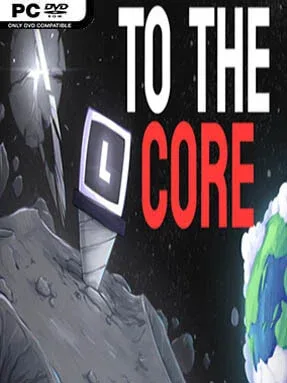

To The Core Cover Art

To The Core

INDIE 128.55 MB

Game Overview

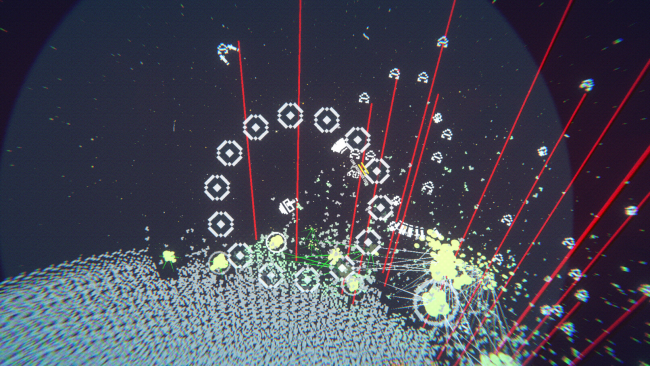
A pocket-sized solar system becomes a steadily escalating mining operation, built around the satisfying rhythm of drilling deeper, extracting rare materials, and turning every haul into a stronger next run. To The Core is an indie incremental game with a simple premise but a deliberately compulsive structure: pick a planet, burn fuel to reach its valuable layers, and bring home enough resources to improve your equipment. Its tone is relaxed rather than punishing, though each expedition carries a useful bit of pressure because wasted fuel means fewer chances to reach the most rewarding deposits. Planets grow tougher as the journey continues, giving the otherwise straightforward mining loop a welcome sense of momentum.

Most of the action revolves around choosing destinations, managing finite fuel, drilling through planetary material, and deciding which upgrades best support your current goals. Resources fund improvements to drill durability, damage, fuel reserves, and more unusual modifiers that change how efficiently each trip plays out. Stronger worlds demand better preparation, so progression is not just about watching numbers rise; it involves judging when to farm familiar materials and when to risk a more difficult planet. The loop is designed for repeated short sessions, with upgrades gradually reducing friction and opening the way to deeper, more profitable mining runs.

Its most interesting system is resource mastery, which rewards commitment to individual materials instead of treating every mineral as a disposable currency. Repeatedly mining iron, for example, improves its future drop performance, encouraging players to develop specialized harvesting strategies and revisit earlier worlds with new purpose. That mechanic gives the game more personality than a bare-bones clicker, while the planet-to-planet structure supplies a clear long-term objective. Players who enjoy the incremental progression of games like Cookie Clicker or the resource planning of simple management sims should find plenty to chase here, especially if they prefer calm optimization over demanding reflex challenges.

Installation

  1. Click the green button below to be redirected to UploadHaven.
  2. Wait 15 seconds, then hit “Free Download.” (Free downloads may be slower — upgrade to UploadHaven Pro for faster speeds.)
  3. Once downloaded, right-click the .zip file and choose “Extract to To The Core.” (You’ll need 7-Zip for this.)
  4. Open the extracted folder and run the game as administrator.
  5. Enjoy! 🎮 If you see missing DLL errors, check the <strong>_Redist</strong> folder inside and install what’s needed.

System Requirements

  • OS: Windows 7+
  • Processor: X64 architecture with SSE2 instruction set support (Intel Core i5 or better)
  • Memory: 4 GB RAM
  • Storage: 1 GB available space
  • Sound Card: DX10, DX11, and DX12-capable GPUs (NVidia or AMD)

Setup Guide & Troubleshooting

How do I fix missing DLL errors for To The Core?

After extracting To The Core, navigate to the _Redist or _CommonRedist folder inside the game directory and install DirectX, Vcredist, and any other dependencies included.

What should I do if the downloaded file is corrupted?

The full archive is 128.55 MB — make sure your download completed fully before extracting. Use 7-Zip to extract the files. If you still see a "file corrupted" error, re-download and try again.

Why should I run the game as administrator?

Right-click the game executable and select "Run as Administrator" to avoid save file issues and permission errors. This is especially important on the first launch.

How do I update my GPU drivers for this game?

Update your NVIDIA or AMD drivers to the latest version for the best performance and compatibility.

The game won't launch — what should I try?

Try running in compatibility mode, install the latest DirectX runtime, or install the All-in-One VC Redist Package.

My antivirus is blocking the game — is it safe?

Antivirus false positives are common with pre-installed games. Temporarily pause your antivirus during extraction to prevent it from quarantining game files. You can re-enable it after the extraction completes.

Need more help? Browse our FAQ & Troubleshooting Guide for solutions to common issues.
Looking for something else? Explore all games on Steam Unlocked