
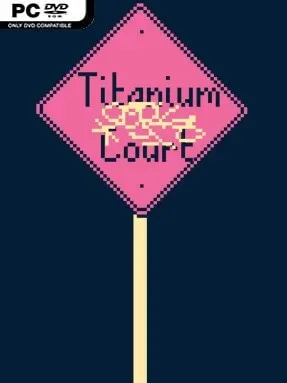
Game Overview
Nightly conflicts in a fairy-haunted court become tactical puzzles where the battlefield matters more than the army. Titanium Court blends surreal fantasy, interactive fiction, and turn-based strategy into a deliberately strange experience full of magic, bureaucracy, art, and questionable career choices. Its realm feels less like a conventional kingdom and more like an eccentric institution with secrets hidden behind every conversation and amenity. The tone is witty, mysterious, and occasionally absurd, but its underlying story suggests that prolonged life at the Court can change a person in lasting ways.
Rather than simply ordering units around, you reshape the terrain during battles, using the environment to create advantages and solve each encounter’s particular problem. Between fights, the game leans heavily on reading, dialogue, and exploration, asking you to interpret unusual situations rather than spelling out every rule or narrative reveal. Choices lead toward wildly different professional identities, from military authority to fraud, fame, and destructive opportunism, giving your stay a personal and often unpredictable direction. Progress comes from engaging with the Court’s systems, characters, and mysteries at your own pace, including detours that can be as mundane as using a shower or as bizarre as dealing with an obstructive oversized rodent.
What stands out is the refusal to separate high fantasy from everyday nonsense: faeries and magic coexist with insurance schemes, curated fine art, and strange domestic details. The terrain-focused battles give the text-heavy adventure a strategic backbone, while the dense writing rewards players who enjoy uncovering meaning gradually instead of being handed a clean quest log. Its oddball worldbuilding has some of the playful unpredictability of choice-driven narrative games, though it is far more interested in cryptic atmosphere than simple branching morality. Titanium Court suits patient readers, experimental indie fans, and strategy players who want an unusual puzzle framework; anyone seeking fast action or minimal dialogue should look elsewhere.
Installation
- Click the green button below to be redirected to UploadHaven.
- Wait 15 seconds, then hit “Free Download.” (Free downloads may be slower — upgrade to UploadHaven Pro for faster speeds.)
- Once downloaded, right-click the .zip file and choose “Extract to Titanium Court.” (You’ll need 7-Zip for this.)
- Open the extracted folder and run the game as administrator.
- Enjoy! 🎮 If you see missing DLL errors, check the <strong>_Redist</strong> folder inside and install what’s needed.
System Requirements
- OS *: Windows 7 or later
- Processor: x64 architecture
- Memory: 2 GB RAM
- Graphics: OpenGL or DirectX 9 compatible graphics card.
- DirectX: Version 9.0c
- Storage: 600 MB available space
- Sound Card: Any
Setup Guide & Troubleshooting
How do I fix missing DLL errors for Titanium Court (v2026.04.20)?
After extracting Titanium Court (v2026.04.20), navigate to the _Redist or _CommonRedist folder inside the game directory and install DirectX, Vcredist, and any other dependencies included.
What should I do if the downloaded file is corrupted?
The full archive is 453.18 MB — make sure your download completed fully before extracting. Use 7-Zip to extract the files. If you still see a "file corrupted" error, re-download and try again.
Why should I run the game as administrator?
Right-click the game executable and select "Run as Administrator" to avoid save file issues and permission errors. This is especially important on the first launch.
How do I update my GPU drivers for this game?
Titanium Court (v2026.04.20) requires a OpenGL or DirectX 9 compatible graphics card. or equivalent. Update your NVIDIA or AMD drivers to the latest version for the best performance.
The game won't launch — what should I try?
This game requires Version 9.0c. Try running in compatibility mode, install the latest DirectX runtime, or install the All-in-One VC Redist Package.
My antivirus is blocking the game — is it safe?
Antivirus false positives are common with pre-installed games. Temporarily pause your antivirus during extraction to prevent it from quarantining game files. You can re-enable it after the extraction completes.