
Game Overview
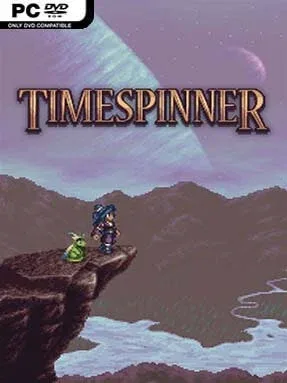
Lunais begins her quest with almost nothing left: her family is dead, the device meant to protect her people lies in ruins, and an unfamiliar land separates her from the empire she blames. Timespinner is a story-driven pixel-art action platformer built in the classic Metroidvania mold, pairing a revenge narrative with a world that gradually opens as new abilities are earned. Its tone is melancholic and surprisingly political rather than purely heroic, asking whether rewriting a terrible history can create consequences just as painful. The journey moves between Lachiem’s barren present and its brighter past, letting the same locations reveal different paths, characters, and secrets.
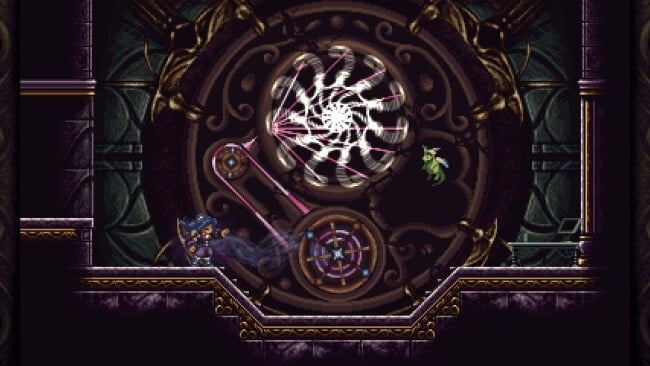
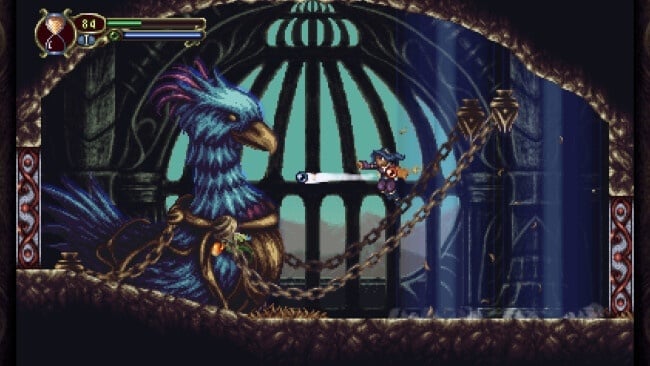
Combat centers on Lunais’ floating magic orbs, which can be equipped in different elemental combinations and improve through frequent use. Fast attacks, spells, relics, and defensive movement give fights a satisfying rhythm, while the signature ability to freeze time can halt projectiles, turn enemies into temporary platforms, and solve environmental puzzles. Exploration rewards careful players with concealed walls, tricky platforming routes, upgrades, and optional gear that can noticeably alter a build. Boss encounters demand attentive dodging and timing instead of mindless grinding, and Familiars provide companion support; a second local player can directly control that companion in co-op.
What distinguishes Timespinner from a simple Castlevania imitation is its time-travel structure and its willingness to make the player reconsider the people and events behind Lunais’ mission. The hand-drawn pixel environments are rich with color and atmosphere, while Jeff Ball’s gothic, console-era soundtrack reinforces the game’s blend of fantasy drama and 16-bit nostalgia. Familiar training and orb combinations add useful customization without making progression overwhelming, though genre veterans may find the overall challenge manageable outside of its tougher bosses. Fans of Symphony of the Night, Bloodstained, and story-focused indie platformers find a compact, polished adventure here, while newcomers get an approachable introduction to interconnected-world exploration.
Installation
- Click the green button below to be redirected to UploadHaven.
- Wait 15 seconds, then hit “Free Download.” (Free downloads may be slower — upgrade to UploadHaven Pro for faster speeds.)
- Once downloaded, right-click the .zip file and choose “Extract to Timespinner.” (You’ll need 7-Zip for this.)
- Open the extracted folder and run the game as administrator.
- Enjoy! 🎮 If you see missing DLL errors, check the <strong>_Redist</strong> folder inside and install what’s needed.
System Requirements
- OS: Windows XP
- Processor: Dual Core
- Memory: 1 GB RAM
- Graphics: DirectX 9.0c compatible, PixelShader & Vertex Shader 1.1
- DirectX: Version 9.0
- Storage: 400 MB available space
- Sound Card: DirectX 9.0c compatible
Setup Guide & Troubleshooting
How do I fix missing DLL errors for Timespinner (v1.033)?
After extracting Timespinner (v1.033), navigate to the _Redist or _CommonRedist folder inside the game directory and install DirectX, Vcredist, and any other dependencies included.
What should I do if the downloaded file is corrupted?
The full archive is 334.99 MB — make sure your download completed fully before extracting. Use 7-Zip to extract the files. If you still see a "file corrupted" error, re-download and try again.
Why should I run the game as administrator?
Right-click the game executable and select "Run as Administrator" to avoid save file issues and permission errors. This is especially important on the first launch.
How do I update my GPU drivers for this game?
Timespinner (v1.033) requires a DirectX 9.0c compatible, PixelShader & Vertex Shader 1.1 or equivalent. Update your NVIDIA or AMD drivers to the latest version for the best performance.
The game won't launch — what should I try?
This game requires Version 9.0. Try running in compatibility mode, install the latest DirectX runtime, or install the All-in-One VC Redist Package.
My antivirus is blocking the game — is it safe?
Antivirus false positives are common with pre-installed games. Temporarily pause your antivirus during extraction to prevent it from quarantining game files. You can re-enable it after the extraction completes.